


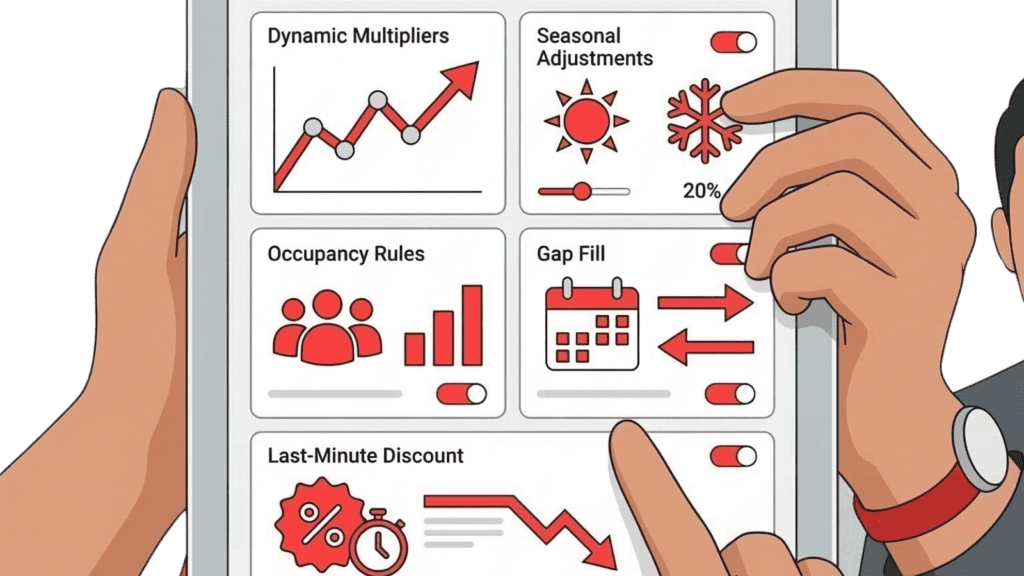
Running a small hotel with a basic, set-it-and-forget-it rate strategy is a lot like driving a high-performance sports car while stuck in first gear—you are moving, but you are burning out your engine while everyone else speeds right past you. In a landscape plagued by forecasting uncertainty and sudden market shifts, independent hotel owners and revenue managers need a sophisticated engine to balance occupancy against Average Daily Rate (ADR). This is where advanced automation steps in to do the heavy lifting. By leveraging PriceLabs pricing rule customizations, you can seamlessly adapt to unexpected demand changes, tackle rate parity issues, and eliminate manual rate management. Let’s explore the seven essential settings that will help you maximize RevPAR and keep your property ahead of the competition.
1. Base Price Optimization

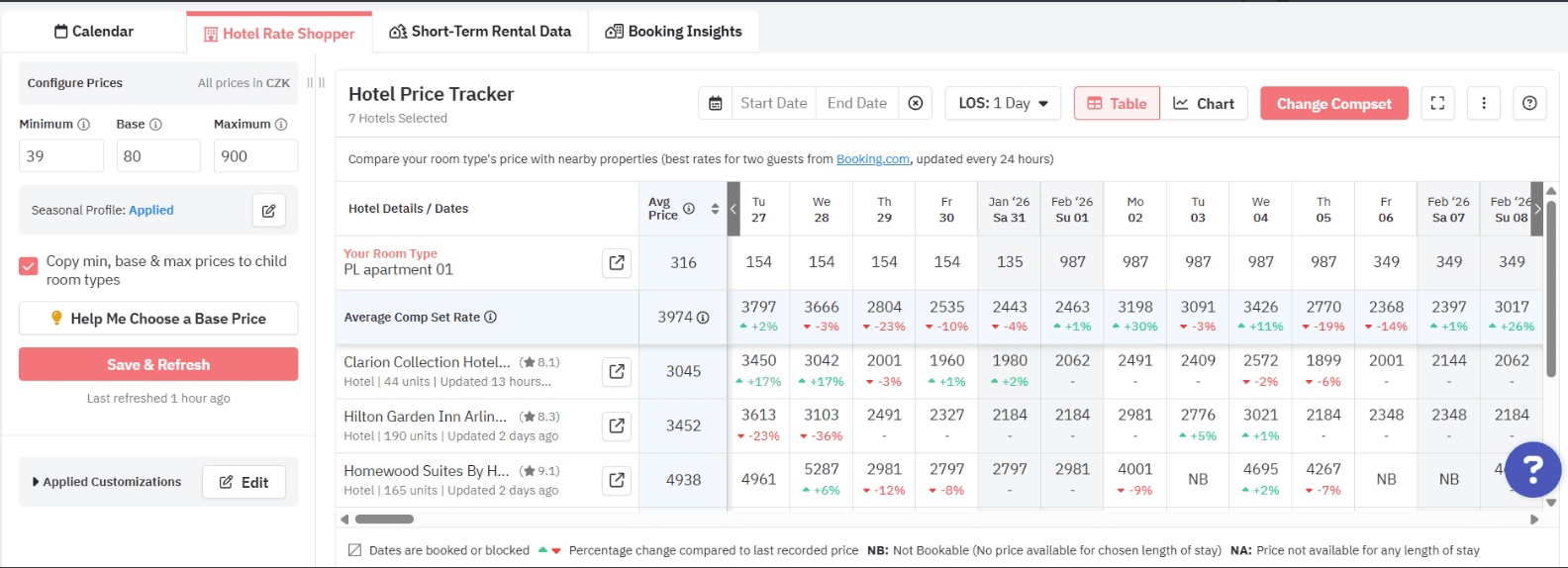
Establishing your base price is the foundational step for all other PriceLabs pricing rule customizations. Think of it as the anchor for your entire revenue strategy; if your anchor is set in the wrong place, the current will drag you off course.
Setting the right base rate ensures that the system’s dynamic pricing engine has an accurate starting point to generate daily recommendations. Without it, you risk either leaving money on the table or scaring away potential bookings.
How PriceLabs Helps: You do not have to guess what your starting rate should be. PriceLabs offers Base Price Guidance, which provides data-informed recommendations for setting your annual average rate. This guidance is firmly grounded in your historical performance and current market conditions.
- Practical Tip: Use this guidance alongside your knowledge of your property to set a baseline. Once established, all automated PriceLabs pricing rule customizations will scale intelligently from this anchor.
2. Minimum Length of Stay and Orphan Day Handling

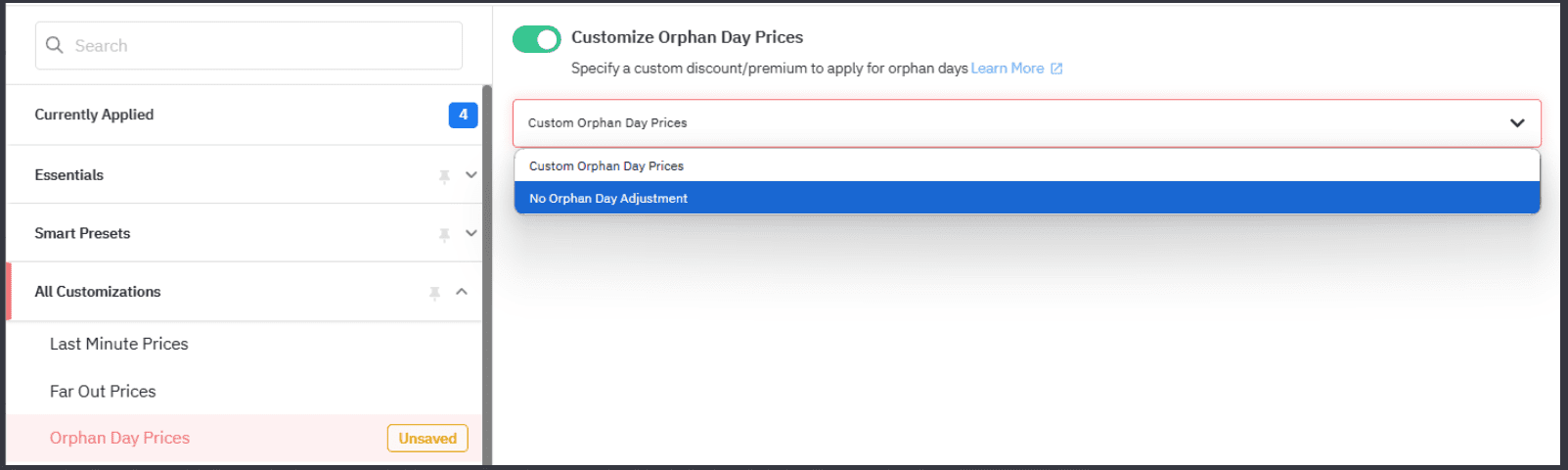
Large group reservations and unpredictable booking windows can severely disrupt standard pricing strategies and inventory control. This often results in “orphan days”—unbooked, single-night gaps between longer reservations that are notoriously hard to sell. Utilizing minimum stay restrictions correctly helps protect your high-demand weekends, while smart orphan day pricing strategies help fill those isolated gaps.
How PriceLabs Helps: To maximize your calendar’s efficiency, you can rely on PriceLabs’ Minimum Stay Rules.
- How it Works: The system adapts length-of-stay suggestions based on seasonality, booking patterns, and demand periods.
- Actionable Step: You can set standard minimums for peak seasons, and use Date-Specific Overrides to adjust stay restrictions and availability for high-demand dates or events, ensuring you don’t end up with unbookable gaps during your most profitable periods.
3. Demand Factor Sensitivity and Hyper-Local Adjustments

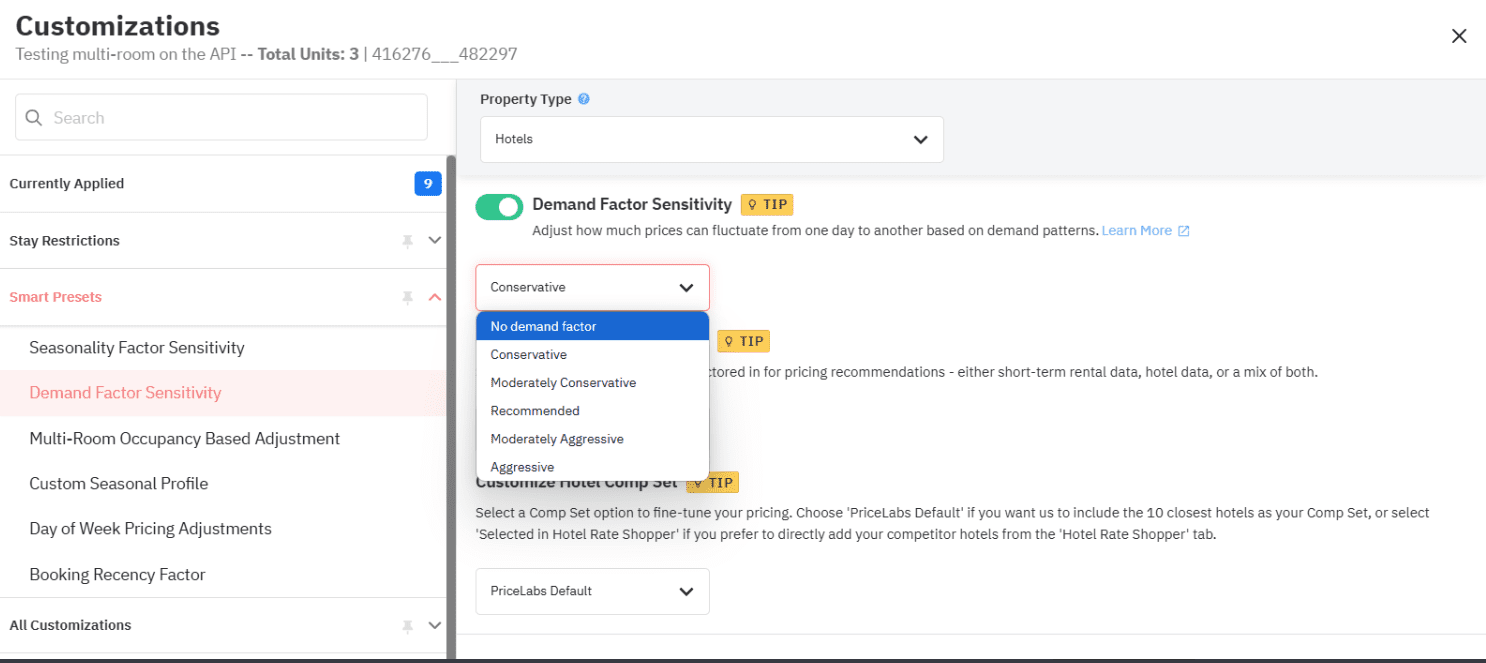
Different markets react differently to demand. A sudden concert announcement might double rates in a downtown core, while a quiet rural retreat might only see a slight bump. You need granular control over how aggressively your rates respond to these market signals to avoid data overload and ensure you are making the right moves.
How PriceLabs Helps: The core of your strategy here relies on Dynamic Pricing (Hyper Local Pulse). This feature generates daily pricing recommendations using internal occupancy, lead time, seasonality,local events, and publicly available hotel market data.
- Practical Tip: If you operate in a market heavily saturated with Airbnbs or vacation rentals, use Hotel Weights. This specific PriceLabs pricing rule customization allows you to control the influence of hotel data versus short-term rental data on your pricing recommendations, ensuring your sensitivity is tuned to your actual competitors.
4. Day-of-Week Pricing Adjustments

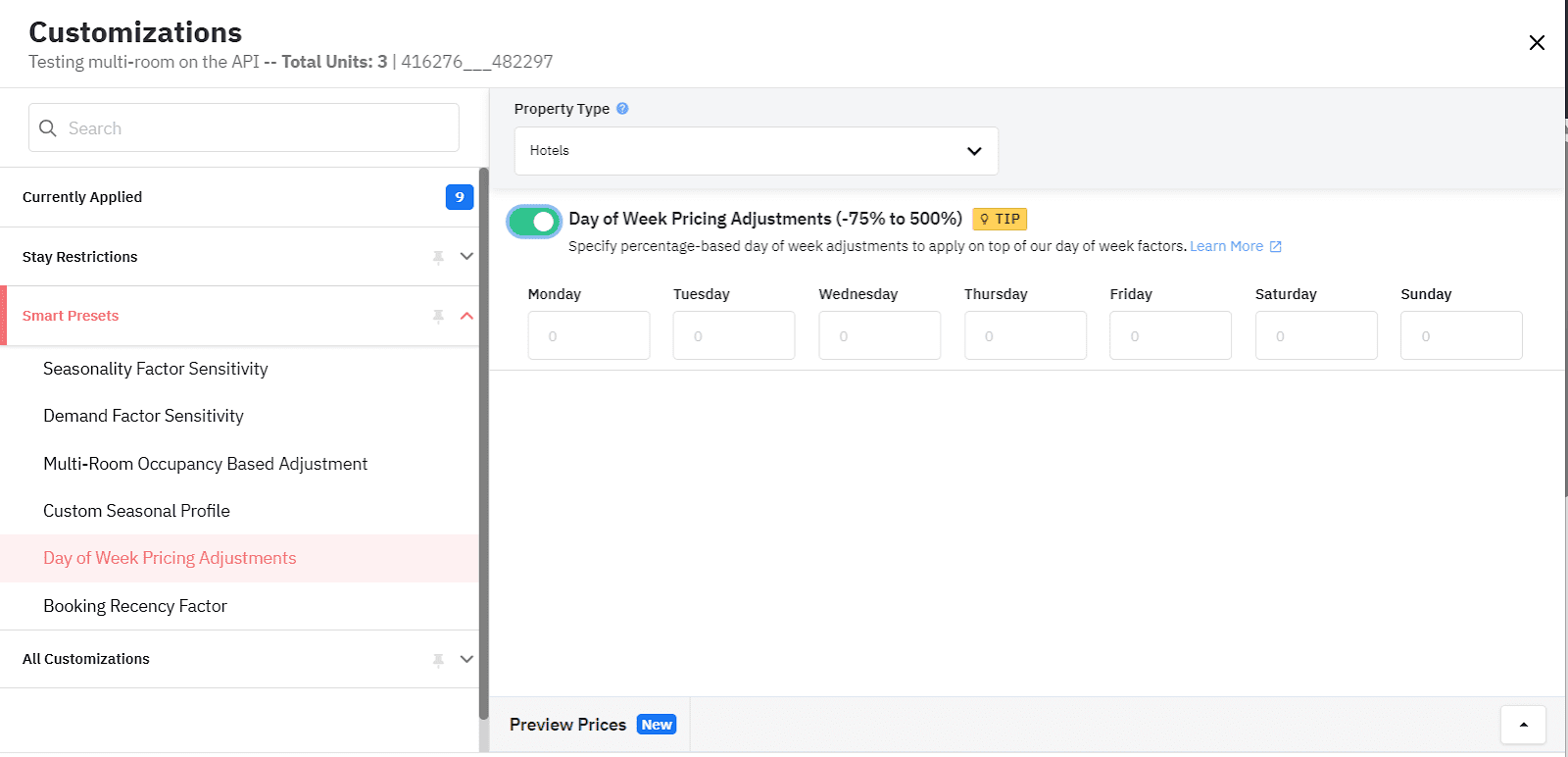
Guest behavior typically follows a rhythm. Business travelers book mid-week, while leisure travelers dominate the weekends. Blanket rates fail to capture these distinct revenue opportunities. Granular PriceLabs pricing rule customizations allow you to reflect these known patterns without requiring daily manual intervention.
How PriceLabs Helps: Instead of manually tweaking Tuesdays and Saturdays, you can utilize Seasonal Profiles and Room-Type Specific Pricing.
- How it Works: Seasonal Profiles let you define distinct pricing and stay-rule strategies for peak, shoulder, and off-peak seasons.
- Room-Type Customization: You can apply custom pricing rules to individual rooms based on demand patterns. If your standard rooms sell out quickly on mid-week business trips, but your suites only move on weekends, you can set distinct rules without affecting broader property settings.
5. Last-Minute and Far-Out Pricing Rules

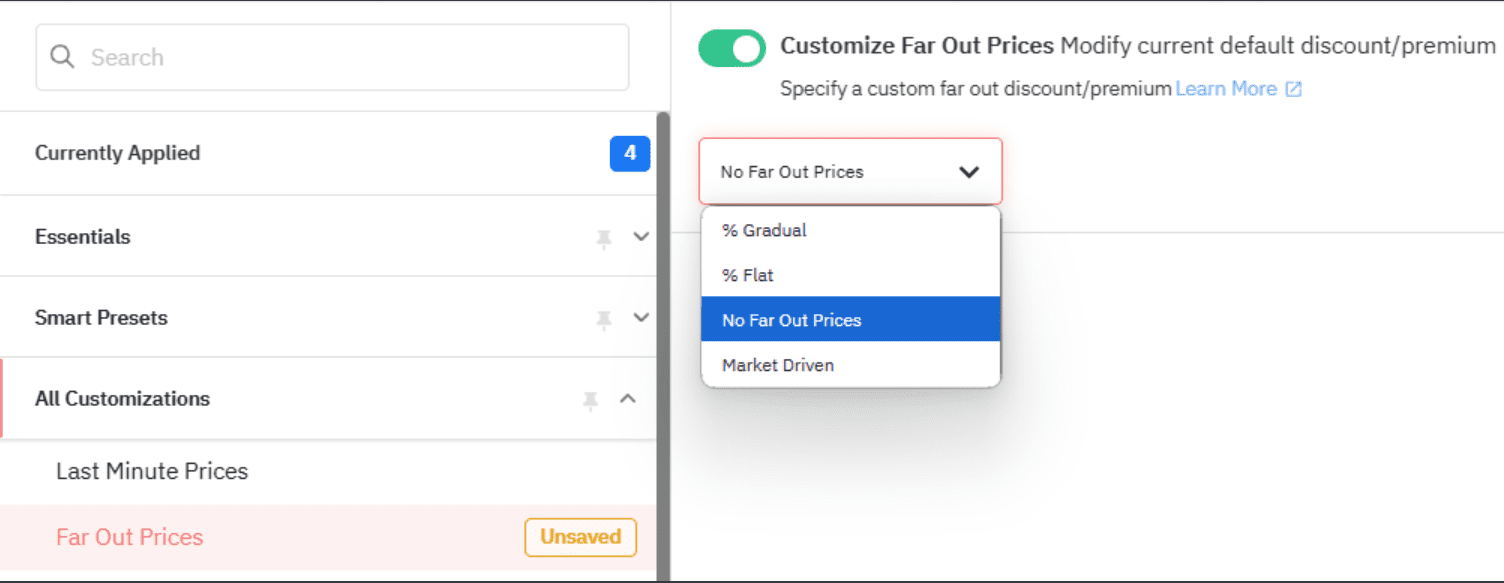

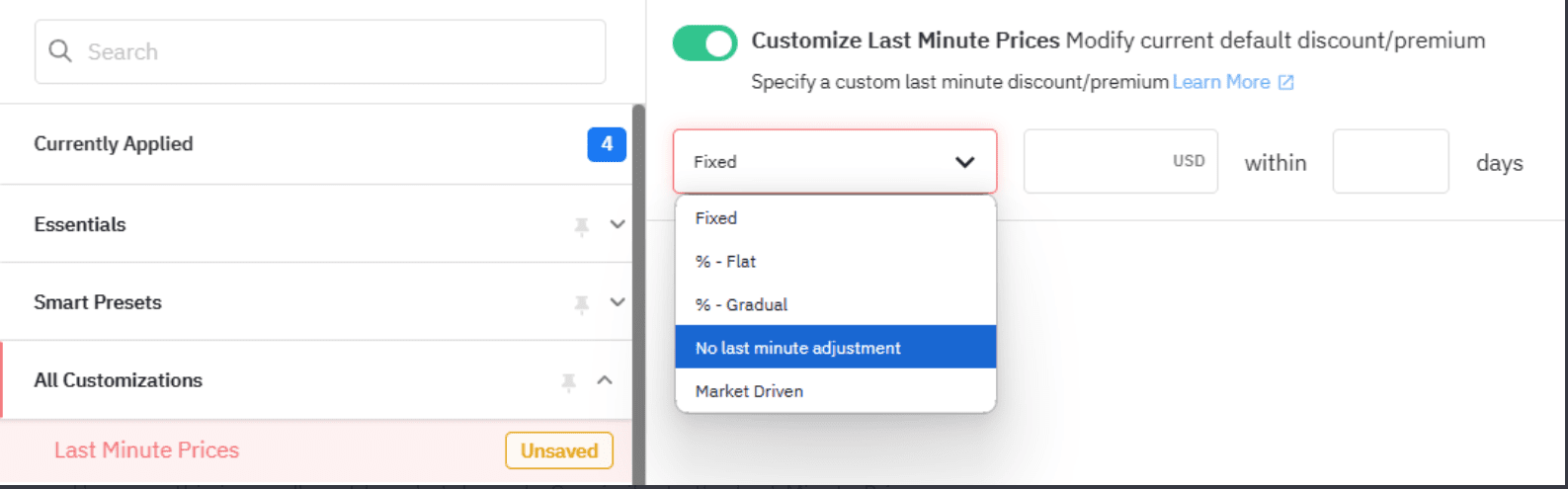
Booking windows are highly volatile. Some guests book their summer vacation in January, while others look for a room from their car on a Friday afternoon. You need a strategy that protects your value from early birds while also capturing spontaneous bookers through strategic last-minute discounts.
How PriceLabs Helps: PriceLabs offers specific settings to manage both ends of the booking timeline:
- Far-Out Pricing Adjustments: Shape pricing recommendations for dates far in advance. This helps reflect long lead times, early demand signals, and seasonal expectations, ultimately helping you protect your property’s value.
- Last-Minute Pricing Adjustments: Automatically adjust pricing recommendations for close-in dates based on occupancy, pickup, and market demand. This ensures optimal occupancy without lifting a finger.
6. Safety Minimum Price Floors
A common pain point for revenue managers is owner pushback. Owners need assurance that automation won’t slash rates below a profitable margin during a slow week. Defining a safety floor is a critical risk management step that guarantees revenue integrity.
How PriceLabs Helps: To defend pricing decisions to hotel owners and maintain profitability, you can leverage Date-Specific Overrides your safety nets.
- Practical Tip: Use Date-Specific Overrides to forcefully adjust pricing for specific dates. You can create a hard floor that the dynamic pricing engine will not cross, ensuring you maintain a profitable ADR even when market demand dips. Because PriceLabs connects seamlessly via 160+ PMS & OTA Integrations, this floor is maintained across all direct bookings and corporate contracts, preventing rate parity issues.
7. Occupancy-Based and Portfolio Adjustments

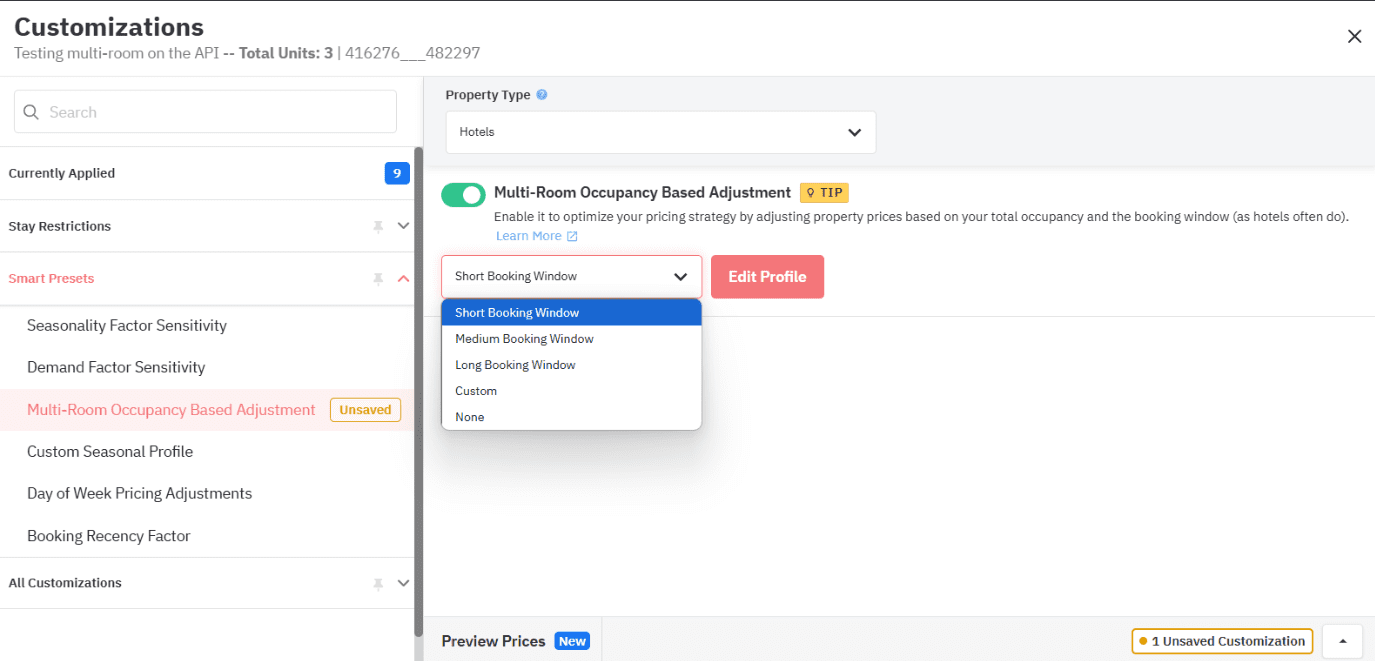
If you manage a hotel with varied room types, treating your inventory as one giant block is a mistake. As your standard rooms fill up, the remaining premium rooms should dynamically adjust based on that shrinking availability to capture higher yields.
How PriceLabs Helps: This is where Multi-Room Occupancy-Based Adjustments shine as one of the most powerful PriceLabs pricing rule customizations.
- How it Works: This feature adjusts pricing recommendations based on occupancy trends within specific room types. This supports a balanced sell-through across your entire inventory.
- Tracking Success: Pair this with Portfolio Analytics to track key hotel KPIs—like ADR, Occupancy, RevPAR, and pacing—at the property, room-type, and room level. With Automated Reports, you get real-time insights delivered straight to your dashboard, making it easier to make better portfolio-wide decisions.
The Way Forward
Transitioning from static, manual pricing to an automated, dynamic strategy is the single most effective way to balance occupancy and ADR in today’s hospitality market. By mastering these seven PriceLabs pricing rule customizations, independent hoteliers can save countless hours, reduce forecasting uncertainty, and confidently present data-backed results to ownership.
Next Step: Audit your current tech stack. Are you manually shifting rates across platforms? Consider how integrating a tool with real-time sync could eliminate those discrepancies and free up your time for guest experience.
Frequently Asked Questions
How do minimum stay restrictions and orphan day rules work together in PriceLabs?
Minimum stay restrictions enforce the shortest booking allowed per date (adapted via PriceLabs’ Minimum Stay Rules based on seasonality and demand). Orphan day strategies make single or short unbooked nights easier to fill, helping maximize occupancy by preventing unbookable gaps in your calendar.
What is the impact of last-minute discounts on bookings and revenue?
Using Last-Minute Pricing Adjustments can increase occupancy by attracting late bookers during slow periods based on current pickup and market demand. It helps fill empty rooms right before check-in without sacrificing your broader ADR strategy.
How can small hotels set safety minimum prices effectively?
By using Date-Specific Overrides and Base Price Guidance, hotels ensure nightly rates won’t fall below owner-approved thresholds. This adds a layer of protection during low-demand periods and prevents the automated engine from pricing below profitability margins.
How do hierarchical PriceLabs pricing rule customizations apply across group and listing levels?
PriceLabs allows rules at different levels. You can use Room-Type Specific Pricing to customize strategies based on room categories without affecting broader property settings, or use Portfolio Analytics to track and manage KPIs at the property or multi-unit level.
What is the best way to start tuning demand factor sensitivity?
Begin by using the Dynamic Pricing (Hyper Local Pulse) baseline, which generates recommendations using local events and public market data. If you are in a mixed market, use Hotel Weights to balance the influence of hotel data versus short-term rental data to ensure your sensitivity matches your actual competition.