Make PriceLabs Work for You: Customize, Experiment & Track Goals
Gaurav Bundel
Spread the love
PriceLabs delivers powerful automation right out of the box, helping you optimize pricing effortlessly. Whether you’re a property manager curious to test a few customizations or a revenue manager fine-tuning every detail, PriceLabs empowers you to run your business your way.
Fine-Tune Your Pricing with Confidence
PriceLabs’ algorithm handles pricing automatically, but customizations let you align it with your unique business needs—whether adjusting for owner requests, seasonality, or specific goals.
Best practices when applying customizations:
Know what’s active: The Currently Applied list in the Edit Customizations page keeps you informed, reducing guesswork.
Find settings fast: The Search bar helps you locate customizations quickly.
Experiment safely: Use Preview Prices to test changes before saving.
Make informed choices: Layer multiple customizations and see their impact.
Avoid mistakes: Smart alerts remind you to save updates.
Work smarter: Pin frequently used settings for quick access.
Why it matters: Customize as much or as little as you like—without worrying about errors. Learn more
Revamped Edit Customizations Page
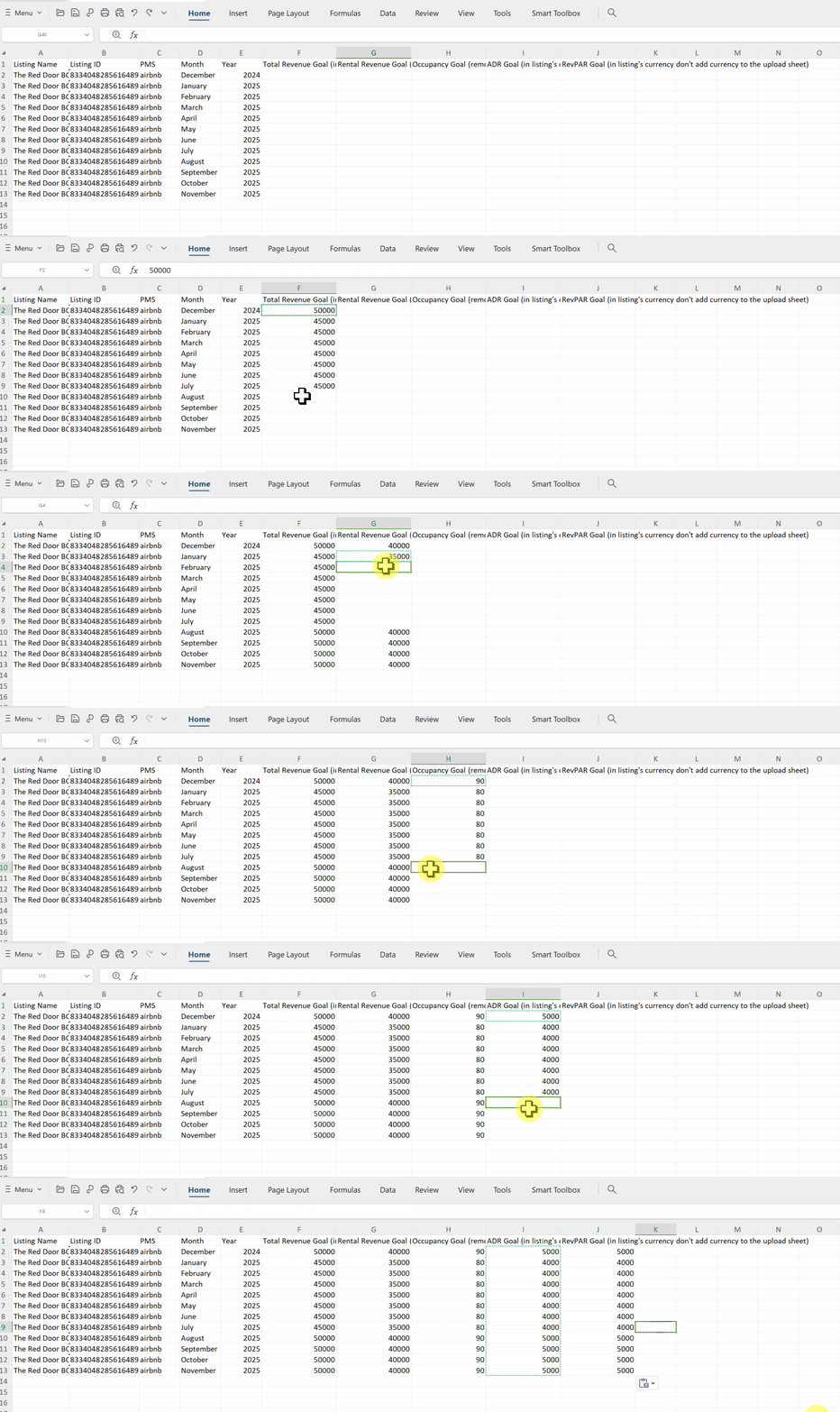
Set Goals and Track Progress in Report Builder
PriceLabs’ pre-built reports provide valuable insights, but setting your own goals helps you track progress your way.
Best practices:
Set your targets. Track revenue, ADR, and occupancy with clear goals.
Stay on top of progress. Regularly check reports to see how you’re doing.
Adjust as needed. Use insights to fine-tune strategies and boost results.
To provide the best experiences, we use technologies like cookies to store and/or access device information. Consenting to these technologies will allow us to process data such as browsing behavior or unique IDs on this site. Not consenting or withdrawing consent, may adversely affect certain features and functions.