


Pricing discrepancies between Booking.com and Airbnb can cost you thousands in lost revenue and, perhaps more importantly, damage the trust guests have in your property. These mismatches happen when your rates appear different across platforms, usually because of manual updates, conflicting calendar syncs, or the different ways each platform handles fees.
In this guide, you will learn exactly why these conflicts occur, how to spot them, and the proven systems you can use to eliminate them permanently. The ultimate solution is to use a centralized channel manager or a dynamic pricing tool to push consistent base rates to all your channels in real time.
Bonus Read: The Ultimate Guide to Dynamic Pricing for Short-Term Rentals
Why Pricing Discrepancies Happen Between Booking.com and Airbnb
If you’ve noticed your prices aren’t matching up, you aren’t alone. These inconsistencies usually stem from fundamental differences in how each platform handles its business model:

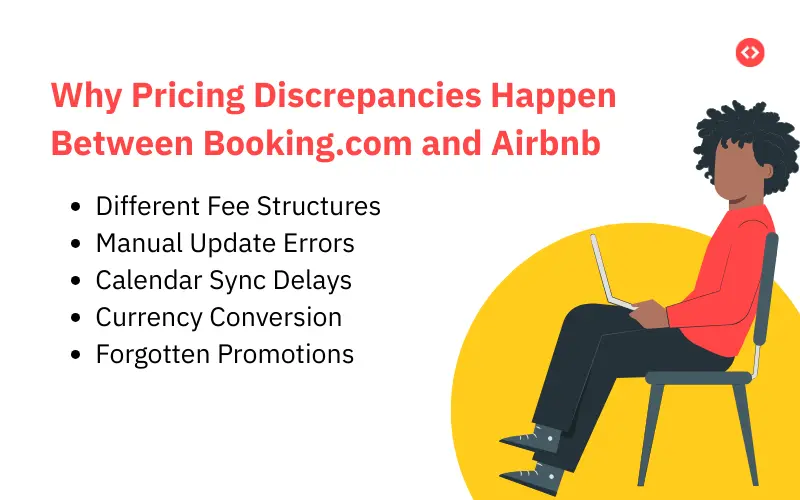
- Different Fee Structures: Booking.com typically uses a commission model where you set the price the guest sees, and the platform takes its fee out of your payout. Airbnb often adds a service fee on top of your base rate, which guests only see at the end of the checkout process.
- Manual Update Errors: If you manually raise your rates on Airbnb but forget to do the same on Booking.com, guests who are comparison shopping will notice. They will likely book wherever it is cheaper, regardless of which platform you prefer to use.
- Calendar Sync Delays: Many hosts rely on iCal feeds to sync calendars, but these can lag by several hours or even a whole day. During that lag, a guest could book a date on one site that hasn’t been blocked on the other, leading to double bookings and stressful cancellations.
- Currency Conversion: Booking.com and Airbnb use different exchange rates and update them on different schedules. Even if your base price is the same, a rate set in USD might look different when converted to EUR on another platform.
- Forgotten Promotions: If you run a last-minute discount on one platform but not the other, your prices won’t match. Without a way to track these, they become a major source of confusion.
Dynamically Price Your Property and Get FREE Custom Reports Tailored To Your Property!
Use PriceLabs Dynamic Pricing to competitively and dynamically price your property according to demand shifts and analyze past performance to set a strong pricing strategy for your property.
Create your Account NowThe Real Cost of Inconsistent Pricing
It might seem like a small detail, but inconsistent pricing has a real impact on your bottom line:
- Revenue Leakage: Guests will always book the lower rate. If Booking.com shows $150 and Airbnb shows $180, you lose $30 in potential revenue, an amount that can add up to thousands over a year.
- Lost Guest Trust: Modern travelers compare listings. Finding the same home at vastly different prices makes you look disorganized and raises red flags about your professionalism.
- Search Ranking Penalties: Pricing errors often lead to cancellations, and both platforms penalize hosts for this. Airbnb’s algorithm specifically pushes your listing down in search results if you cancel confirmed bookings.
- Operational Chaos: You or your team can waste hours every week manually checking rates and answering guest questions about price differences when that time could be spent improving the guest experience.
How to Audit Your Current Pricing Setup
Before you can fix the problem, you need to see exactly where the leaks are. Start by conducting a manual spot check of your active listings.
Open Booking.com and Airbnb side-by-side and search for your own property just like a guest would.
Here is a simple way to organize your audit:
- Check Multiple Dates: Record displayed rates for at least 10 different date ranges over the next 90 days.
- Track the Differences: Note any variations that are larger than the typical commission differences.
- Look for “Orphaned” Promos: Navigate to each platform’s pricing calendar to find unexpectedly low rates—these are often old discounts you forgot to turn off.
- Verify Currencies: Ensure you are setting your base rates in the same currency on every platform to avoid exchange rate fluctuations.
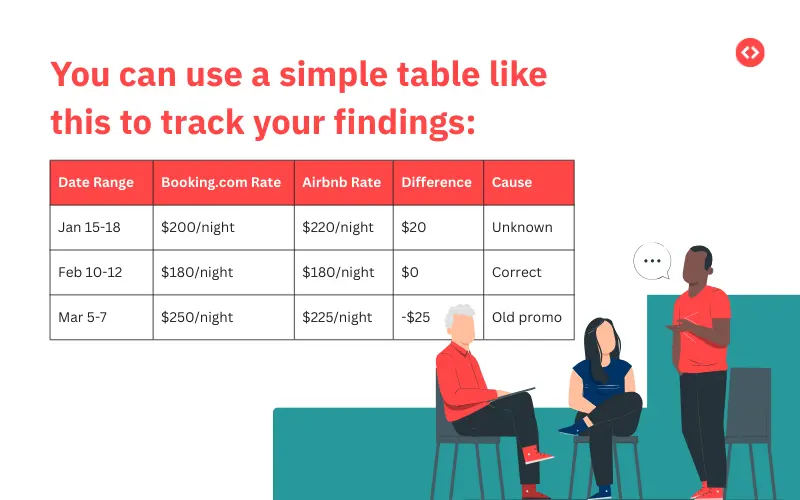
You can use a simple table like this to track your findings:
Centralized Management: Your “Source of Truth”
The most effective way to end the chaos is to use a channel manager. Instead of logging into multiple sites to change a price, you set your rate once in the channel manager, and it pushes that update to all platforms simultaneously.
This approach eliminates human error. When you make a change, every platform is updated within minutes, not hours or days. Leading tools like PriceLabs offer real-time, two-way synchronization. They don’t just send prices out; they also pull bookings back instantly to block your calendar and prevent double bookings.
Dynamically Price Your Property and Get FREE Custom Reports Tailored To Your Property!
Use PriceLabs Dynamic Pricing to competitively and dynamically price your property according to demand shifts and analyze past performance to set a strong pricing strategy for your property.
Create your Account NowUsing PriceLabs to Maintain Perfect Parity
Dynamic pricing tools like PriceLabs take things a step further by automating your rates based on local demand while keeping everything consistent across channels.

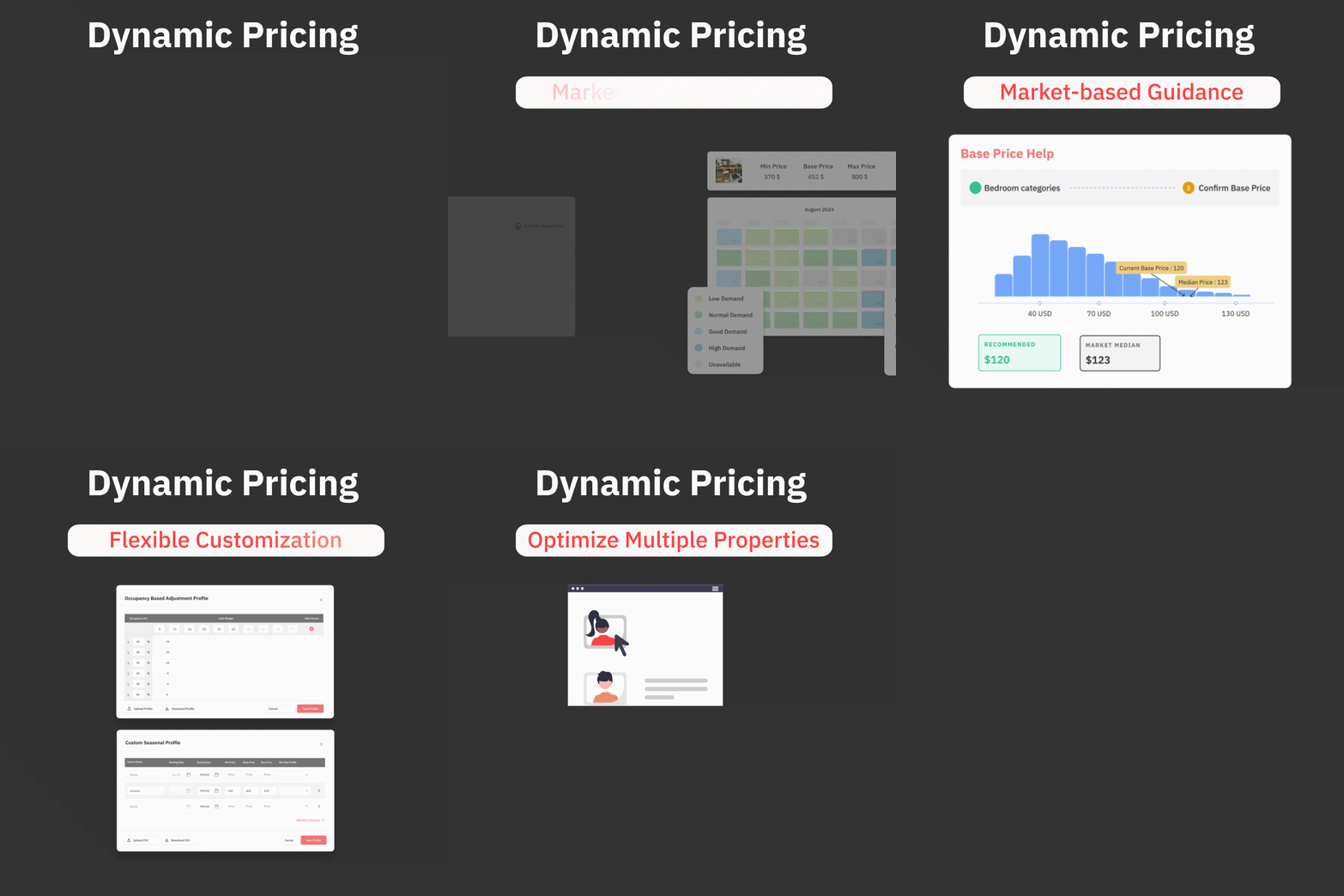
- Market-Driven Updates: PriceLabs monitors competitors, local events, and seasonality to recommend the best rate for every night.
- Automatic Propagation: When PriceLabs adjusts your base rate for a busy weekend, that change is sent to all platforms at once through your channel manager, keeping your rates in parity.
- Smart Gap Filling: If the software identifies a small gap between bookings and lowers the price to fill it, that discount appears on every channel uniformly.
- Built-in Safety: You can use PriceLabs to set temporary discounts that expire automatically, so you never have to worry about “orphaned” promotional rates again.
Strategic Rules With Pricing
Consistent pricing doesn’t always mean the exact same number—it means consistent net revenue. Since Booking.com might charge 15% and Airbnb 3%, you can set rules to “gross up” your rates.
For example, if you want to clear $150 per night, you can configure your system to show $176 on Booking.com and $155 on Airbnb. Guests see a slight difference, but your profit remains the same. By using percentage-based adjustments (like “base rate + 15%”) rather than fixed dollar amounts, your margins stay protected even as your prices fluctuate.
Dynamically Price Your Property and Get FREE Custom Reports Tailored To Your Property!
Use PriceLabs Dynamic Pricing to competitively and dynamically price your property according to demand shifts and analyze past performance to set a strong pricing strategy for your property.
Create your Account NowHandling Promotions and Discounts Consistently
To keep your pricing from spiraling out of control, you need a clear plan for sales and discounts. If you launch a platform-specific promotion, it shouldn’t be a “set it and forget it” task.
- Keep a Promotion Calendar: Track the start and end dates of every discount in a shared spreadsheet or tool to ensure no campaign lasts longer than intended.
- Coordinate Major Sales: Whenever possible, run a unified “spring sale” or holiday discount across all channels simultaneously. This simplifies your management and keeps guests from seeing wildly different rates.
- Set Expiration Reminders: Always set a calendar alert for when a promotion ends. An “Airbnb first-timer” discount can accidentally undercut your rates indefinitely if you forget to remove it.
- Automate with PriceLabs: You can use PriceLabs to set temporary discounts that automatically expire and revert to your standard pricing without any manual work. This is the best way to eliminate the risk of “orphaned” rates.
Real-Time Monitoring: Catching Errors Early
Even with the best tools, it pays to keep an eye on things. Automated monitoring acts as your early warning system.

- Automated Alerts: Configure email or SMS notifications for when a platform rejects a price update or when your dynamic pricing tool loses its connection to a channel.
- Weekly Spot Checks: Assign a few minutes every Monday to manually check 5-10 random dates across all platforms. This human oversight catches edge cases that software might miss.
- Track Patterns: If you notice that Booking.com frequently has mismatches while Airbnb is always correct, it may mean your channel manager’s connection to that specific platform needs a fix.
Dynamically Price Your Property and Get FREE Custom Reports Tailored To Your Property!
Use PriceLabs Dynamic Pricing to competitively and dynamically price your property according to demand shifts and analyze past performance to set a strong pricing strategy for your property.
Create your Account NowHow to Transition to a Discrepancy-Free System
If you are ready to stop managing prices manually, follow this gradual transition to ensure everything goes smoothly:
- Audit First: Document every current discrepancy and calculate how much revenue you are losing.
- Select Your Tools: Choose a channel manager that integrates seamlessly with both your booking platforms and PriceLabs.
- Start Small: Connect one or two of your highest-revenue properties first. Confirm that the rates sync correctly before rolling the system out to your entire portfolio.
- Run in Parallel: Keep your old manual process active for a week or two while the new automated system starts up as a safety net.
- Commit to the System: Once live, ensure you never manually adjust rates on individual platforms again. All changes must flow through your central “source of truth” to stay consistent.
Conclusion
Moving away from manual updates to an automated system is the only way to truly eliminate pricing conflicts. By using a channel manager integrated with PriceLabs, you create a reliable system that maximizes your revenue and builds guest trust. While the transition takes a little initial effort, the hours you save and the extra revenue you capture will make it a top priority for your business.
Frequently Asked Questions
1. Is it mandatory to have the exact same price on both Booking.com and Airbnb?
Not necessarily. While keeping rates similar helps build guest trust, it is often more strategic to focus on consistent net revenue. Because Booking.com and Airbnb have different commission structures, you may choose to set slightly different “gross” prices so that your final payout remains the same across both platforms.
2. Why do my prices still look different even after I update them?
This is often due to calendar sync delays. Many hosts use iCal feeds, which can lag by several hours or even a full day, meaning an update on one site doesn’t show up on the other immediately. Other common causes include forgotten platform-specific promotions or differences in how each site handles currency conversion.
3. Does Booking.com require “price parity” by law?
This depends on your location and specific contract. While some platforms traditionally required you to offer them the lowest price, many regions have changed these regulations. Regardless of legal requirements, maintaining price consistency is a best practice to avoid confusing guests and losing bookings to competitors.
4. Can I use PriceLabs without a Channel Manager?
Yes, PriceLabs offers a direct integration with Booking.com and Airbnb that allows you to sync prices without a property management system (PMS). However, even with this integration, you must still ensure your calendars are synced—usually via iCal—to prevent double bookings, as PriceLabs primarily manages pricing and minimum stays rather than availability.
5. Will using a dynamic pricing tool like PriceLabs cause more discrepancies?
Actually, it should do the opposite. When integrated correctly with a channel manager, PriceLabs acts as your “single source of truth”. When it adjusts a rate based on market demand, that new price is pushed to all your connected platforms at the same time, ensuring they stay in sync.