



The rules of short‑term rentals have changed—and 2026 is the tipping point. Booking windows are shrinking, traveler types are splintering, and Airbnb has expanded beyond homes into an ecosystem of hotels and experiences. In a market where event spikes can multiply demand overnight and cancellations ripple quickly, “set‑and‑forget” pricing leaves money on the table. AI‑powered dynamic pricing is now the baseline: tools that ingest hundreds of signals and react in real-time, so you capture last‑minute bookings, fill orphan nights, and protect profitability across platforms.
With automation adoption surging and documented revenue gains for integrated “smart stacks,” this is the year to upgrade your pricing software to stay competitive, safeguard RevPAR, and scale with confidence.
The Changing Airbnb Market Landscape in 2026
Airbnb demand patterns are moving faster and fragmenting. Short booking windows are up, micro‑trips are mainstream among Gen Z, and “eco‑escapists” are pushing seasonal surges—U.S. National Park stays reshaping how and when rates should move. Event‑seekers compress demand into narrow windows, while business‑leisure “bleisure” travelers stretch shoulder nights in select cities, making static price ladders obsolete.
Market volatility—rapid, unpredictable swings in booking demand driven by seasonality, world events, or shifting preferences—now defines revenue management. Hosts need systems that recognize and capitalize on these shifts faster than a human can refresh a calendar.
Major shifts to price for:
- Expanded Airbnb inventory (hotels, rooms, experiences) intensifies competition and compresses price discovery.
- Event‑driven bookings create sudden demand spikes (concerts, festivals, sports).
- Shorter booking windows push more last‑minute behavior and orphan gaps between stays.
- Traveler segmentation (eco‑escapists, event‑seekers, micro‑trippers) requires nuanced minimum stays and rate fences by date and listing.
How AI and Automation Are Transforming Pricing Strategies
Dynamic pricing—automatically adjusting nightly rates based on real-time demand signals and 100–200+ competitive data points—is the mechanism that turns data into revenue.

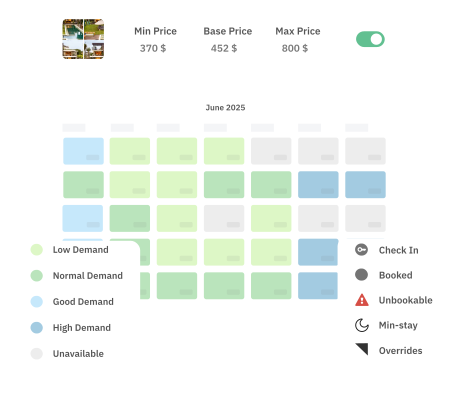
How modern tools gather and act on data across Airbnb, Vrbo, and Booking.com:
- Aggregate demand signals: competitor rates/availability, search and booking pace, flight and event data, weather, and local seasonality.
- Detect anomalies: sudden pick‑up, compression, or soft demand periods.
- Recalculate nightly rates: apply market trends, listing performance, and your min/max guardrails.
- Adapt stay rules: adjust minimum stays, last‑minute discounts, and orphan‑day fills to lift occupancy.
- Sync everywhere: push updates to connected OTAs and PMS with automated parity checks.
- Explain changes: provide context so you can validate and, if needed, override.
The Rise of Integrated Pricing Tools for Multi-City Management
For multi‑listing, multi‑city portfolios, integrated pricing isn’t optional—it’s the standard. Smart stacks that connect PMS, channel managers, and pricing software streamline operations.

What to prioritize when comparing platforms:
- Broad PMS/channel coverage (40+ PMS integrations), fast API syncs, and unified dashboards.
- Cross‑listing parity controls to prevent undercutting yourself across Airbnb, Vrbo, and Booking.com.
- Role‑based access and portfolio analytics for team workflows and city‑level insights.
The risks of siloed tools are real: desynchronized rates, missed event surges, manual copy‑paste errors, and opaque reporting across cities.
Event-Driven Pricing and Managing Cancellation Risks
Event‑driven pricing automatically adjusts rates when concerts, conferences, sporting events, or seasonal peaks spike demand. In recent cycles, major moments delivered outsized lifts—host markets around global events like the Olympics saw occupancy gains approaching 18 percentage points, and Super Bowl host cities recorded demand multiples well above normal trading ranges—rewarding listings that moved rates in real time.


At the same time, flexible cancellation norms increase downside risk. Airbnb’s 2026 update introduced more granular cancellation controls, enabling operators to pair dynamic pricing with rules that protect revenue on high‑risk dates. Combine these with minimum‑stay strategies—longer stays around peak events, shorter stays to fill shoulder gaps—and targeted last‑minute discounts to keep calendars tight. PriceLabs supports granular rules for minimum stays, last‑minute drops, and orphan‑day fills via configurable customizations.
Cost Models and Pricing Software Selection Criteria
Choosing the right cost model is about aligning fees with outcomes. Flat monthly pricing is often more economical for high‑revenue managers who want predictable costs, while commission or percentage‑of‑revenue models can help smaller portfolios start fast but scale cost as revenue grows.
Quick comparison guide:
| Evaluation area | What good looks like | Why it matters |
|---|---|---|
| Customization depth | Min/max guardrails, last‑minute/orphan rules, seasonal and event adjustments, listing tags | Tailors pricing to each market and unit type |
| Integrations | 40+ PMS/CM, Airbnb/Vrbo/Booking.com, fast API syncs | Reduces manual work and desync risk |
| Data breadth | 100–200+ signals: comp sets, pick‑up, flights, events, weather | Captures early demand shifts and prevents underpricing |
| Analytics & reporting | Role‑based dashboards, city/cluster views, RevPAR and pacing | Portfolio‑level decisions with accountability |
| Support & onboarding | Live demos, knowledge base, consultative setup, SLA | Faster time‑to‑value and fewer errors |
| Pricing tiers | Transparent monthly or volume‑based plans; optional add‑ons | Aligns cost with scale and objectives |
The Predictive Advantage of Modern Pricing Software
Predictive pricing uses forward‑looking indicators—local events, flight capacity and fares, competitor availability, booking lead times, even social buzz and weather—to set optimal rates before the market moves. Leading platforms process 200+ parameters, blend them with your listing’s historical performance, and surface prices that reflect what demand will do, not just what it did last year.
Early adopters consistently outperform manual pricing around compression periods, capturing higher ADR without sacrificing occupancy. The edge compounds across cities as the system learns which signals matter most in each micro‑market.
Boosting Efficiency and Scalability with Dynamic Pricing
Automation cuts out tedious updates so you can focus on growth. With dynamic pricing in place, parity checks run automatically across Airbnb, Vrbo, and Booking.com, minimum stays flex with demand, and rate pushes happen without manual edits—freeing hours each week while reducing errors.

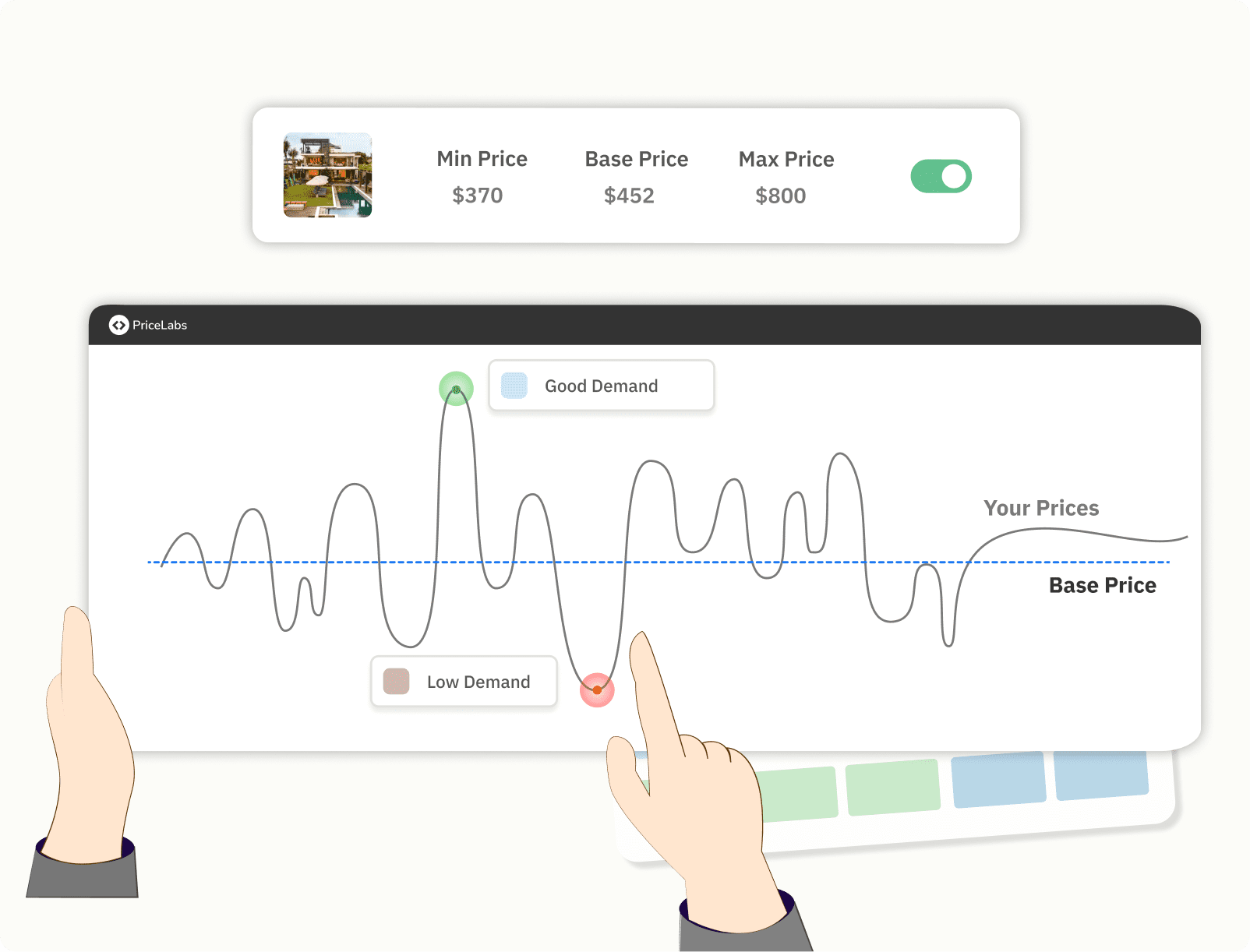
Portfolio scalability means adding listings without linearly adding admin workload. To get there:
- Audit your stack: confirm two‑way integrations, mapping, and rate/availability parity.
- Standardize templates: define global guardrails and per‑market rule packs.
- Monitor leading indicators: build dashboards for pacing, pick‑up, and gap nights.
- Review exceptions weekly: focus on underperformers, events, and last‑minute gaps.
New to advanced settings? Start with PriceLabs’ first‑time setup guide to establish clean foundations and alerting.
Balancing Automation with Transparency and Control
Automation should be explainable. Explainable AI surfaces the “why” behind each price—compression from event X, comp‑set move, or a pacing variance—so hosts can trust and fine‑tune decisions.
Practical control levers you should expect:
- Guardrails: per‑listing min/max rates, floor/ceiling by season.
- Demand rules: last‑minute discounts, orphan‑day fills, minimum stays for peaks.
- Overrides: calendar‑level edits and tag‑based rules that trump global settings.
Sample review flow in PriceLabs:
- Open the calendar view to scan AI‑suggested rates and explanations.
- Check the market dashboard for pick‑up and comp‑set shifts.
- Apply or adjust rules (e.g., shorter minimum stays to fill a midweek orphan gap).
- Approve targeted overrides for high‑stakes dates; let automation handle the rest.
Practical Steps to Upgrade Your Pricing Software Stack
Your 2026 upgrade plan:
- Map your ecosystem: list PMS, channels, cleaning/ops tools, and existing automations.
- Test parity: spot‑check 10 upcoming dates across Airbnb/Vrbo/Booking.com for sync accuracy.
- Trial vendors: run side‑by‑side A/B tests on a subset of listings for 2–4 weeks.
- Tune customizations: set min/max, last‑minute/orphan rules, and event‑area minimum stays.
- Review analytics weekly: pacing, RevPAR, pickup anomalies; escalate exceptions.
- Update policies: align cancellation windows and deposit rules with event and season risk.
- Operationalize: document role‑based workflows and notification thresholds.
- Calendar discipline: review city event calendars monthly to pre‑position rates and stays.
Lean on vendor onboarding: live demos, knowledge bases, and consultative setup reduce time‑to‑value. PriceLabs offers comprehensive documentation and expert support to make migration smooth and measurable.
The Strategic Value of Pricing Software in 2026 and Beyond
In a volatile market, intentional, data‑driven pricing turns uncertainty into durable revenue. Predictive engines help you lead price moves, automation scales your operations without adding headcount, and granular rules manage risk around events and cancellations. Modern tools also enable cross‑team alignment with shared dashboards and role‑based accountability.
The defensible edge comes from pairing automation with host expertise and top‑tier listing quality. As Airbnb’s ecosystem evolves and data sources deepen, pricing software will continue to compound advantages for operators who invest in explainable AI, integrated stacks, and disciplined workflows today.
Frequently Asked Questions
What are the limitations of Airbnb’s built-in Smart Pricing tool?
It can underprice premium dates and event surges, and it lacks the cross‑platform controls and deep customization multi‑city hosts need for consistent RevPAR.
How do host fee changes in 2026 impact pricing strategies?
With a 15.5% host‑only fee, you’ll need roughly an 18.34% markup to maintain parity; align your software’s markup settings accordingly (see PriceLabs’ host fee update explainer).
Why should hosts consider third-party dynamic pricing tools?
They offer richer customization, multi‑channel integrations, and real-time event responsiveness that typically outperform generic solutions.
How can pricing software support last-minute rate adjustments?
By applying automated rules for rapid price drops as stay dates approach and filling orphan nights between bookings to boost occupancy.
What should multi-city Airbnb hosts look for in pricing software?
Deep PMS integrations, unified analytics, cross‑channel parity controls, role‑based access, and scalable automation that adapts by city.