Get started with PriceLabs now!
Want to learn what PriceLabs can do for you? See for yourself with a free trial. Get started now!

The most common new host mistake isn't choosing the wrong property or setting the wrong price. It's publishing before you're ready. Hosts hit "go live" the moment the beds are made and photos are taken — then spend the first three months wondering why bookings are slow. If you're serious about strong early performance, Airbnb listing pre-launch optimization is the most important investment you'll make. Think of this as the pre-publish layer of Airbnb listing optimization: the 60–90 days before you go live — the window most hosts miss entirely.
Pre-launch optimization is the structured process of completing every element of your Airbnb listing — photos, title, description, amenity tags, pricing, and settings — before you publish, so that the algorithm's first impression generates clicks, bookings, and strong early performance data. It matters more in 2026 because Airbnb's weakened new listing boost means the algorithm learns from your listing's very first days of live performance, and bad early data is hard to reverse.
Three weeks of deliberate preparation now is worth more than three months of trying to fix a poorly launched listing that the algorithm has already written off. Strong early ranking position also compounds into stronger vacation rental revenue management because better visibility gives you more booking data, more reviews, and more pricing confidence.
Airbnb's new listing boost — the automatic visibility advantage that used to give new listings a 30-day grace period — has been significantly weakened in 2026. Without that buffer, a strong new Airbnb listing strategy before publishing becomes your primary competitive tool. When your listing goes live, the algorithm starts forming its opinion immediately based on the same listing quality signals that shape Airbnb listing optimization: click-through rate, conversion, pricing fit, reviews, and guest trust.
Every view that doesn't result in a click teaches the algorithm that your cover photo isn't compelling. Every click that doesn't result in an inquiry tells it that your listing doesn't convert. Every inquiry that doesn't result in a booking signals a price or trust problem. There is no grace period for bad early signals — Airbnb listing optimization before going live is how you ensure those signals are strong before any of this begins. During the launch window, track pricing and performance metrics like occupancy pace, ADR, conversion, and search visibility so you can correct issues before they become a pattern.
Independent hosts managing 1–5 properties can't absorb a slow launch the way large operators can. Every booking in your first 90 days builds reviews, establishes cash flow, and earns you the right to increase rates. A poor first 90 days sets a ceiling that takes 6–12 months to break through, especially for first-time hosts still learning how to become an Airbnb host while building the review base that supports long-term ranking.
Most hosts skip this phase entirely. They spend weeks on interior design and photography but zero time understanding the competitive landscape their listing will enter. This is where Airbnb listing preparation 90 days actually begins — with market research, not copywriting. Before you commit to a launch strategy, use short-term rental analytics to understand local demand, comparable pricing, occupancy patterns, and amenity gaps.
Step 1 — Competitive market audit. Search Airbnb for your property type, bedroom count, and neighborhood for the next 60 days. Identify 5–8 best-performing listings — Guest Favorites badge, high review count, consistently full calendars. Study their cover photos, titles, emphasis on amenities, and price ranges. This is your competitive landscape. You need to understand where you fit before you write a single word of listing copy, and a listing optimization audit helps you systematically evaluate competitors’ photos, titles, amenities, and positioning.
Step 2 — Amenity gap analysis. List every amenity your property has or will have at launch. Cross-reference against Airbnb's most-searched filter amenities: Wi-Fi (filtered by 85% of guests), full kitchen (72%), free parking (63%), washer/dryer (58%), pool/hot tub (45% in resort markets). Missing amenity tags make your listing invisible in filtered searches. A host with free parking who forgets to tag it loses impressions every day, which is why amenity tagging should be part of your listing optimization checklist before launch.
Step 3 — Revenue and pricing benchmark. PriceLabs' Revenue Estimator Pro lets pre-launch hosts model realistic ADR and occupancy for their specific market, property type, and number of bedrooms before going live. This gives you a data-backed revenue projection before you invest in photography or furniture.
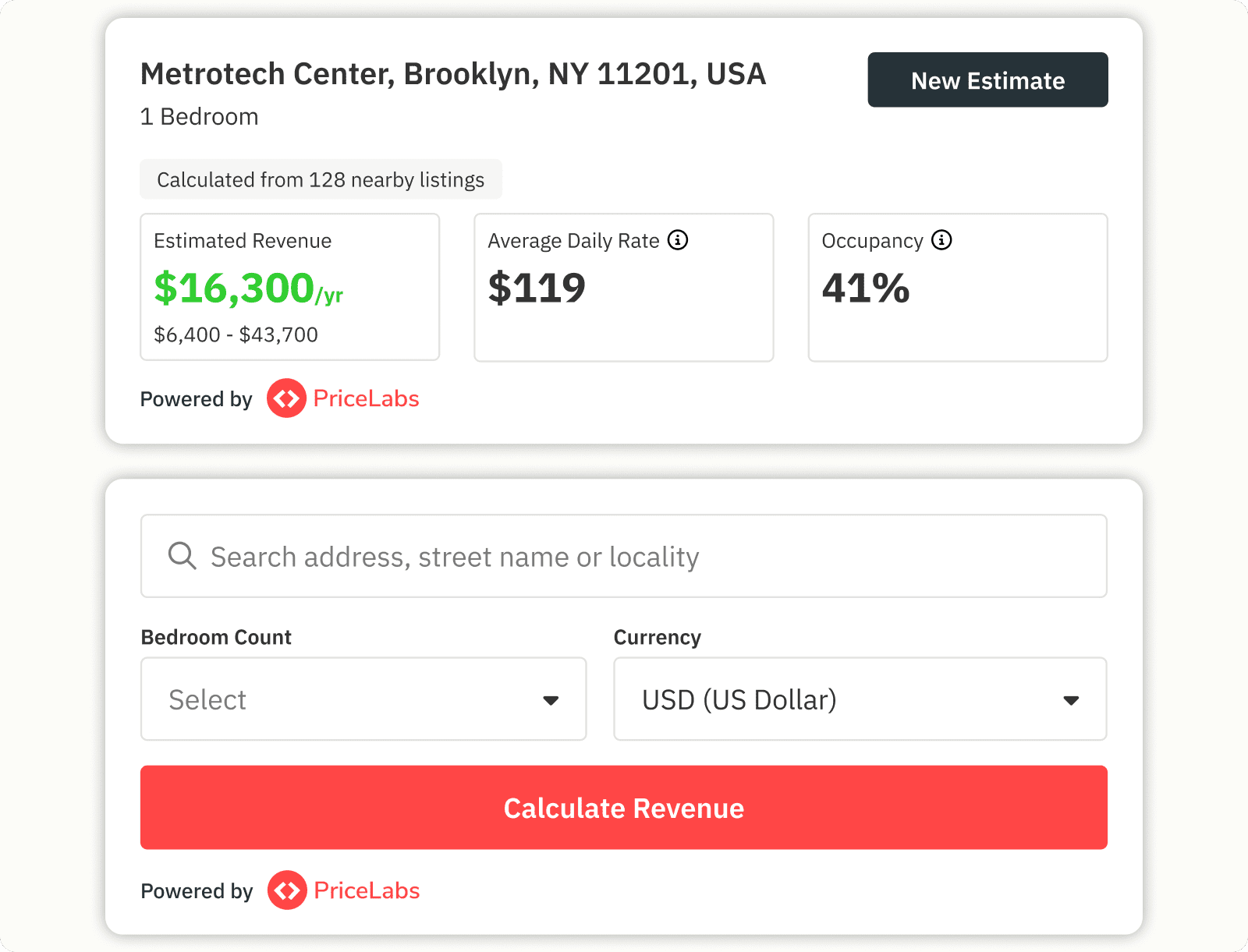
Market Dashboards show real-time competitive pricing in your neighborhood — use this to calibrate your Base Price and sanity-check your Airbnb income projection before you invest in photography or furniture.
Step 4 — Define your positioning statement. Who is your ideal guest? What is the single most differentiating thing about your property — best views in the zip code, closest listing to a major venue, best-equipped kitchen in the market? This positioning statement drives your title, cover photo choice, and description opening — the same fundamentals every new host needs when learning how to become an Airbnb host with a clear guest profile.
This is the build phase — every listing element that can be completed before publishing. The goal is to arrive at launch day with nothing left to optimize. The focus below is what to prioritize for launch specifically: the Airbnb listing optimization elements that most directly influence clicks, filtered search visibility, and early booking conversion.
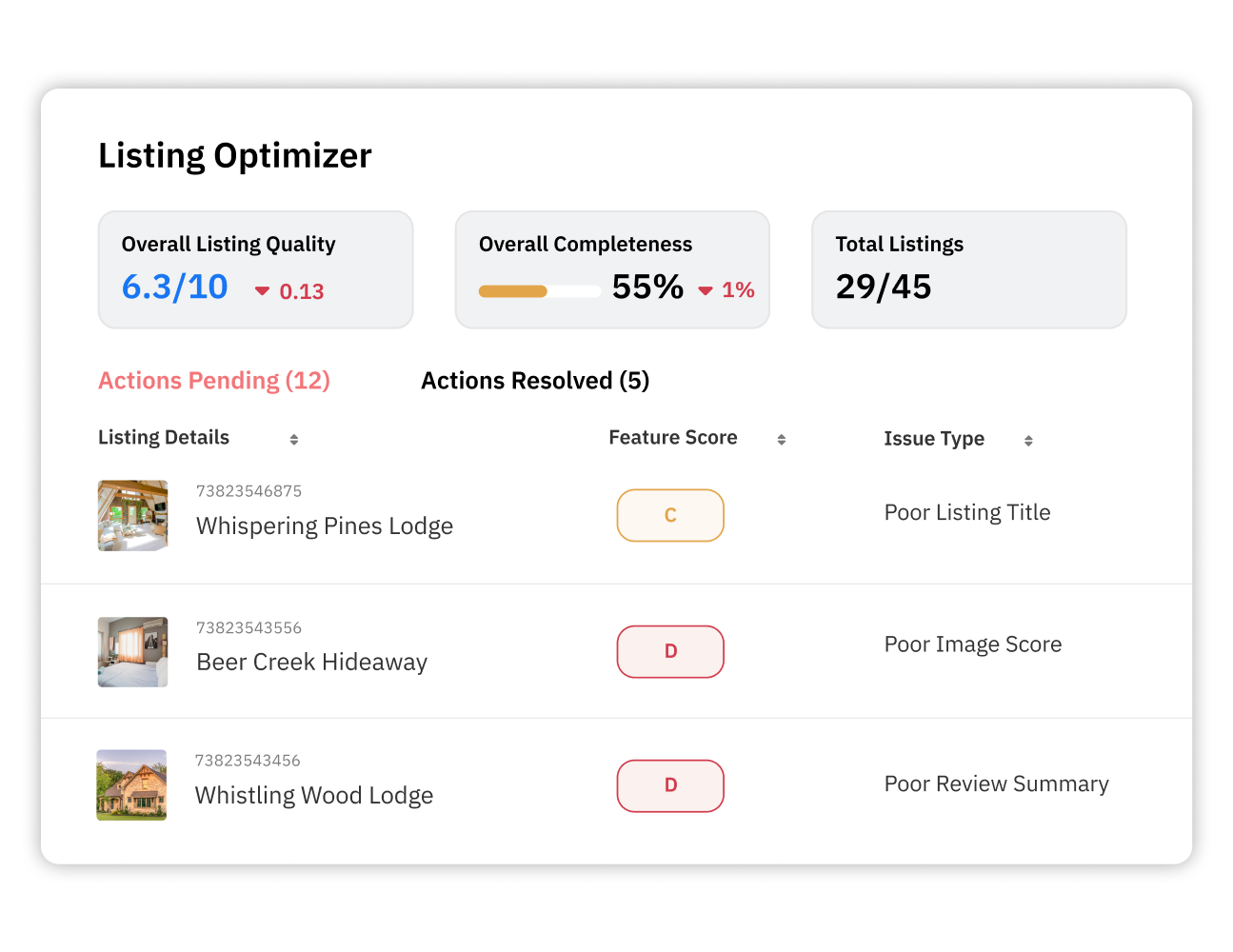
Airbnb listing photos optimization. Aim for 25–40 high-quality photos. Your cover photo is the primary driver of click-through rate in search results — it must show your property's most appealing space in a lifestyle context. Photo sequence: cover → best room → kitchen → bathroom → outdoor space → neighborhood/views → detail shots. Add captions to every photo. Do not use wide-angle lens distortion to make spaces look larger than they are; this generates "accuracy" review complaints that damage ranking. For new listings, treat photography as a core listing optimization lever, not just a creative asset.
Airbnb listing title optimization. Stay under 50 characters — mobile truncates longer titles. Lead with your property's strongest searchable differentiator. Avoid filler openers: "Beautiful," "Cozy," "Charming" — these consume characters without adding search relevance. "Lakefront Cabin | Hot Tub | 10min to Trails" outperforms "Beautiful Cozy Lakefront Retreat with Amazing Views" because strong Airbnb listing title optimization gives guests and search filters the clearest possible signal.
Airbnb amenity tags search visibility. Go through every amenity category and tag every item your property actually has. Airbnb unlocks additional amenity options post-publication — revisit within 24 hours of going live. Include safety items: smoke detector, CO detector, fire extinguisher, first aid kit — these are increasingly weighted in 2026 quality scoring. A complete amenity checklist also protects you from missing filters that guests actively use when narrowing search results.
Instant Book. Enable it. The ranking boost from Instant Book is well-documented, and for a new listing without reviews, removing the request-to-approve friction is critical. Guests comparing your listing to one with 200 reviews will choose friction-free booking every time, which makes Instant Book especially important for new hosts trying to improve conversion before they have social proof.
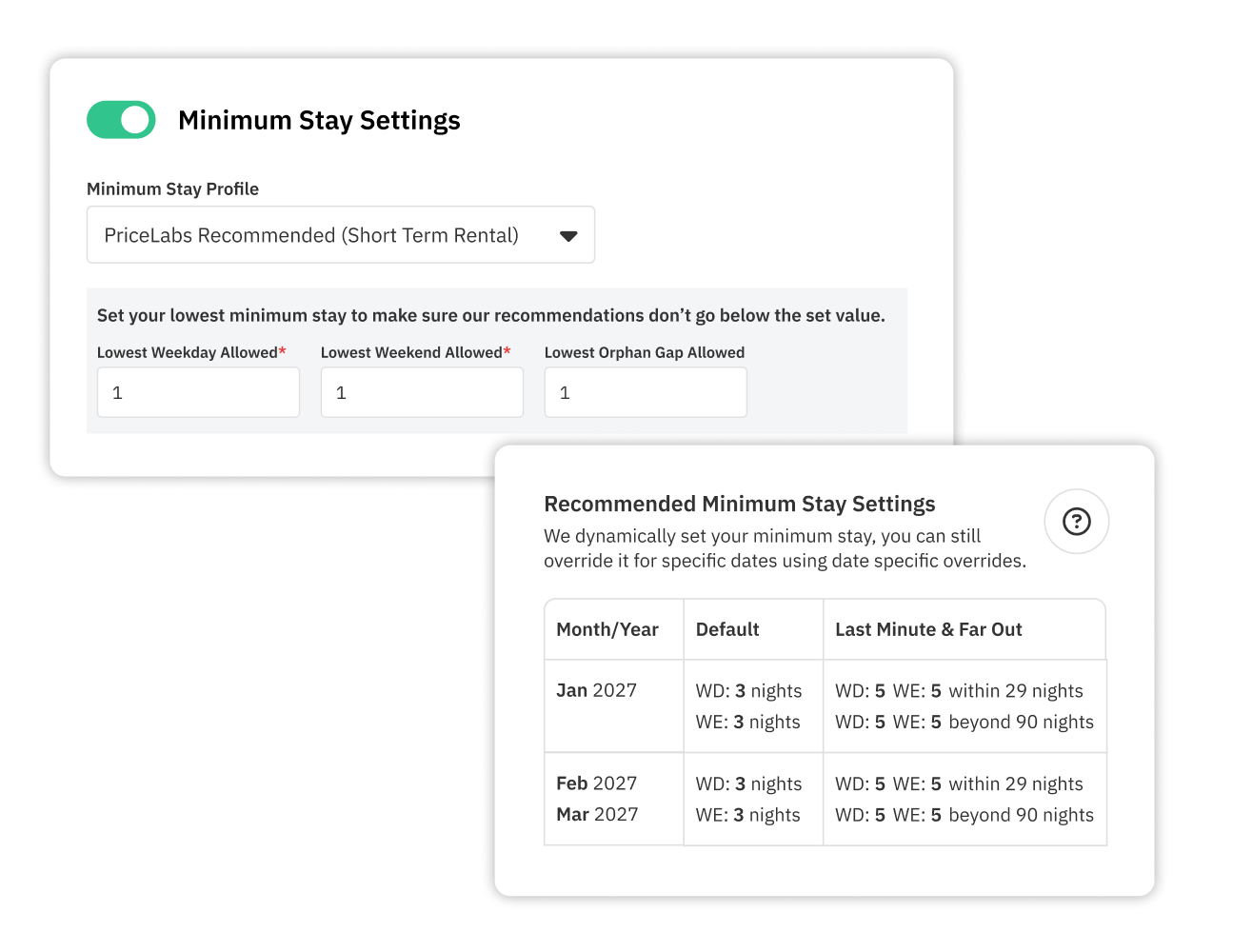
Calendar and minimum stay. Open at least 90 days forward — ideally 12 months. Do not set overly restrictive minimum stays at launch. A 7-night minimum during your cold start window will cripple your booking volume. Open with 1–2 night minimums to maximize booking opportunity. Once live, use PriceLabs' Smart Minimum Stay adjustments to dynamically open shorter stays during low-demand periods as part of a broader vacation rental dynamic pricing strategy.
Cancellation policy. Moderate or Flexible at launch. Strict policies reduce conversion for new listings that have no reviews to signal trust, so treat cancellation policy as part of revenue management rather than a purely operational setting.
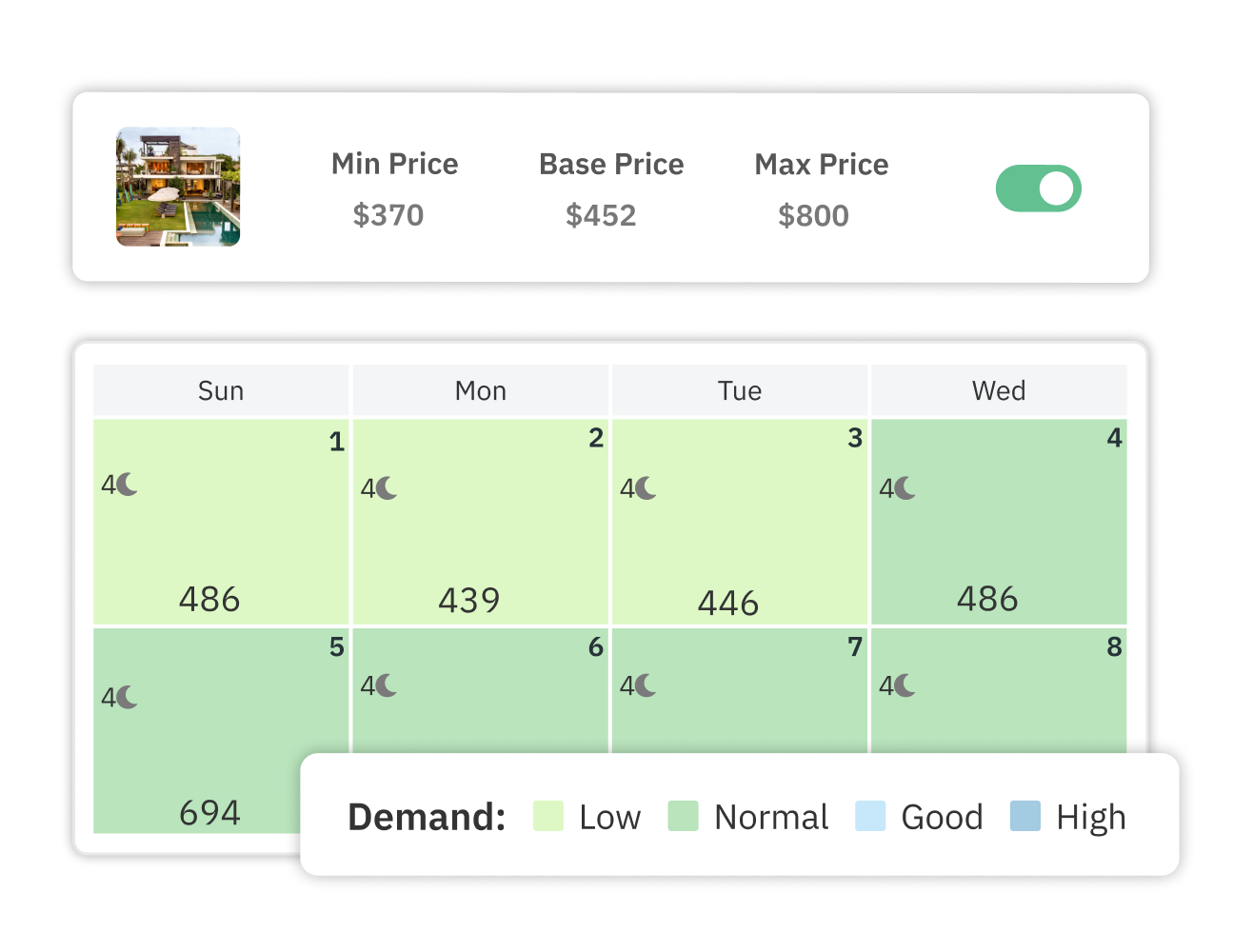
How to optimize Airbnb listing before publishing — pricing setup. Set your Base Price using Market Dashboards data, anchored at or slightly below the median comparable listing in your market. Set your Minimum Price above your actual cost floor. Activate Airbnb's 20% new listing promotion for your first 3 bookings. Connect PriceLabs — the Hyper Local Pulse (HLP) Algorithm handles demand-based adjustments, event pricing, and seasonal variations from day one. Configure Custom Pricing Rules for any confirmed local events in the next 90 days. This is where setting the right Base Price matters most: it gives PriceLabs a realistic pricing foundation while your listing builds reviews and booking momentum.
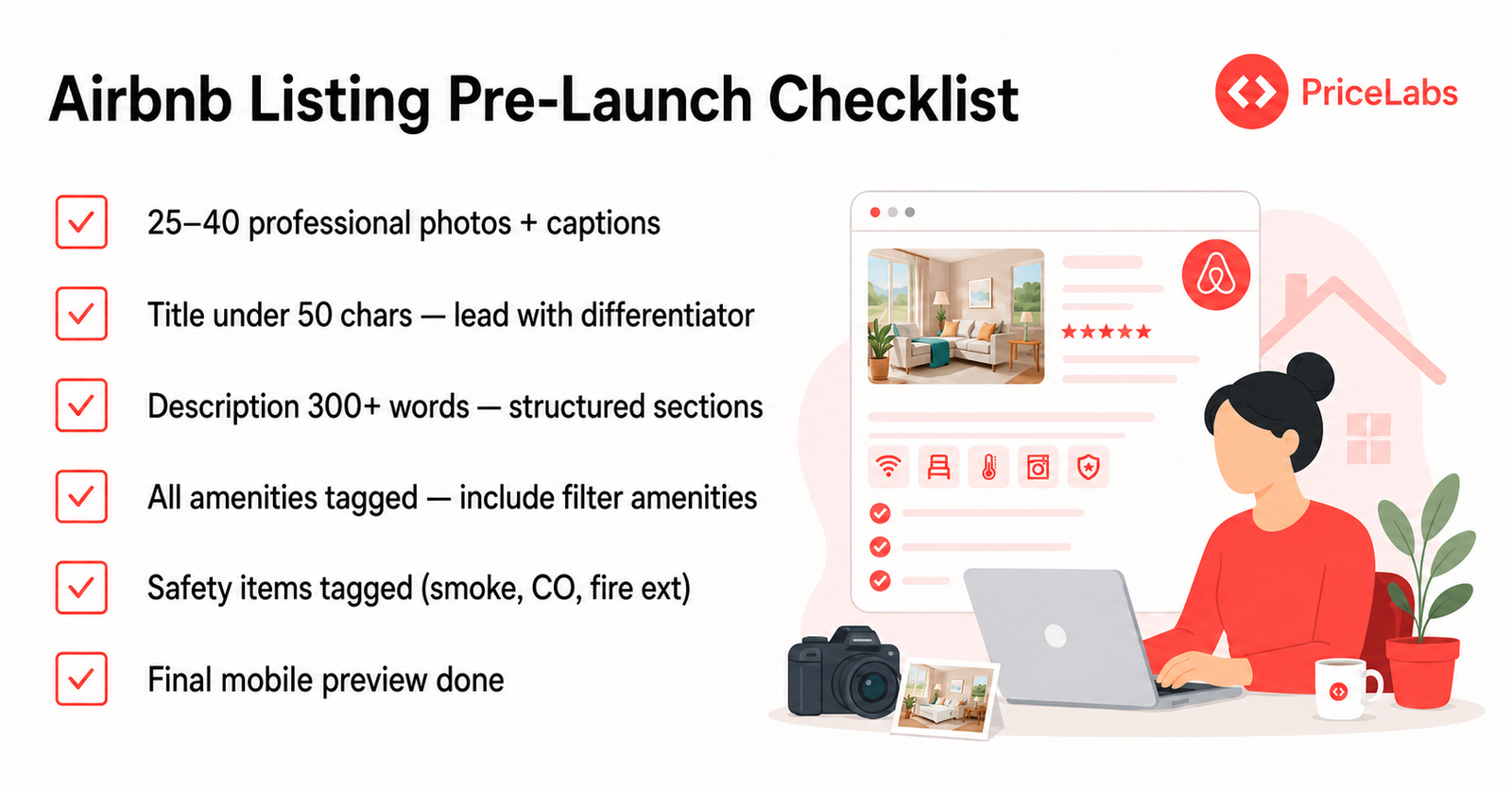
Airbnb listing setup checklist — final review as a guest. Preview your listing exactly as a guest would see it on mobile (60%+ of Airbnb searches happen on mobile). Read your title in the search result thumbnail. Click through the photo sequence. Read the description cold. If anything is unclear or doesn't tell the full story of your property in 10 seconds, fix it before you go live. Use a final listing optimizer checklist to catch weak photos, missing amenities, vague titles, and trust gaps before guests see the listing.
All the pre-launch work earns you a strong starting position. Now you have to protect and build on it. The longer-term revenue management strategy starts here: protect the launch signals you just built, then use the first 90 days to turn visibility into bookings, reviews, and pricing power.
Week 1–2: Monitor your listing's position in search using an incognito browser or a friend searching as a guest. Respond to every inquiry within 1 hour, 24/7 — this is critical for your new listing score. After each booking, send a personalized post-stay message mentioning that reviews help you as a new host. This is one of the most practical how to become an Airbnb host habits because response rate and review momentum both influence early trust.
Days 30–45: cross the 3-review threshold — you are now visible in rating-filtered searches. Days 45–60: begin normalizing pricing upward in small increments if occupancy is strong. Use Competitive Benchmarking in PriceLabs to confirm you're not drifting above your local comp set, and keep checking short-term rental analytics before raising prices too aggressively.
Days 60–90: assess Guest Favorites badge eligibility. If early reviews show a recurring negative topic, address it operationally before it accumulates. Day 90: review your listing's position vs. the competitive comp set you audited during pre-launch. This new Airbnb listing strategy before publishing pays off here — hosts who did this work launch stronger and stay stronger because their 90-day audit is based on real pricing metrics, review signals, and competitive position rather than guesswork.
The Airbnb listing pre-launch optimization work you do in the 60–90 days before you go live shapes every ranking signal, review, and booking that follows. Before you publish, make sure your pricing is working as hard as your listing. PriceLabs connects directly to your Airbnb listing and starts optimizing your rates from day one using real local market data. From here, the next step is a deeper Airbnb listing optimization review so your pricing, photos, title, amenities, and guest trust signals continue improving after launch.
Before publishing, complete your full photo set (25–40 images with a strong cover photo), optimize your title to lead with your property's strongest differentiator, write a 300+ word structured description, tag every amenity accurately, enable Instant Book, open your calendar 90+ days, and set a competitive launch price. These steps ensure the algorithm's first exposure to your listing generates strong click and conversion signals from day one, especially when you run the listing through a final Airbnb listing optimizer checklist before publishing.
Aim for 25–40 high-quality photos. The cover photo is your most important asset — it is the primary driver of click-through rate in search results. Sequence photos to tell the story of the space: lifestyle cover shot, then main rooms, kitchen, bathroom, outdoor areas, special amenities. Add a descriptive caption to every photo. Avoid wide-angle distortion that makes spaces look larger than they are — accuracy complaints from this hurt your ranking over time.
Keep it under 50 characters, lead with your strongest searchable differentiator, and avoid filler openers like "Beautiful" or "Cozy." These use characters without adding search relevance. "Lakefront Cabin | Hot Tub | 10min to Trails" outperforms "Beautiful Cozy Cabin with Amazing Views" on CTR, search relevance, and conversion. Strong Airbnb listing title optimization should make the listing's best-fit guest, location advantage, and standout amenity obvious at a glance.
The amenities filtered by the highest proportion of Airbnb guests are: Wi-Fi (85% of guests), full kitchen (72%), free parking (63%), washer/dryer (58%), and pool/hot tub (45% in resort markets). If your listing has any of these, ensure they are tagged — untagged amenities make your listing invisible when guests filter by those features. Airbnb amenity tags search visibility is one of the most underutilized levers in new listing setup.
New listing pricing should prioritize booking conversion over revenue maximization in weeks 1–3. Start at or slightly below the median comparable listing in your market, activate Airbnb's 20% new listing promotion for your first 3 bookings, then normalize upward after crossing the 3-review threshold. Connect PriceLabs to automate demand-based adjustments from day one, but start by setting the right Base Price and Minimum Price so automation has a reliable foundation.
Once your pre-launch prep is done, see our guide to actually launching in 2026 without the old new-listing boost.
Getting ready for launch is one part of the fundamentals covered in our complete guide to Airbnb listing optimization.
This pre-launch window is one phase of the broader process covered in our guide to how to optimize your Airbnb listings and our complete guide to Airbnb listing optimization.
Want to learn what PriceLabs can do for you? See for yourself with a free trial. Get started now!