Get started with PriceLabs now!
Want to learn what PriceLabs can do for you? See for yourself with a free trial. Get started now!
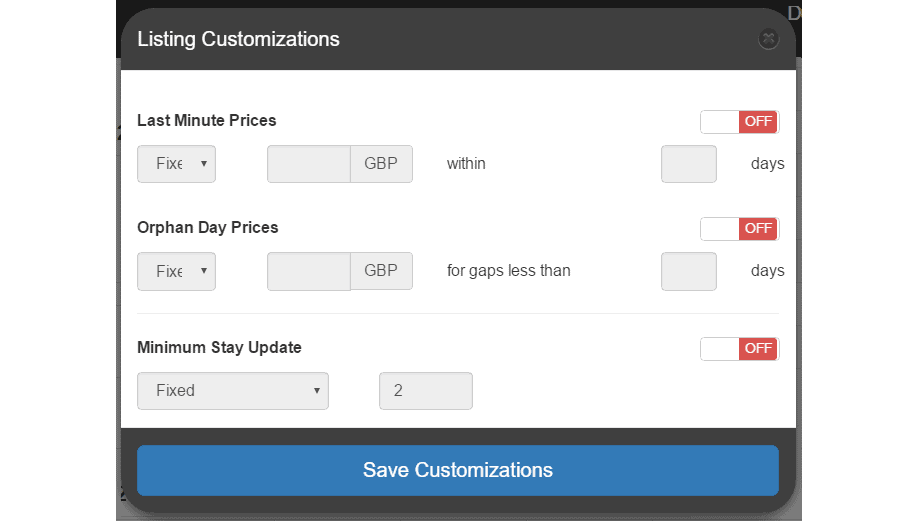
Note 1: Minimum Nights Restrictions are advanced features that control how long a booking you require on certain dates. These settings should be used with a knowledge of your market, and the kind of bookings you want to get. Please email [email protected] if you have any questions. Note 2: These features are currently not available for Kigo yet. Note 3: With Airbnb and Guesty, PriceLabs will overwrite the all minimum-nights settings you might already have in place for certain dates with what you have set on PriceLabs. We’re excited to announce the launch of a very important feature that many of you have asked for! With PriceLabs you can now setup rules for applying default Minimum-Night values, and apply special minimum night rules for last-minute bookings, for orphan-day bookings, and for far-out bookings. If this sounds interesting – read on! The minimum stay options can be accessed from the “Edit Customizations” link when you review prices for a listing. Once you enable the “Minimum Stay Update” option, a larger menu will open up. Here’s how you can use the 4 options available:
Once the rules have been setup, you can see the minimum night setting on the calendar at the top right of each date, and hovering over a date provides the reason the min-night was set to a certain value (screenshot below). You can also use the “Download CSV” link at the lower right corner to see all the settings at a glance in Excel. You can also apply these settings for certain groups of listings or your entire account by setting these up on the Customization page (Navigation Bar: Dynamic Pricing >> Customizations). Any rules you apply here will be used for all the listings in the account. If you want certain listings not to have the default rule, you can apply a special setting for those listings individually as described above. A full description of the hierarchy is available here. Like always, you can click on certain dates and override these custom settings except the orphan day min-stay setting. If you setup a custom 4 day min-stay for certain dates, and two bookings result in a 2 day gap, we will apply the orphan day setting to ensure that you are able to get a booking in that gap as well. We hope you find these new features useful! Each market is unique in how long the bookings are, and how far out they come – do keep this in mind when using these settings to your advantage. Do email at [email protected] if you have any questions, or if you’d like to discuss more!
Want to learn what PriceLabs can do for you? See for yourself with a free trial. Get started now!