Get started with PriceLabs now!
Want to learn what PriceLabs can do for you? See for yourself with a free trial. Get started now!
Most property management companies run two sets of reports on the same properties. The owner report goes out monthly. The internal dashboards update daily and hold far more: team scorecards, pricing tests, channel costs, other owners' results. Trouble starts when nobody has written down where the line between them sits.
This guide is about drawing that line and teaching your team to hold it. For what belongs inside the owner report itself, and how often to send it, see our owner report checklist. For running the business behind it, start with the property management guide.
If a piece of information changes what the owner is paid, or explains why their payout moved, the owner sees it. Everything else is a judgement call, and most of it stays internal.
That rule settles the questions teams argue about. A cleaning invoice charged to the owner goes in the report. The cleaning team's average turnaround time does not, unless a missed turnaround cost the owner a booking. A pricing test on the owner's own dates gets reported once there is a result. The same test across the wider portfolio stays internal.
The rule also protects you legally. Management agreements, and in many places trust accounting rules, give owners a right to see records about their own money. Never classify an owner's own financial records as internal. Check your agreement and local rules for exactly what owners are entitled to.
Internal reports exist to find problems early, before anyone outside the company would notice. That only works if people can be candid in them. A few categories belong there:
Internal does not mean hidden. It means the owner gets the outcome in plain terms instead of the working.
Some items do not fit neatly. A staff mistake that cost the owner a booking, a channel change that raised their fees, or a regulation change in their area all sit in between.
Handle these with a simple test: would the owner be upset to learn you knew and did not tell them? If yes, tell them, in the next report or sooner. Owners rarely leave over a problem. They leave over discovering one.
During a market slump the same test applies, only faster. Our guide to downturn owner updates covers that case.
Write the grey-zone list down. Teams that rely on instinct make different calls on the same situation, and owners notice inconsistency faster than they notice errors.
The fastest way to lose an owner's trust is for two reports to disagree. If the internal dashboard says the property ran at 71% occupancy and the owner report says 74%, someone will eventually ask why.
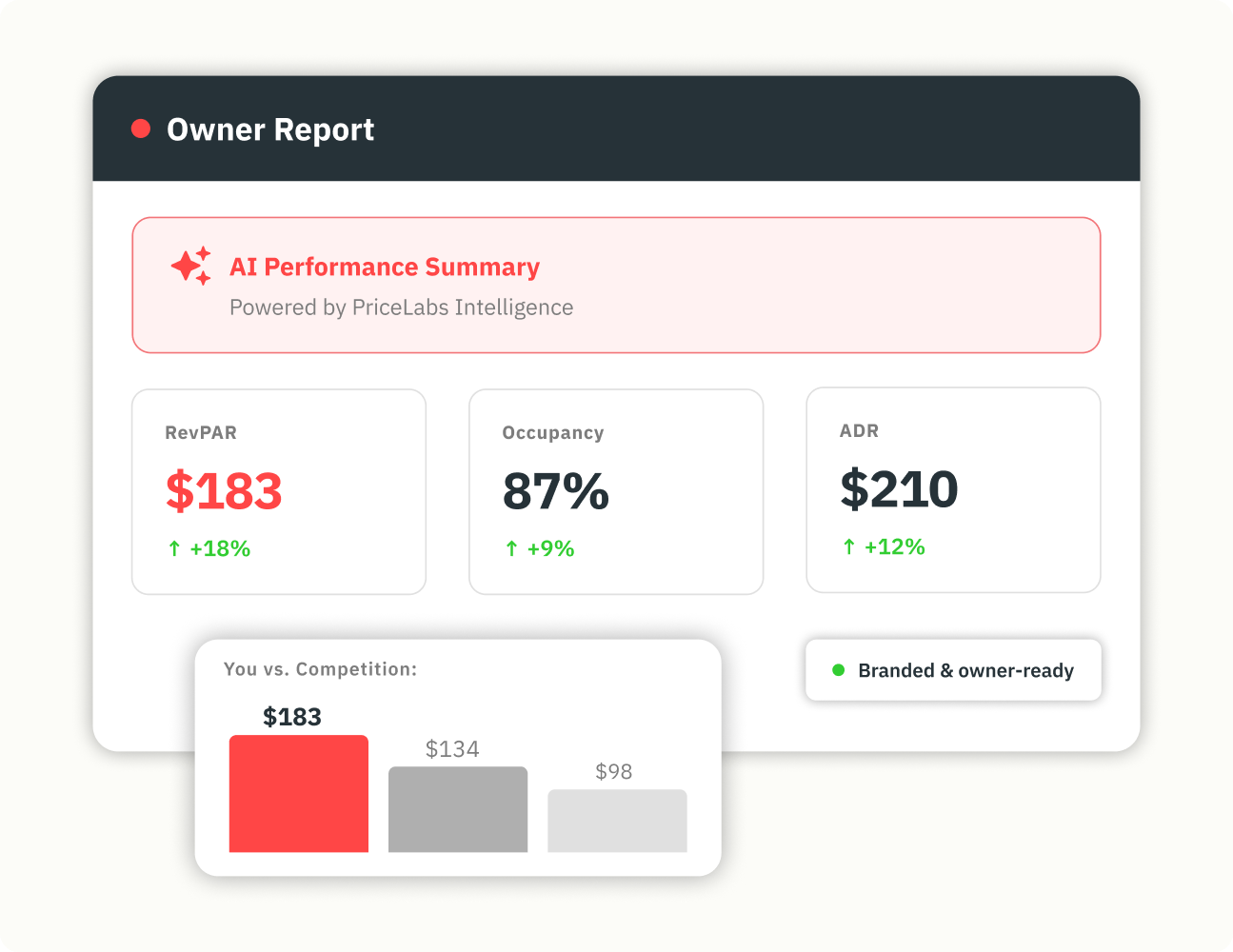
Pull both from one source and change only the level of detail. PriceLabs Portfolio Analytics is free and tracks revenue, occupancy, ADR, RevPAR, booking pickup and length of stay across listings, groups or a whole portfolio. Its Report Builder lets you save report templates, so the owner version and the internal version run off the same data with different columns.
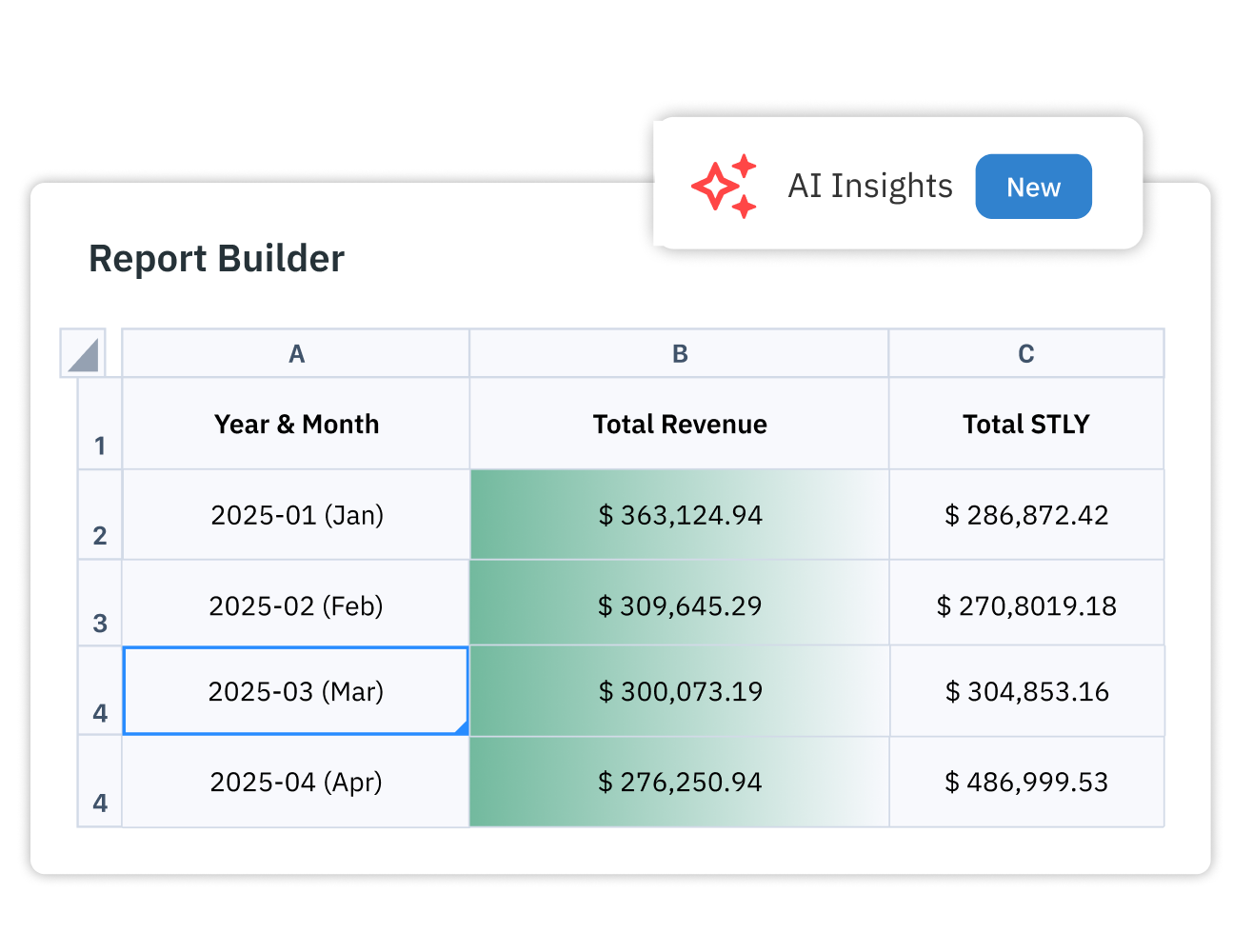
Report Builder can also schedule report emails to up to 100 recipients per schedule. At least one listing in the report filter has to be syncing with PriceLabs for scheduling to work. That covers the routine send. The grey-zone items still need a person to write them.
Owners want to know how their property compares with similar homes. They do not need the full comp set build, the filters you tested or the rate experiments behind it.
Give them the result: their RevPAR against the comp set's, and which way the gap moved. Keep the comp set definition on file so you can show it if they ask. Comp sets built in Market Dashboards can be applied in Report Builder as listing filters, so the benchmark in the owner report matches the one your revenue team uses. For the metrics that matter most in each report, see which metrics matter.
A written policy helps, but staff learn the line from cases. A few habits make it stick.
Show a real owner report and the internal report for the same property side by side, with sensitive details removed. New hires see immediately what changes between them.
Rehearse the request owners make most often: "Can I see all your data?" A good answer explains what the internal reports contain, confirms whether any of it affects the owner's payout, and shares anything that does. A flat no sounds like hiding something. A full yes breaks other owners' confidentiality.
Give junior staff a default. When unsure, they ask their manager before sending anything to an owner. For how your revenue team reviews internal numbers together, see internal pricing reviews.
Inconsistency causes more damage than oversharing. One account manager tells an owner about a staff error and another does not. One sends rate-test results and another never mentions them. Owners compare notes, especially in buildings or neighbourhoods where several of them use the same manager.
The second failure is hiding bad news in the internal report and hoping the owner will not ask. Revenue drops show up in the payout whether or not you explain them. Explaining first is cheaper.
A written line, applied the same way by everyone, solves both.
Want to learn what PriceLabs can do for you? See for yourself with a free trial. Get started now!