Get started with PriceLabs now!
Want to learn what PriceLabs can do for you? See for yourself with a free trial. Get started now!
Seasonal pricing on Airbnb means setting different nightly rates, minimum stays and discounts for each demand period in your market instead of running one rate all year. High season covers the weeks when demand in your area outruns the supply of listings, low season covers the weeks when it does not, and shoulder season sits in between. Seasonal pricing is one layer of dynamic pricing for vacation rentals, which moves your rates daily against market demand rather than once a quarter by hand.
Vacation rental managers and hosts who skip the exercise usually sell out peak weeks too cheaply and then sit empty for a month at a time. Here is what each season needs before we get into the detail:
| Season | What it looks like | Rate | Minimum stay | Discounts |
|---|---|---|---|---|
| High | Median occupancy 15+ points above your annual average | Highest of the year, set in a seasonal profile | 3 nights on weekends, 5 to 7 on holiday weeks | None |
| Shoulder | Occupancy within 15 points of the average | Between high and low | 2 nights | 10% to 15% midweek |
| Low | Median occupancy 15+ points below your annual average | Lowest of the year, never below your minimum price | 1 to 2 nights | Last minute 0 to 7 days, plus 7 and 28 night stays |
| Events | 1 to 5 nights inside any season | Above the season around it | 2 to 3 nights | None |
Below are eight steps in the order we suggest working through them: map your seasons, set your base price, set your floor and ceiling, price your high season, price your low season, price your shoulder season, price holidays and events, then review what worked. Every step names the setting to change and when to change it, and the last section gives you a week-by-week order to follow if you are starting from a flat rate today.
Pull 24 months of market data for your area and write down median occupancy and median ADR for each of the 12 months. Twenty-four months matters because a single year can be distorted by one weather event, one cancelled festival or one competitor opening 40 units down the road. Markets also shift, and the vacation rental seasonality you mapped two years ago may have moved by a few weeks since.
Mark any month where median occupancy sits 15 points or more above the 12-month average as high season, any month 15 points or more below it as low season, and everything else as shoulder. Fifteen points is the threshold we suggest as a starting point rather than a rule, so adjust it if your market swings harder than most. Write the resulting date ranges down as actual dates, for example 15 June to 25 August, because every setting from here on is applied to a date range and not to a month name.
Redo the mapping once a year, in the month after your peak season ends, while the booking data is fresh. Booking pace is the other number to track here, since a market can hold the same annual occupancy while guests book six weeks later than they used to. Your pricing tooltip breaks a recommended rate into its seasonality, demand and pacing factors, which tells you whether a quiet week is a seasonal pattern or a one-off.
Your base price should be the nightly rate you would charge as a yearly average, not your best summer Saturday. Setting a base price close to peak rates pushes every other night too high, because Dynamic Pricing already applies seasonality on top of whatever number you enter. A base price set at the peak is a common reason a calendar goes quiet in April.
Open Base Price Help from your Pricing Dashboard, go to Review Prices and click "Help me choose a base price". New listings can start with the market-driven suggestion, listings that performed well before connecting can keep their imported base price, and listings that have been syncing with us for two to three weeks can use the Recommended Base Price, which we generate after 14 to 21 days of data. The same screen shows projected average monthly prices across the year, so you can see what your choice does to February before you commit to it.
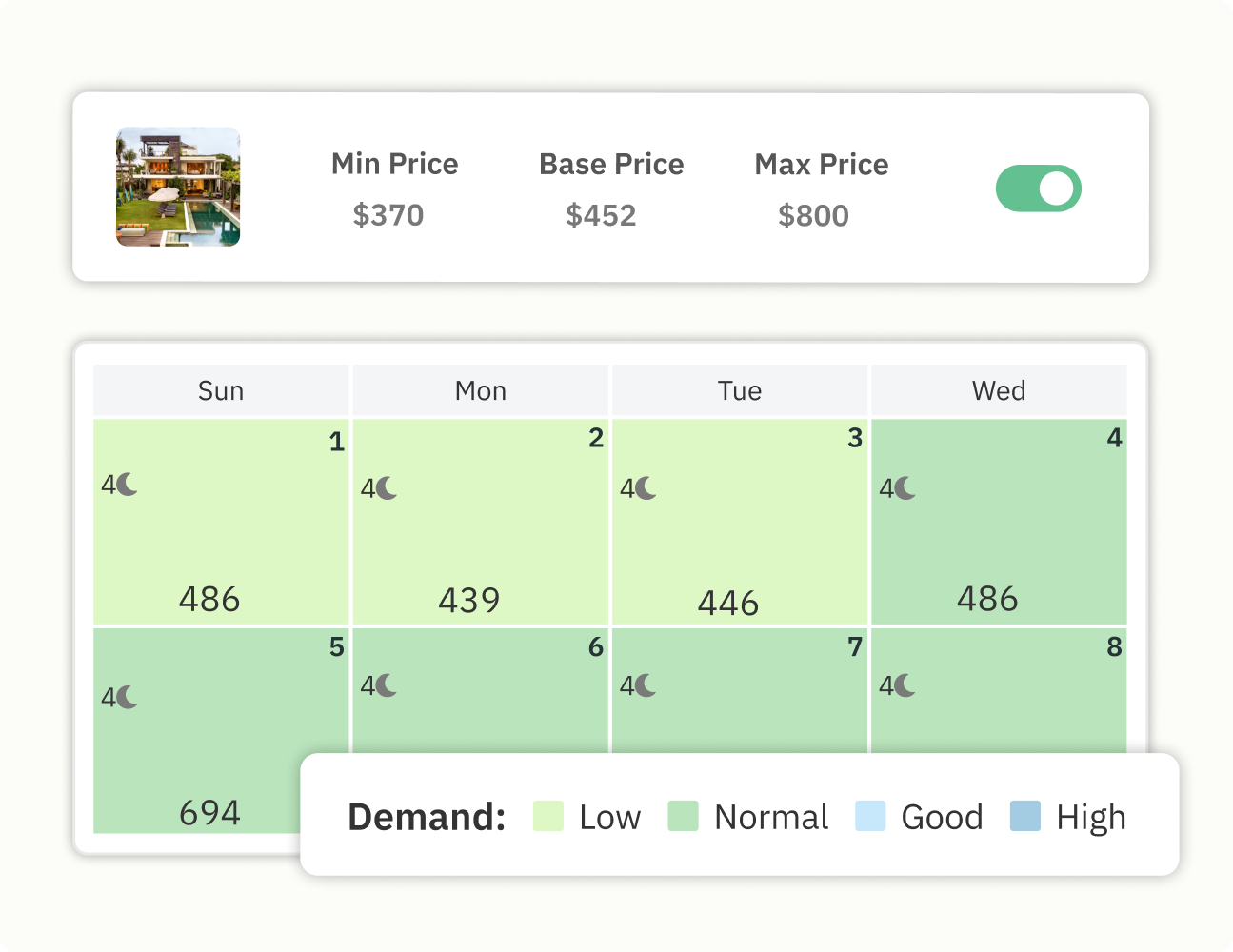
We also watch your base price for you, and if it drifts more than 5% from our recommendation you will get a Base Price Nudge, which never applies on its own. Most listings only need their base price revisited when the market moves or the property changes, which is why we suggest a quarterly check in year one and an annual one after that rather than monthly tinkering.
Your minimum price is the lowest nightly rate you would accept in your deadest week. Work the number up from your actual costs rather than from a percentage of your base price, because cleaning costs do not fall just because demand did. A minimum price has to cover:
Your maximum price exists to stop an obvious data error, not to cap your upside. Set it well above your highest ever achieved rate so our pricing has room to respond when a conference books out every hotel in town. Capping the maximum close to your normal peak rate is how listings leave money on the table during the two or three weeks a year that pay for everything else.
Create a Custom Seasonal Profile for your high season date range rather than raising your account-level base price, so the increase expires on its own when the season ends. Inside the profile, raise prices for the season and set the minimum stay rules that protect your best weeks. Custom Seasonal Profiles can carry their own Min Stay Profiles, which is what lets a five-night rule apply in August and a one-night rule apply in February without you touching either again.
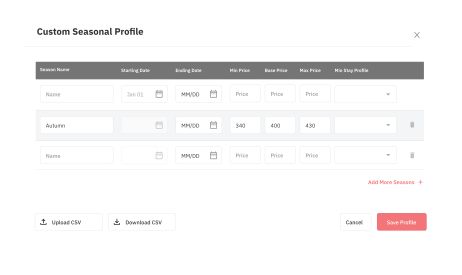
We suggest starting at three nights for high season weekends and five to seven nights for full holiday weeks, then checking after 30 days whether the restriction is costing you bookings. Those numbers are a starting recommendation, and markets with a strong two-night weekend trade should test two nights first. Watch your Lowest Minimum Stay while you do this, because minimum stay restrictions set at listing level override anything you set inside a seasonal profile, so a one-night low season rule will not apply if your listing floor is still three nights.
Open your calendar at least 12 months ahead for high season dates, because peak weeks in established leisure markets are often booked six to nine months out. Review booking pace weekly from 90 days before the season starts, comparing nights sold for each week against the same point last year. If a week is pacing behind, drop the minimum stay before you drop the rate, since a five-night minimum on a week where guests want four nights is a restriction problem and not a price problem.
Low season pricing works by removing friction before it works by cutting rates. Drop your minimum stay to one or two nights for the whole low season date range, since the guests travelling in your quiet months are often doing one-night stopovers or two-night weekend breaks. Four settings do most of the work in a quiet month:
Keep every discount above your minimum price, because a booking below your floor costs you money to host. Low season is also when orphan gaps do the most damage, since a two-night hole between bookings in February may be the last two nights you sell that week. Dates that never book are worth auditing directly, and unbookable dates are often blocked by a restriction rather than by price. Quiet weeks are also the cheapest time to refresh your photos and listing description before peak season searches start.
Shoulder season rates should sit between your high and low season numbers, and the range moves faster than either of them. Guests in these weeks are price sensitive but not bargain hunting, and many are travelling specifically to avoid peak crowds and peak rates. Set a Custom Seasonal Profile for each shoulder range, since the weeks before your peak and the weeks after it rarely behave the same way.
Midweek is where shoulder season occupancy is won or lost. Weekends in most leisure markets still fill at close to peak rates in May and September, while Monday to Thursday nights go unsold, so a midweek discount of 10% to 15% applied inside the shoulder profile targets the gap directly. Review the split after 30 days and widen or narrow the discount based on which nights actually sold. A shoulder season pricing strategy that treats the whole week the same leaves weekend revenue on the table to fix a midweek problem. If midweek still will not move after 30 days, the occupancy tactics for the slow season apply here too, starting with length-of-stay discounts for stays of three nights or more.
Holidays and events create demand spikes that do not line up with your seasonal date ranges, and treating them as micro seasons is more accurate than stretching a profile to cover them. New Year, Thanksgiving, a national holiday weekend, a marathon or a music festival can each produce one to five nights priced well above the season around them. Build the list for the next 12 months once, in January, and keep it in the same place you keep your seasonal date ranges.
Apply a Date Specific Override to each set of dates, setting both the rate and the minimum stay for that period. Date Specific Overrides apply on top of everything else, so your seasonal settings stay untouched underneath them and resume automatically when the event passes. Set event pricing as early as you have the dates confirmed, because the guests who book an event 10 months out are the least price sensitive guests you will see all year.
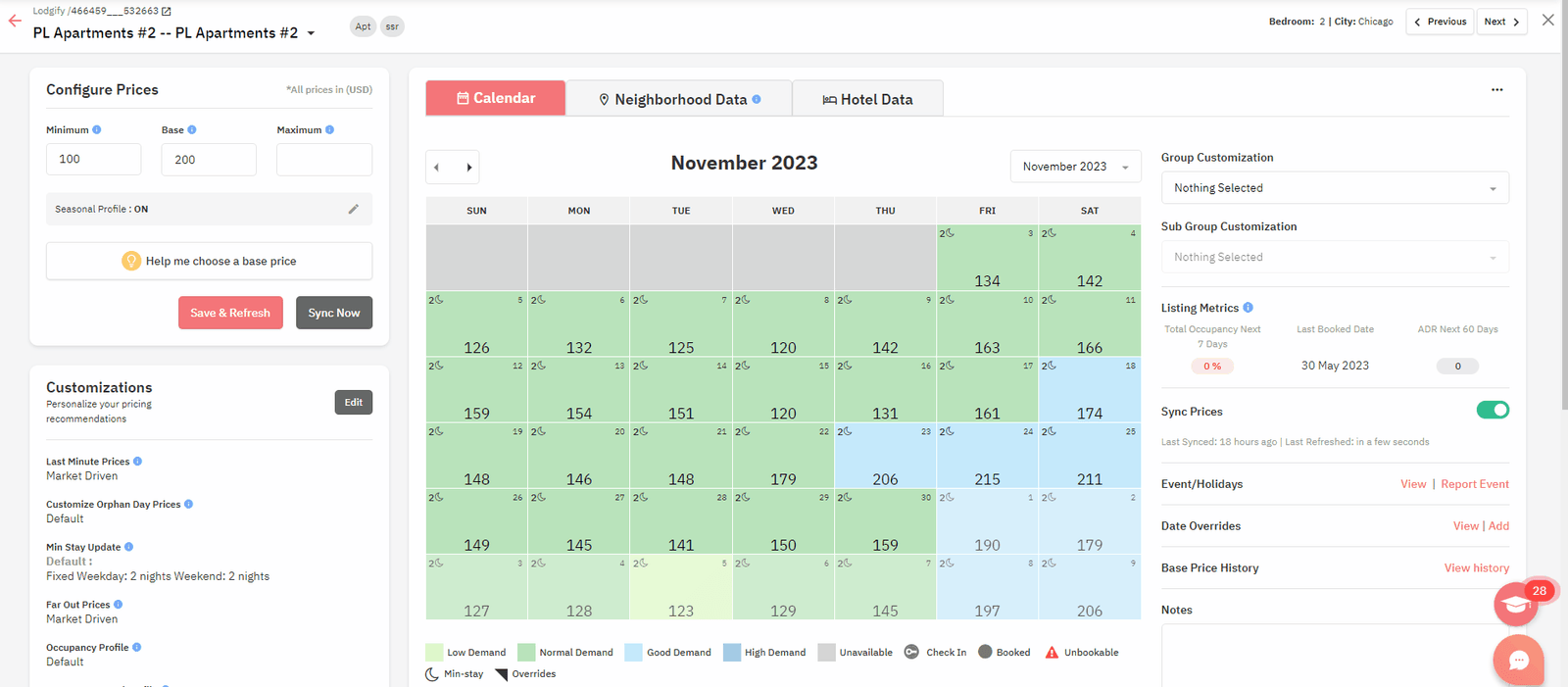
Check pace 60 days before each event and release the minimum stay first if nothing has sold, keeping the rate intact while you test whether the restriction was the blocker. Events that recur annually are worth recording with their actual sold rates, so next year's override starts from evidence instead of from last year's guess.
Book an hour in the month after each season closes and compare three numbers against the same period last year: occupancy, ADR and RevPAR. RevPAR is the one that settles arguments, because a season can gain occupancy and lose money when the rate drop that filled the calendar was bigger than the occupancy gain. Growing revenue on fewer nights sold is a good outcome, and the three numbers together are what show it.
Then look at the calendar week by week. Weeks that sold out more than three months in advance were priced too low, and weeks that never sold were either priced too high or locked behind a minimum stay guests could not meet. Write both findings straight into next year's Custom Seasonal Profile while you still remember what happened. The same three numbers drive the rest of your vacation rental revenue management decisions, so run the season review on the same cadence as your monthly reporting instead of as a separate exercise.
| Week | What to do |
|---|---|
| Week 1 | Pull 24 months of market data, mark your high, low and shoulder date ranges, write them down as dates |
| Week 2 | Set or confirm your base price with Base Price Help, then set minimum and maximum prices from your real costs and your highest achieved rate |
| Week 3 | Build one Custom Seasonal Profile each for high, low and shoulder, with the rate and minimum stay settings from the sections above |
| Week 4 | List every holiday and event in the next 12 months and apply a Date Specific Override to each one |
Accounts connecting listings for the first time should do weeks one and two in the same sitting, since no seasonal setting applies until a base price exists. Then set a 30-day check. Thirty days after your settings go live, review nights sold and booking pace for the next 90 days against the same window last year, and change one thing at a time so you can tell what worked. Minimum stay rules are the first thing to adjust if pace is behind, and rates are the second.
Dynamic Pricing applies seasonality to your rates by default using market data, and the Hyper Local Pulse algorithm updates your recommendations daily so you are not resetting prices by hand each week. Custom Seasonal Profiles let you override that default for specific date ranges, with their own prices and their own Min Stay Profiles, and Date Specific Overrides sit on top for single events and holidays.
Market Dashboards give you the two years of occupancy, ADR and booking pace data that step one needs, for the listings closest to yours. Base Price Help suggests a starting base price from market data, and Base Price Nudges tell you when your number has drifted more than 5% from our recommendation.
High season is the period when demand for listings in your market exceeds the supply available, which usually lines up with school holidays, favourable weather and major local events. Low season is the opposite, when more listings are available than there are travellers looking, and rates and minimum stays both have to come down to compete. The practical test is occupancy rather than the calendar, so mark a month as high season when median occupancy in your market sits 15 points or more above the annual average.
Set your high season rates and minimum stays at least 12 months ahead, because peak weeks in established leisure markets often book six to nine months before arrival. Holiday and event dates should go in as soon as the dates are confirmed, since the earliest bookers for those periods are the least price sensitive guests of your year. Low and shoulder season settings can be made closer in, though keeping all four in place 12 months out means you are never pricing under time pressure.
Longer minimum stays in high season reduce turnovers, cut cleaning costs and protect your best weeks from being broken up by one-night bookings. We suggest starting at three nights for peak weekends and five to seven nights for full holiday weeks, then reviewing after 30 days. If a week is pacing behind last year, lower the minimum stay before you lower the rate, since the restriction is more often the blocker than the price.
Never below your minimum price, which should cover cleaning, channel commission, utilities and the owner's floor with margin left over. Before cutting rates further, drop your minimum stay to one or two nights and turn on discounts for the zero to seven day last-minute window, because removing friction usually fills more nights than another rate cut. Length-of-stay discounts at seven and 28 nights also reach guests who are not in the market for short stays at all.
Our pricing already applies seasonality from market data, so many listings run well without a single custom profile. Custom Seasonal Profiles are worth building when your listing behaves differently from the market around it, when you want different minimum stay rules by season, or when one or two months in your year need tighter control than the default gives you. Start with the default, review after 30 days, and add profiles where the data shows a gap.
Want to learn what PriceLabs can do for you? See for yourself with a free trial. Get started now!