Get started with PriceLabs now!
Want to learn what PriceLabs can do for you? See for yourself with a free trial. Get started now!
Scaling a vacation rental portfolio brings real opportunity, and a real operational problem: the habits that work for ten listings, checking pacing manually, reviewing every calendar, eyeballing competitor rates, stop working somewhere between fifty and a few hundred. Exception-based revenue management is the alternative: instead of reviewing every listing on a schedule, you let automated systems flag the ones that actually need a decision, and spend your attention there.
For the broader revenue management picture this fits into, see our vacation rental revenue management guide.
Traditional revenue management is a habit: check every listing, on a schedule, whether or not anything has changed. That scales linearly with your portfolio, twice the listings, twice the review time, and it means you spend just as much attention on a listing that's performing exactly as expected as one that's quietly losing money.
Exception-based management flips that: your system tracks performance continuously, and only surfaces a listing when something about it actually needs a human decision. Most of your portfolio, most of the time, needs no attention at all. The job becomes finding the exceptions, not reviewing everything.
You don't need to wait for a future release to start working this way. Several current features already handle specific categories of "exception" without you needing to notice the problem yourself first.
Market-Driven Occupancy-Based Adjustments (OBA) watch how a listing is pacing against real local demand, not just against its own calendar in isolation, and apply a short-term correction automatically when pacing is off, without touching your ongoing Base Price. This means a temporary pacing dip gets handled without you needing to spot it and manually intervene, and without sacrificing the base price that protects your peak-season revenue.
Safety Minimum Price sets an automatic floor for each listing, based on that property's own Same Time Last Year performance, so the algorithm can't underprice a listing into an unprofitable rate during a demand dip, particularly useful for dates far enough out that market signals aren't fully visible yet.
The Min Stay Recommendation Engine analyzes real-time stay patterns in your market and flags specific months where guest booking behavior has shifted, tightening minimum stays to protect high-demand periods and loosening them where a rigid rule would otherwise leave orphan nights unbooked. As one concrete example of how this kind of adaptive logic works: if a listing's occupancy runs 10-20% below the local market, the system reduces the recommended minimum stay by a night; more than 20% below, by two nights, an automatic, graduated response rather than a single blunt rule.
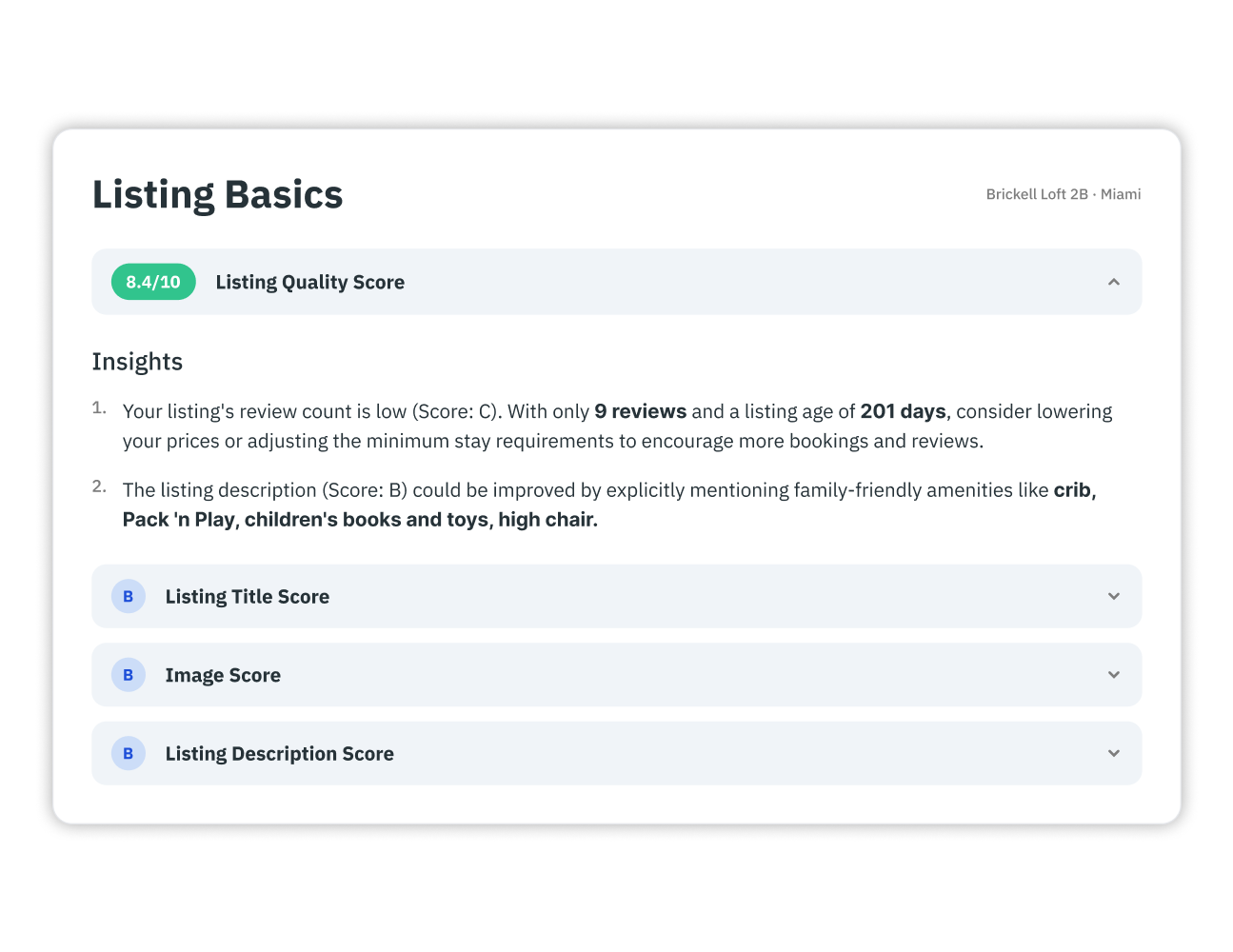
Listing Optimizer is the closest match to "flag my underperformers and tell me what to fix." It scans your Airbnb listings, grades each one against your top local comp set, and returns a prioritized checklist of specific problems, a weak title, blurry photos, a missing amenity guests expect, rather than just a vague "this listing is underperforming" flag.
Exception-based management isn't only about catching problems, it's also about knowing whether you're on pace for a goal before the period ends, not after. The Goal Achievement & Budget Tracker in Report Builder lets you set revenue and occupancy targets and track progress against them in real time, using the same Portfolio Analytics data that already tracks your pacing, so you can see which months are on track, falling short, or overachieving while there's still time to course-correct, instead of discovering a miss at month-end.
PriceLabs has announced, as part of the 2026 Revenue Accelerator release, a feature called Alerts, described as letting you create tailored alerts based on market metrics, portfolio KPIs, or pacing goals, and get a notification the moment a listing crosses a trigger you've set, rather than needing to dig through a report to find it. This is exactly the exception-based idea in its purest form: instead of assembling the picture yourself from Portfolio Analytics and Report Builder, the system tells you the moment something needs a look.
As of this writing, Alerts is newly announced and rolling out rather than a long-established, fully mature system, so treat it as an exciting extension of the exception-based approach you can already practice today with OBA, Safety Minimum Price, the Min Stay Recommendation Engine, and Listing Optimizer, not a replacement for understanding how those existing pieces work.
Whether the flag comes from an existing feature or a future Alert, the response process is the same:
No. Market-Driven OBA, Safety Minimum Price, the Min Stay Recommendation Engine, and Listing Optimizer already handle specific categories of exception automatically, and Report Builder's Goal Achievement & Budget Tracker already lets you monitor pacing against a target. Alerts, once fully available, adds a notification layer on top of this, it isn't the only way to work this way.
Occupancy pacing against the market and against your own history, ADR relative to your comp set, cancellation rate, and progress against your revenue and occupancy targets are the core set most property managers find worth tracking closely.
No. Exception-based tools decide what deserves your attention; they don't decide what to do about it. The judgment on how to respond to a flagged exception is still a human decision, the automation just makes sure you're spending that judgment on the listings that actually need it.
Want to learn what PriceLabs can do for you? See for yourself with a free trial. Get started now!
This exception-based approach still fits within the fundamentals covered in our complete guide to property management.
Want to learn what PriceLabs can do for you? See for yourself with a free trial. Get started now!