Get started with PriceLabs now!
Want to learn what PriceLabs can do for you? See for yourself with a free trial. Get started now!
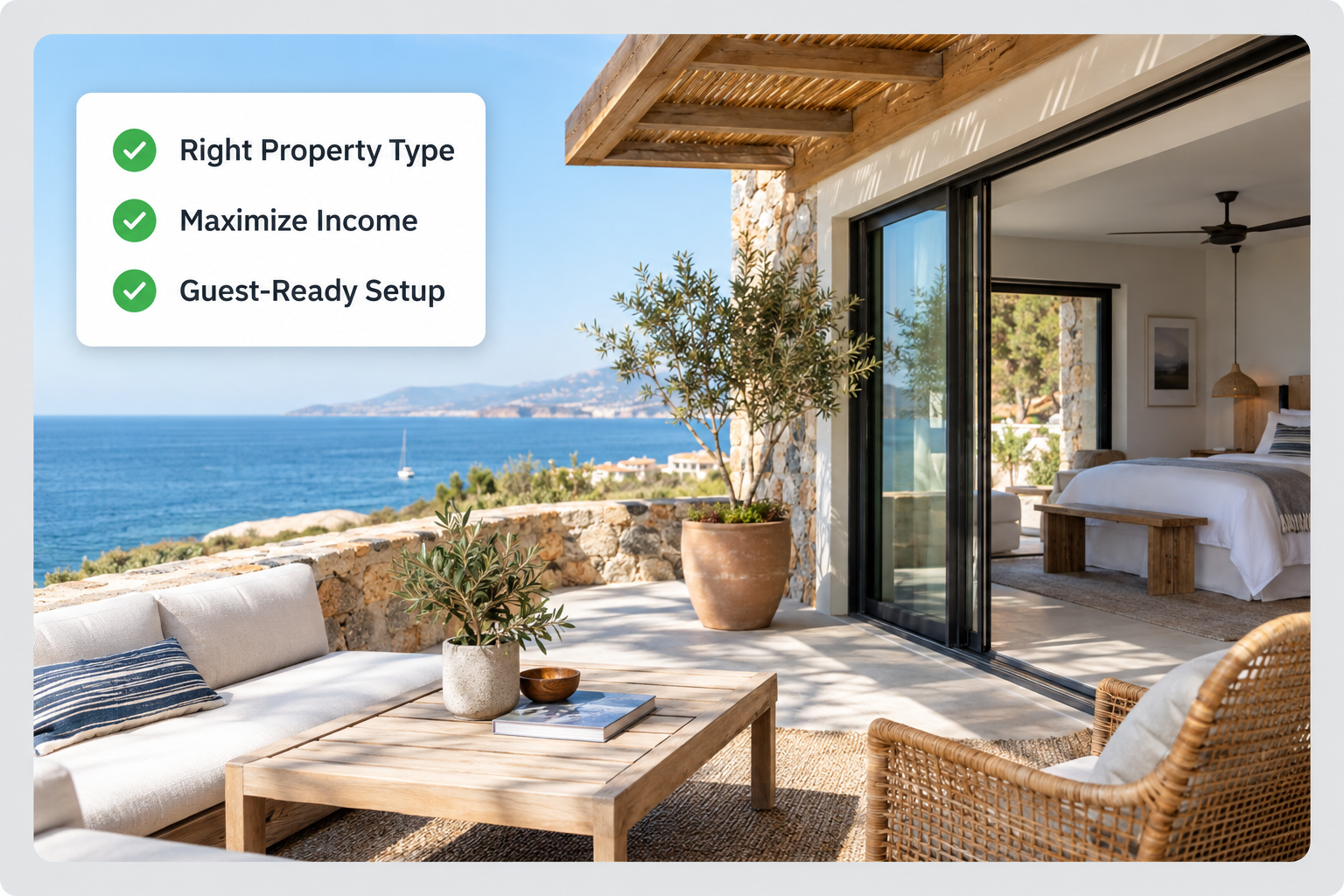
Only 9% of Airbnb listings have genuinely strong content, according to our analysis of more than 10,000 listings, and those listings are 38% more likely to beat their market. Getting consistent bookings from a short-term rental takes more than posting a listing on Airbnb or Vrbo. Pricing, minimum stay rules, and listing quality decide how many nights you book and what each night earns.
A beachfront villa may attract families booking week-long summer vacations, while a city apartment may receive shorter bookings from business travelers throughout the year. Each property needs its own approach to pricing, marketing, and minimum stays.
In this guide, we cover how to prepare a property for short-term renting, seven ways to earn more from it, and where our tools help you make better pricing and listing decisions.
Before you accept bookings, work out what kind of property you have, who is likely to book it, and what those guests look for.
Short-term rentals come in different forms, and each form serves a different type of traveler.
| Property type | Potential target guests | Features to prioritize |
|---|---|---|
| Weekend homes | Couples, families, and groups | Outdoor spaces, entertainment, flexible check-in |
| Condos and serviced apartments | Business travelers and remote workers | Reliable Wi-Fi, workspaces, convenient location |
| Bed and breakfasts | Couples and leisure travelers | Breakfast, local recommendations, personalized hospitality |
| Cabins and cottages | Nature enthusiasts and families | Outdoor seating, heating, privacy |
| Villas and chalets | Families and larger groups | Multiple bedrooms, kitchens, group amenities |
| Extended-stay accommodations | Relocating professionals and remote workers | Laundry, kitchen facilities, comfortable workspaces |
| RV parks and glamping accommodations | Road trippers and outdoor travelers | Parking, utilities, outdoor amenities |
Your property type shapes the amenities you provide and the rates you can charge. A two-bedroom apartment near a business district might appeal to professionals during the week and to leisure travelers on weekends, and knowing that pattern helps you position the listing.
Look at your property’s location, size, amenities, and surrounding attractions to see who is most likely to book it. A property near a convention center can expect business travelers attending events, while a large vacation home close to theme parks can expect families planning longer stays.
Comparable properties in your area show you what travelers value. Their amenities, guest reviews, and listing descriptions point to the details guests care about. If reviews of nearby apartments often mention poor Wi-Fi, a reliable connection with the tested speed stated in your listing answers a common guest concern.
Running a short-term rental involves pricing, minimum stays, listing content, regulations, cleaning, guest communication, and maintenance. These seven tips start with the levers that move revenue the most.
Pricing has a direct effect on your short-term rental revenue. A rate that is too high in a slow period can leave nights empty, and a rate that is too low during a major event can leave money on the table.
Consider a property that charges $150 per night all year. On an ordinary weekday, that rate might be competitive. When a major concert or sporting event brings extra visitors, comparable properties can charge more, and a fixed $150 sells those nights for less than guests are willing to pay. During quiet periods, a rate set for peak season can discourage bookings.
A dynamic pricing strategy replaces one fixed nightly rate with rates that follow demand patterns, seasonality, and booking activity. Our Hyper Local Pulse algorithm forecasts demand and estimates price sensitivity at a hyper local level, so your recommended rates reflect your immediate area rather than a broad market average.

Three settings frame your pricing strategy.
| Price setting | What it means | Example |
|---|---|---|
| Base Price | The starting point for calculating your property’s nightly rates | $150 |
| Minimum Price | The lowest nightly rate you’re willing to accept | $100 |
| Maximum Price | The highest nightly rate you’re willing to charge | $300 |
The figures above are illustrative and are not recommended rates for a particular market.
Your Base Price should reflect your property’s characteristics and local market conditions, and many nights will price above or below it. When you set a Minimum Price, account for your operating costs, cleaning arrangements, platform fees, and the revenue you need from each booking.
You can also use pricing customizations for specific situations, such as different rules for last-minute reservations, far-out bookings, or dates around major local events.
Neighboring listings should not be your only pricing reference. A three-bedroom villa with a private pool cannot be compared with a one-bedroom apartment, even when both sit in the same neighborhood. Compare properties with similar bedrooms, amenities, location, and guest capacity.
Our Market Dashboards show market occupancy, average daily rate (ADR), revenue per available room (RevPAR), booking window, and length of stay for listings in your area. If your occupancy stays below that of similar properties, you can check whether your pricing, amenities, minimum stay, or listing quality is the cause.
Your market’s booking window shows how far in advance guests typically book. A market where most bookings arrive six to eight weeks before check-in calls for a different pricing approach than a market dominated by last-minute reservations.
Your minimum stay requirement sets the shortest booking a guest can make. A property with a three-night minimum does not appear to someone searching for two nights, even when two nights are open on the calendar.
Imagine a vacation rental with a five-night minimum stay in summer and two reservations that leave a three-night gap between them. Guests searching for three nights cannot book that gap while the five-night rule applies. Lowering the minimum for those dates makes the gap bookable.
These orphan gaps matter most when your calendar is otherwise filling up. A one- or two-night gap between reservations often stays empty only because the standard minimum stay is longer than the open dates.
You can vary minimum stays by:
We offer minimum stay customizations that adjust by lead time, gap length, and adjacent days. Our Dynamic Min Stay feature applies our minimum stay recommendations automatically and never goes below the lowest minimum stay you set. In our testing, Dynamic Min Stay increased revenue and reduced operational costs compared with flat minimum stay rules.
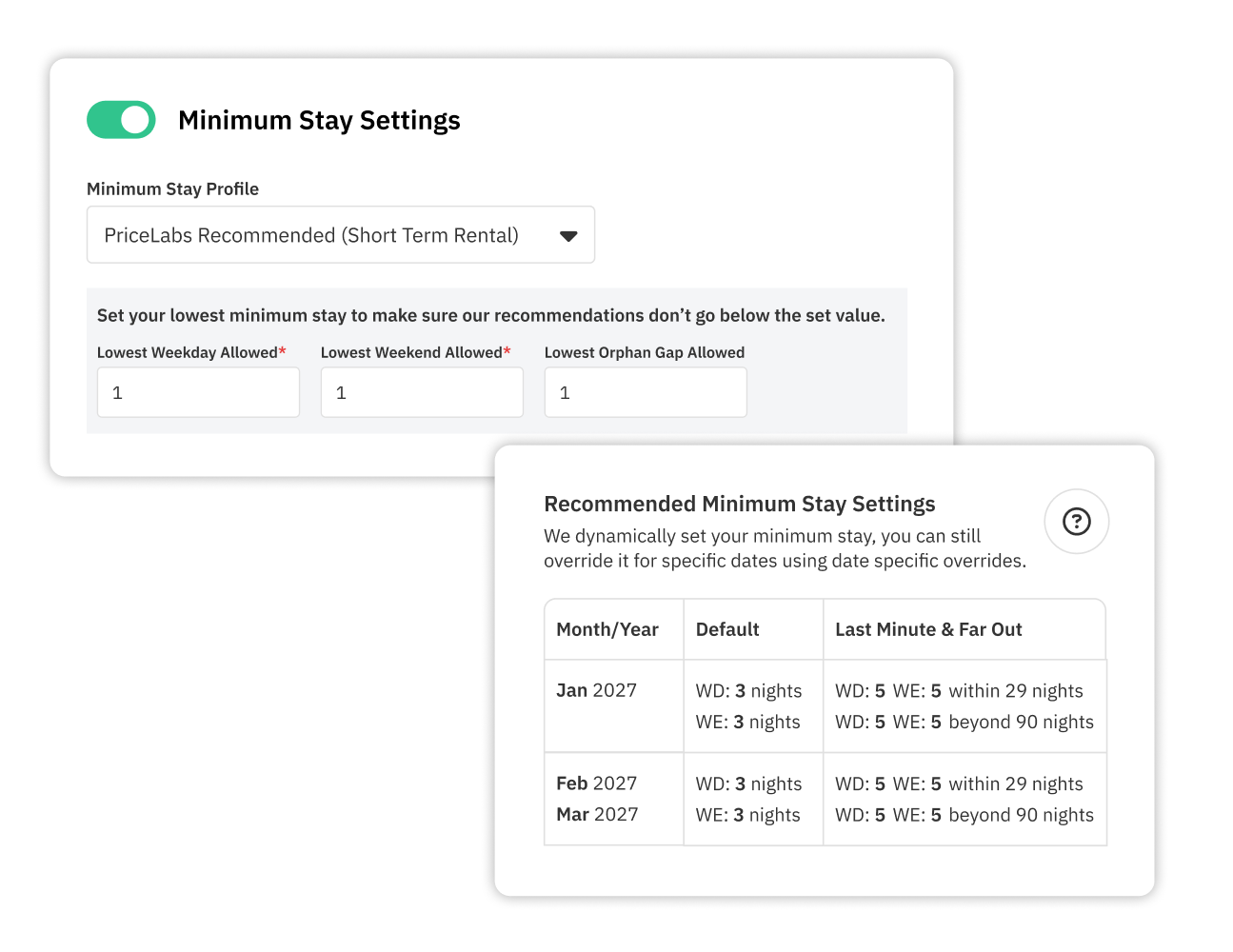
Shorter minimums are one option among several, and the right choice depends on your cleaning costs, turnover requirements, and revenue goals.
Your listing helps guests decide whether your property fits their trip. Strong photographs, an accurate description, and clearly listed amenities make that decision easier.
Start with high-quality images of the layout, bedrooms, bathrooms, kitchen, and major amenities. Close-up shots of decorative details leave guests guessing about the space itself.
Next, write a description that explains why the property suits its target guests. Compare these two versions:
“Beautiful two-bedroom apartment with excellent amenities in a great location.”
“Two-bedroom apartment with a dedicated workspace, fully equipped kitchen, and parking, located 10 minutes from the city center.”
The second version gives guests details they can use to compare properties. Our Airbnb listing description examples show how different property types can highlight their strongest selling points. Your listing title, amenities, and guest reviews deserve the same attention. When travelers often ask about parking, internet speed, or accessibility, answer those questions directly in the listing.
Listing on several online travel agencies (OTAs), such as Airbnb and Vrbo, reaches different audiences. Running multiple channels requires a reliable reservation synchronization process, typically a compatible property management system or channel manager, to prevent double bookings.
Two similarly priced properties can receive very different numbers of views and bookings. Our analysis of more than 10,000 Airbnb listings found that 88% have content issues hurting visibility, 70% have weak or unclear photos, and 54% have incomplete descriptions.
Listing Optimizer analyzes your Airbnb listing and compares it with high-earning listings.
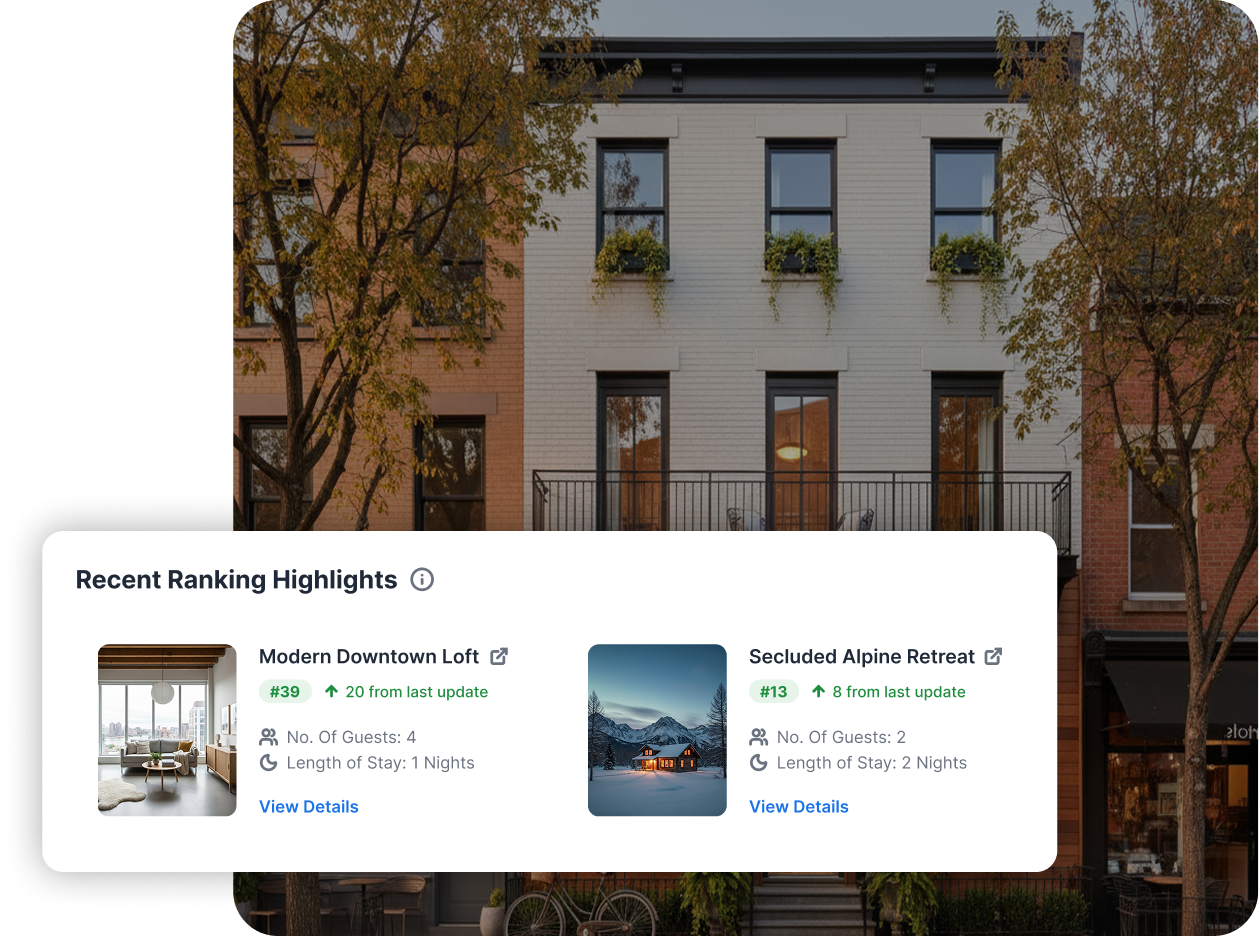
It reviews:
Each listing receives a grade from A to D. We generate AI-powered recommendations for titles and descriptions that score below an A.
Picture a two-bedroom apartment with a balcony, a dedicated workspace, and parking, listed under a title that only says “modern apartment.” Listing Optimizer shows whether those features deserve more prominence compared with competing listings. Changes then follow what your listing lacks rather than guesswork.
When bookings slow down, check whether listing quality or pricing is the more likely cause before you lower your nightly rate.
Before you rent your property short-term, check whether local rules permit it and what requirements apply. Depending on the location, you may need to register your property, obtain a permit, collect accommodation taxes, or stay within a limit on rentable nights.
Some cities set rules based on whether the property is your primary residence, whether you are present during the stay, or where the property sits. A city may allow short-term rentals in certain residential zones and restrict them in others. A property that is legally available for long-term renting may not qualify for short-term stays.
Review the requirements set by your local government and, where relevant, your homeowners’ association or building management. The most common short-term rental restrictions cover:
Regulations change, so verify requirements with current official sources rather than relying on other hosts or booking platforms.
An annual cap on rentable nights should shape your pricing. With a cap in place, prioritizing higher-demand dates earns more than trying to fill every available night. If your market allows longer stays under different rules, a mid-term rental strategy may be worth evaluating. Confirm how your local regulations classify each length of stay before you change your approach.
Cleanliness is one of the first things guests notice. A property that looks different from its listing photos, or that has basic maintenance problems, leads to complaints and poor reviews.
Create an Airbnb cleaning checklist for every guest turnover. The checklist should cover bathrooms, kitchens, bedding, floors, high-touch surfaces, and often-missed areas such as under beds and inside cabinets.
Schedule regular maintenance checks for:
Same-day turnovers call for cleaners who can finish reliably within the available time. With an 11 a.m. checkout and a 3 p.m. arrival, your cleaning team has four hours to clean, replace linens, inspect equipment, and report damage.
Travelers often ask about parking, check-in, amenities, or house rules before they book. Clear and timely answers help them decide whether the property suits them.
After a booking is confirmed, send the information guests need for arrival:
You can automate routine Airbnb messages, such as booking confirmations, pre-arrival instructions, and checkout reminders. Guests should still have a way to reach a person when something goes wrong. A family arriving late after a delayed flight, with an entry code that does not work, needs immediate help rather than a link to a generic FAQ.
Clear checkout instructions make departures easier. Tell guests when to leave, where to return keys, and which reasonable tasks to complete. After checkout, thank guests for their stay and invite feedback, then use their comments to spot recurring issues.
A guest’s experience depends on more than how the property looks. Accurate check-in instructions and a kitchen stocked with essentials affect how comfortable guests feel. Start with clean linens, working appliances, reliable Wi-Fi, adequate toiletries, and clear instructions for using amenities.
Then add touches that fit your target guests. Families with young children may appreciate a crib, high chair, or child-friendly dinnerware. Guests booking a cabin for a winter getaway may value extra blankets, heating instructions, and directions to the nearest grocery store. An Airbnb welcome book collects Wi-Fi details, appliance instructions, emergency contacts, and local recommendations in one place, so guests do not need to message you for every question.
Guest feedback shows where to invest. If several guests mention that the bedrooms are too bright in the morning, blackout curtains will do more than extra decor. If visitors keep saying the apartment feels smaller than expected, revisit the photographs and description so they show the layout clearly.
Your responses to Airbnb reviews also tell future guests how you handle their concerns, whether you are thanking a happy guest or addressing a complaint.
Start by checking local regulations to confirm your property can legally operate as a short-term rental. Next, identify your target guests, prepare the property, photograph it, and create listings on suitable booking platforms. Set up your cleaning, maintenance, guest communication, and pricing processes before you accept reservations.
Short-term renting gives owners flexibility in how they use the property and the potential to earn more during high-demand periods. Income can fluctuate, and costs such as platform fees, cleaning, maintenance, taxes, and empty periods reduce what you keep.
Compare similar properties in your market and factor in your operating costs, amenities, location, seasonality, and booking demand. Use a Base Price as your starting point, set minimum and maximum prices, and adjust nightly rates as conditions change. Dynamic pricing software automates those adjustments.
Yes. You can manage pricing for multiple listings from one account, including groups of listings. Preventing double bookings across channels requires a compatible property management system or channel manager with reservation synchronization.
Review your nightly rates, minimum stay rules, listing quality, and booking patterns. Compare your occupancy with similar properties and look closely at the periods when demand is weaker. The right fix depends on the cause, and it may be pricing, minimum stays, amenities, or listing content.
Want to learn what PriceLabs can do for you? See for yourself with a free trial. Get started now!