Get started with PriceLabs now!
Want to learn what PriceLabs can do for you? See for yourself with a free trial. Get started now!

Our analysis of 10,000 Airbnb listings found that nearly 70% had poor-quality images and 54% had unclear or incomplete descriptions. Listings that met our “good” criteria were 35% more likely to outperform their local market. Marketing a vacation rental starts with fixing what guests see first, then widens to the channels, messages, and prices that turn views into bookings.
On the host side, our Global Host Report 2026 found that a direct booking website is the top investment hosts want to make next, for the second year running. The 12 strategies below cover listing quality, direct booking, guest communication, and pricing, and they apply whether you run one property or several.
Start with what guests see in search. In our Listing Optimization Report, nearly 70% of listings were held back by images that were blurry, poorly lit, or shown in a confusing order. Another 54% had unclear or incomplete descriptions, and a further 54% showed inconsistencies between the written description and the photos.
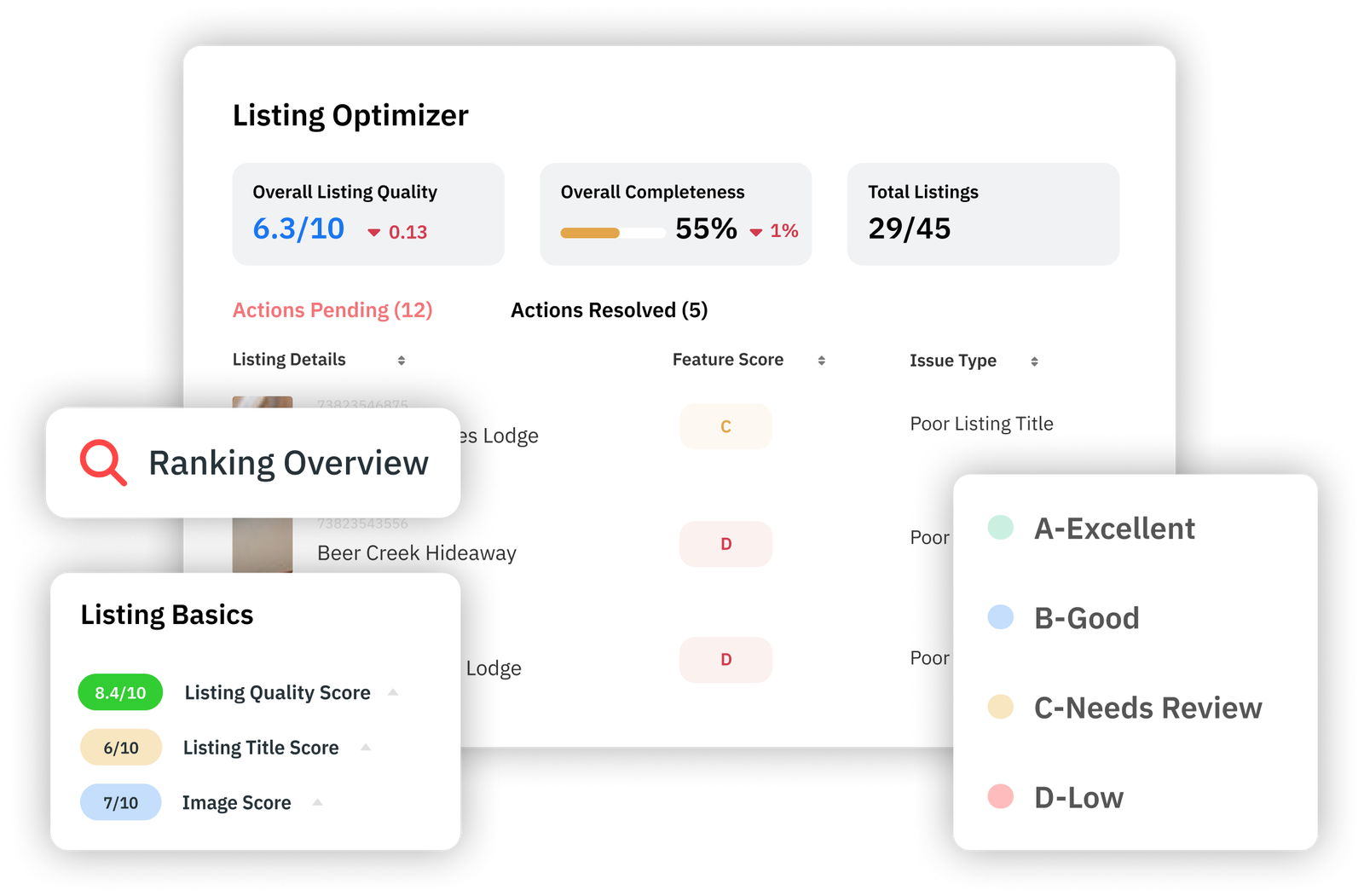
Shoot every room and outdoor space in good light, lead with the spaces guests care about most, and check that each amenity in your description appears in a photo. Our Listing Optimizer scans the titles, descriptions, photos, and amenities on an Airbnb listing and ranks the fixes. If you prefer to review a listing by hand, a checklist for Airbnb titles, descriptions, and photos covers the same elements.
Listing on more than one of Airbnb, Vrbo, and Booking.com gives you more places to be found. Keep your photos, amenities, and house rules identical on every channel, since mismatched details are one of the issues our Listing Optimization Report flagged.
We connect to Airbnb and Vrbo, and our official Booking.com integration lets your rates stay aligned across all three. Whichever channel you add, answer inquiries quickly.
For the second year running, a direct booking website was the top investment hosts said they wanted to make next in our Global Host Report. In the 2025 edition, 90% of hosts surveyed planned to invest the same or more in their own websites. Both surveys covered hosts managing up to four listings.
A site you control gives you a place to send email subscribers, social followers, and past guests. Start small with photos, a clear description, live availability, and a way to book or send an inquiry.
Guests who search for a stay in your area can find your direct site if it is written for those searches. Use the property type, the town, and the things guests do there in your page titles and descriptions, and publish local guides or seasonal tips that answer what visitors ask before they book.
Before you create a Google Business Profile, read Google’s eligibility guidelines. They list rental properties such as vacation homes as ineligible, while sales or leasing offices can be verified. A management company with a staffed office may qualify, and an individual home does not.
Paid ads on Google or Meta can send traffic to your direct site quickly, and they pay off only when the page they land on can take a booking. Pick keywords tied to your location and property type, set a daily budget you can afford to lose while you test, and compare each campaign’s spend with the revenue from the bookings it produced.
Retarget people who visited your site and looked at dates but did not book, and pause any ad that spends without producing inquiries.
Past guests and unbooked inquiries already know your property. Collect email addresses at booking, at check-out, and through your direct site, with permission to send marketing, and keep the list in a tool you control.
Send short notes with open dates, a seasonal offer, or local events. Split the list into at least two groups, guests who stayed once and guests who came back, so you can offer returning guests early access to dates or a direct-booking rate.
Text suits messages guests need quickly, such as check-in instructions, a door-code reminder, or a last-minute opening. Send texts only to guests who have agreed to receive them, keep each message short, and give an easy way to opt out.
Check whether your property management system or guest messaging tool already automates replies to common questions about check-in and amenities before you add another tool.
On Airbnb, hosts and guests each have 14 days after checkout to submit a review, and Airbnb says it may use information from reviews to affect search results. Send your review request and a thank-you message inside that window while the stay is fresh, and reply to feedback calmly and specifically.
Show strong reviews on your direct site and social channels. When a review points to a recurring problem, fix the listing or the stay itself, starting with an audit of your title, description, and photos.
Restaurants, tour operators, and shops near your property serve the same visitors you want to reach. Offer guests a discount code at a partner, ask the partner to share your direct booking link with its customers, or put a local welcome item in the home.
Keep each arrangement simple and written down, and track which partner sends bookings so you know which ones to keep.
A creator whose audience matches your guests, such as families, remote workers, or travelers with pets, can show your property to people already planning a trip. Offer a stay in exchange for photos and video, agree on deliverables in writing before the stay, and follow your local advertising disclosure rules for sponsored content.
Treat the first collaboration as a test. A unique booking link or discount code shows whether it produced bookings.
Demand changes by date, so a fixed rate leaves money on the table on busy nights and leaves other nights empty. Our dynamic pricing uses the Hyper Local Pulse algorithm, which forecasts demand and price sensitivity using hyper-local comparison sets rather than broad market data.

You keep control with a minimum price, a base price, and a maximum price, plus date-specific overrides for nights you want to price yourself. Because Hyper Local Pulse already reflects seasonality, we suggest you should not need to adjust your base price by season, as our help center explains. The Seasonality customization is there if you want the algorithm to be more or less aggressive.
How PriceLabs helps: We connect to Airbnb, Vrbo, Booking.com, and a wide range of property management systems, and we send recommended prices and restrictions to them.
Price is only one lever. Start with your base price. Our Base Price Help tool recommends one by analyzing nearby listings and factors such as bedroom count, listing performance, occupancy, and past base prices, and a base price nudge alerts you when your current base price differs from the recommendation by more than 5%.
Then use minimum-stay customizations, orphan-day pricing, and last-minute and far-out pricing to attract longer stays, reduce booking gaps, fill one- or two-night gaps between bookings, and match how far ahead your market books.
Fix your listing photos and descriptions first, because every other channel sends guests to them. Then set up pricing so your rates follow demand, and add direct booking, email, and reviews once the basics are consistent.
Google’s guidelines list rental properties such as vacation homes as ineligible. Sales or leasing offices can be verified, so a management company with a staffed office may qualify. Check Google’s current guidelines before you apply.
You have 14 days after checkout. Reviews are published once both sides have submitted theirs or when the 14 days end, whichever comes first.
Yes. We are an official Booking.com connectivity partner and offer a direct integration. We also connect to Airbnb, Vrbo, and a wide range of property management systems.
Hyper Local Pulse should handle seasonality and day-of-week patterns, so you shouldn’t need to adjust your base price for them. The Seasonality customization lets you make the algorithm more aggressive or more conservative.
Want to learn what PriceLabs can do for you? See for yourself with a free trial. Get started now!