Table of Contents
Updated : Feb 6, 2026
Independent hotels and small groups often feel the squeeze between shifting demand and limited pricing bandwidth.
Think of pricing like a smart thermostat for your rooms: when demand heats up, rates rise to keep you comfortable; when demand cools, rates ease to keep bookings flowing. Dynamic pricing works the same way—automated, rules-driven rate updates powered by real-time market data. It closes revenue gaps by aligning price with demand across every date, room, and channel.
In this guide, you’ll learn what causes revenue leakage, how AI-driven pricing automation fixes it, and the steps to audit, implement, and scale a portfolio-ready revenue discipline.
Understanding Revenue Gaps in Small Hotel Groups
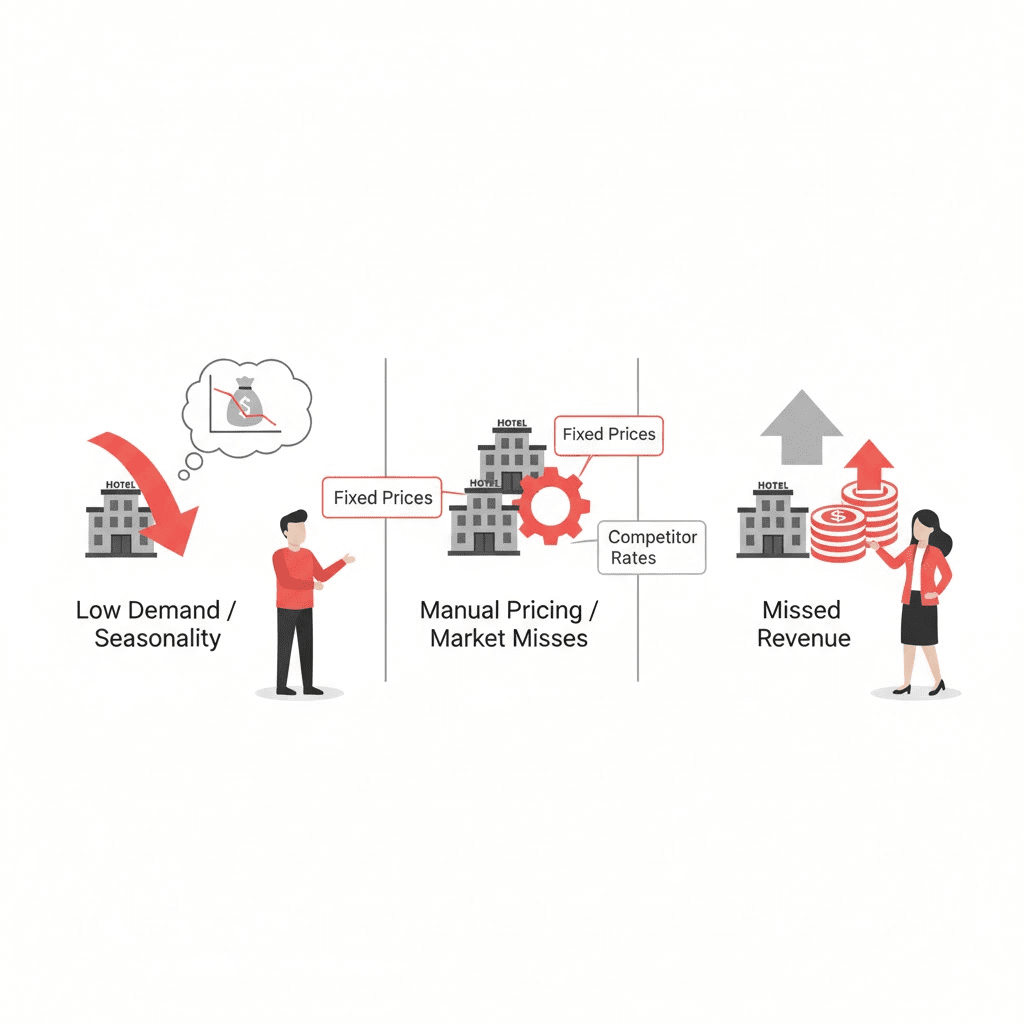
A revenue gap is the difference between what a property could have earned and what it actually earned.
It usually appears when rates are underpriced on high-demand dates or overpriced in slower periods. It also shows up when teams update rates manually or when outdated seasonal pricing misses demand shifts.For independents, the stakes are clear: missed revenue, lost visibility, and wasted time.
Common manifestations of revenue leakage include unsold nights, missed event surges, and hours spent updating rates instead of optimizing strategy or distribution.
Quick example:
- A local festival sells out faster than last year. Your static rates never moved. Competitors lifted prices by 20%, while you sold out early at a lower ADR—classic revenue gap.
How to spot a revenue gap in minutes:
- Scan your past 60 days for sell-out nights with below-comp ADR.
- Look for midweek dips where occupancy fell below your target band.
- Check for parity issues between your site and OTAs.
- Review how often rates changed—daily, weekly, or only by season.
Typical consequences of ineffective pricing:
- Occupancy optimization falters on shoulder periods.
- ADR lags on peak dates; RevPAR trails competitors.
- Staff time drains into repetitive updates and rate checks.
- Pricing inefficiency triggers parity issues and channel friction.
| Consequence | What you see | Business impact |
|---|---|---|
| Occupancy dips | Empty rooms outside weekends or events | Lower RevPAR; weakened cash flow |
| Low ADR on peaks | Rates don’t rise with demand | Money left on the table |
| Manual workload | Daily spreadsheets and channel edits | Higher labor cost; slower reaction time |
| Parity errors | Inconsistent OTA vs. direct rates | Lost trust; cannibalized direct bookings |
Practical tips:
- Schedule a weekly 20-minute review of peak and shoulder dates.
- Flag any date with last-minute heavy pickups or early sell-outs.
- Document patterns so you can set smarter rules next month.
How PriceLabs helps:
- PriceLabs connects to your PMS/channel manager and automates dynamic pricing daily or intra-day with guardrails you set.
- Clear, explainable recommendations help teams build trust while keeping control.
- Portfolio views and bulk actions make it simple for small groups to scale consistent strategy across properties.
- Automated market and pace signals highlight demand changes early.
- Parity guardrails and direct-channel nudges help protect rate integrity.
- Date-level insights make it easy to see where ADR was left on the table.
How Dynamic Pricing Closes Revenue Gaps
Dynamic pricing is a method where hotel rates adjust frequently—often daily or intra-day—based on live market signals such as demand, booking pace, competitor movements, and events.
For small hotel groups, it turns pricing from a manual task into a continuous, data-led process that protects occupancy in soft periods and captures outsized ADR when demand spikes, as outlined in PriceLabs’ guide to dynamic pricing for small hotel groups.
Key mechanics that deliver results:
- Real-time responsiveness to events, holidays, and booking pace changes.
- Competitor monitoring to maintain rate position vs. your comp set.
- Automated rules and guardrails to enforce floors, ceilings, and LOS.
- Integration with PMS and channel managers to push updates everywhere.
Modern hotel revenue management systems can increase RevPAR by up to 35% while saving hours of manual work each week, according to the RoomMaster overview of revenue management systems.
Dynamic vs. static pricing at a glance:
| Aspect | Static pricing | Dynamic pricing |
|---|---|---|
| Update frequency | Seasonal or ad hoc | Daily/intra-day based on live data |
| Basis for price | Historical seasons, gut feel | Demand, comp set, events, and pace |
| Responsiveness | Slow to market shifts | Real-time adjustments |
| Revenue impact | Prone to leakage on peaks/valleys | Maximizes RevPAR; protects occupancy |
| Time requirement | High manual workload | Automated with clear oversight |
| Error risk | Higher (manual edits) | Lower (rules-based controls) |
Simple example:
- Weekend concert announced: dynamic pricing lifts your rates as pickup accelerates while holding a sensible ceiling to stay competitive.
- Rainy midweek lull: pricing eases with value-adds or LOS incentives to maintain occupancy without deep discounting.
How to get started fast:
- Connect your PMS/channel manager to a dynamic pricing tool.
- Set minimum and maximum rate guardrails by room type.
- Define LOS rules for known peaks and shoulder periods.
- Review recommended prices daily; override only when you have new information.
How PriceLabs helps:
- Real-time market data, comp-set insights, and explainable AI recommendations keep prices aligned with demand.
- Guardrails, LOS controls, and event-based adjustments are easy to configure.
- Pushes updates to all channels automatically, reducing manual work.
Auditing Revenue Gaps and Setting Objectives
Before switching on automation, run a structured audit to reveal gaps and define targets:
- Quantify missed opportunities: unsold inventory by date, under-indexed ADR vs. comp set, OTA vs. direct mix, and parity issues.
- Identify root causes: manual interventions, outdated seasonal calendars, no competitor monitoring, or delayed event detection.
- Set measurable objectives: lift RevPAR, improve ADR on compression nights, reduce OTA dependence, and increase target occupancy bands.
Quick self-assessment template:
| Area | What to check | Data source | Target/Action |
|---|---|---|---|
| Unsold nights | Empty rooms by date segment | PMS/BI | Raise price on peaks; add fences for lows |
| ADR vs. comp set | Rate position on key dates | Rate shopper/market data | Close ADR gap by X% |
| Pace variance | Early/late booking patterns | PMS pace report | Adjust lead-time pricing |
| OTA vs. direct | Channel mix and parity | Channel manager/website | Improve direct mix by X% |
| Manual time | Hours spent updating rates | Team time logs | Automate ≥80% of rate changes |
How-to: a 30-minute audit
- Pull the last 90 days of occupancy, ADR, and RevPAR by day.
- Highlight sell-out dates with below-comp ADR and low-occupancy dates with heavy discounting.
- Note events where competitors surged pricing and you didn’t.
- Translate findings into 3–5 objectives (e.g., +8% ADR on event peaks).
How PriceLabs helps:
- Surfaced demand signals and event cues make gaps obvious.
- Portfolio dashboards and pacing views speed up audits.
- Objective-based rules (floors/ceilings, LOS, and event uplifts) translate goals into daily pricing actions.
Choosing the Right Dynamic Pricing Tool for Small Hotel Groups
For small groups, the best-fit dynamic pricing tools are those that integrate easily, automate confidently, and provide clear recommendations—so teams trust and control pricing automation.
Must-have capabilities:
- Direct integration with PMS and channel managers.
- Competitor rate tracking and real-time market data feeds.
- Automated rules with adjustable guardrails (floors, ceilings, LOS).
- AI-powered forecasting with transparent, explainable recommendations.
- Free trial or pilot and flexible contracts to de-risk adoption.
Define the core terms: A Revenue Management System (RMS) is hotel revenue management software that automates pricing using real-time and historical data to maximize revenue through pricing automation and distribution sync.
Transparent automation matters because managers need to see and validate the “why” behind each change—trust grows when tools surface drivers, not just outputs.
Evaluation checklist:
| Capability | Why it matters | What to verify |
|---|---|---|
| PMS/channel integration | Eliminates manual updates | Certified integrations; sync frequency |
| Market/comp data | Anchors price to demand | Competitor coverage; event detection |
| AI forecasting & explainability | Confidence in recommendations | Visible inputs; rationale per change |
| Guardrails & rules | Control and risk management | Floors/ceilings; LOS; channel fences |
| Bulk edits & overrides | Operational agility | Portfolio-level and date-range control |
| Trial/pilot & contracts | Low-risk adoption | Free trial; month-to-month options |
| Support & onboarding | Faster time to value | Live training; help center; SLAs |
| Audit logs | Compliance and QA | Full change history by user/rule |
Practical selection tips:
- Run a short pilot to compare “recommendation quality” across tools.
- Test explainability: can you see why a price moved today?
- Verify portfolio workflows: bulk edits, cloning rules, and multi-property reporting.
How PriceLabs helps:
- Broad PMS/channel integrations and rapid syncs keep rates current across channels.
- Transparent, explainable pricing signals help teams validate recommendations.
- Free trials and flexible contracts reduce adoption risk for small groups.
Configuring Pricing Rules and Segments
Smart configuration aligns automation with business goals and guest mix.
Essential rule types:
- Price guardrails: minimum/maximum rates by room type and season.
- Length of stay (LOS): minimums on peaks; value-add for longer stays off-peak.
- BAR and fenced offers: dynamic Best Available Rate with packages or perks.
- Corporate and group rates: protected negotiated pricing with blackout controls.
- Event surges: automated uplift tied to demand indicators and local calendars.
Why segmentation matters: Segment-based pricing—setting different rates for distinct guest types or channels—lets you balance flexibility with protecting negotiated accounts and high-value segments.
Rules-by-segment setup matrix:
| Segment/Channel | Core rules | Notes |
|---|---|---|
| Direct (brand site) | Dynamic BAR, member promo, parity guardrail | Use perks to boost conversion |
| OTA leisure | Floor/ceiling, LOS on compression dates | Maintain parity; avoid undercutting direct |
| Corporate | Locked contracted rates; blackout/event exceptions | Honor agreements; protect key dates |
| Groups | Tiered quotes with demand-based fences | Time-bound holds; release dates |
| Packages | Add-on value vs. discount-heavy tactics | Protect ADR while increasing spend |
Example configuration:
- Peak weekends: set a 2-night minimum LOS and raise floors by 10–20%.
- Shoulder midweeks: add a 3rd-night value or late checkout perk to protect ADR.
- Citywide events: apply event-based uplifts with a sensible ceiling to stay competitive.
How-to, step by step:
- Define floors/ceilings by room type for low, shoulder, and peak.
- Layer LOS rules for compression periods and special events.
- Set parity guardrails and fenced member offers for direct.
- Add corporate blackout dates on major events and holidays.
How PriceLabs helps:
- Rule builders for floors/ceilings, LOS, and event uplifts make setup fast.
- Segment-aware controls help you protect corporate and group rates while optimizing public pricing.
- Explainable recommendations show the drivers behind each suggested change.
Training and Assigning Ownership for Dynamic Pricing
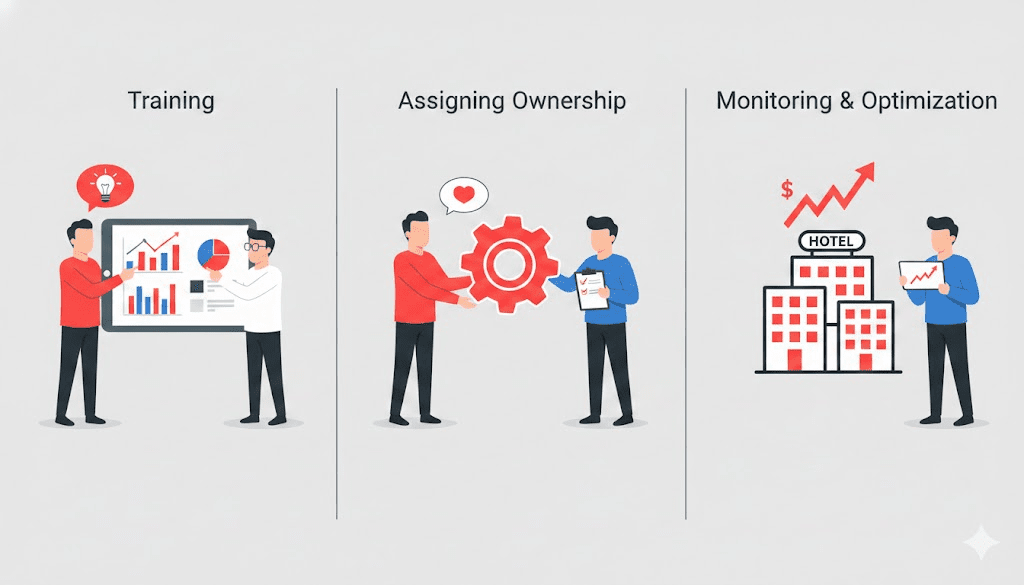
Automation performs best with clear human ownership.
Designate a pricing owner (or small team) to manage rules, review exceptions, and act on event detection.
Train users on rule configuration, overrides, and how to interpret AI-generated recommendations; build simple SOPs for unusual events and safe overrides, as emphasized in the PriceLabs small-hotel guide.
A lightweight SOP for exceptions:
- Trigger: Unusual event or pace variance detected.
- Owner: Named revenue lead (backup assigned).
- SLA: Review within 24 hours; implement changes within agreed window.
- Actions: Validate signal, adjust guardrails or event uplift, document rationale.
- Escalation: Notify GM/owner for material deviations from strategy.
Practical training plan:
- Week 1: Guardrails and LOS rules; practice reviewing daily recommendations.
- Week 2: Event handling and safe overrides; document edge cases.
- Week 3: Reporting and KPI reviews; link changes to outcomes.
How PriceLabs helps:
- In-app guidance, help center resources, and live training accelerate adoption.
- Audit logs make every change traceable for QA and coaching.
- Default templates help new users avoid “blank page” setup.
This pricing governance approach keeps automation aligned with strategy while preventing overreactions.
Monitoring Key Performance Indicators and Iterating
Track progress and tune rules as patterns emerge.
Core KPIs:
- ADR (Average Daily Rate)
- Occupancy
- RevPAR (Revenue Per Available Room): total room revenue divided by available rooms; it reflects both rate strength and occupancy.
- Rate position vs. comp set
A simple cadence:
- Review KPIs weekly; deep-dive monthly by segment and channel.
- Compare outcomes to targets set in your audit.
- Adjust guardrails and LOS for seasonality and events as performance trends develop; see the NetSuite overview of hotel dynamic pricing for additional context on demand-led adjustments.
- Log changes and measure impact over the next 2–4 weeks.
Practical tips:
- Tag changes (e.g., “raised floors +10%”) and track results over 14–28 days.
- Use rolling 7-, 14-, and 30-day views to spot trend shifts early.
- Compare your rate index against your comp set on key dates.
Use a dashboard or structured spreadsheet to visualize trends and link rule changes to results.
How PriceLabs helps:
- Portfolio dashboards, pacing, and comp-set views show where to tweak rules.
- Change history and annotations help you measure cause-and-effect.
- Alerts flag unusual pickup so you can react before competitors do.
Scaling Dynamic Pricing Across Multiple Properties
As you add properties, a unified revenue strategy reduces inconsistency and speeds decision-making.
A centralized framework with local flexibility breaks silos and supports portfolio growth—an approach echoed in Duetto’s guidance on breaking revenue silos in growing hotel chains.
How to scale:
- Standardize core guardrails: global floors/ceilings, baseline LOS, and parity policy.
- Centralize comp set methodology and event detection.
- Allow local tweaks for unique demand drivers (conventions, seasonality, micro-markets).
- Review portfolio KPIs monthly; update shared rules quarterly.
Portfolio governance model:
| Level | Standardized | Flexible locally |
|---|---|---|
| Portfolio | Guardrails, parity policy, comp-set logic | Event weighting; promo calendars |
| Property | Room-type nuances, add-on value | Micro-seasonality; local partnerships |
Example in practice:
- Headquarters sets global floors and LOS baselines.
- Each property adds local event weights and micro-seasonality tweaks.
- Monthly reviews align outliers back to portfolio benchmarks.
How PriceLabs helps:
- Portfolio-level controls, cloning, and bulk edits ensure consistency at scale.
- Property-specific overrides preserve local market nuance.
- Central dashboards make cross-property comparisons straightforward.
Practical Tips for a Successful Dynamic Pricing Rollout
- Start small: Pilot one property or a few room types to validate impact before scaling portfolio-wide; pilots and trials help de-risk adoption, as noted in the Coaxsoft guidance above.
- Protect the basics: Use fences to safeguard corporate and group contracts and maintain parity.
- Demand clarity: Choose platforms with explainable recommendations so teams can audit changes and build trust.
- Don’t over-automate: Treat automation as a decision amplifier; retain human oversight for exceptions and strategy calls.
- Use history wisely: Leverage historical patterns but prioritize live signals for sudden demand shifts.
Extra quick wins:
- Create an “events calendar” checklist for your market and refresh it monthly.
- Set channel-specific floors so OTAs never undercut your direct BAR.
- Review top booking lead times and align your advance purchase fences.
How PriceLabs helps:
- Event detection inputs and date-level adjustments give you early-mover advantage.
- Channel-aware guardrails support direct-first strategies while keeping parity.
- Lead-time sensitivity and LOS tools help enhanceboth ADR and occupancy.
Way Forward
Dynamic pricing helps small hotel groups plug revenue leaks, boost ADR on peak dates, and protect occupancy in softer periods—all while reducing manual work. Start with a quick audit, set clear guardrails and LOS rules, and lean on explainable AI to react to real-time demand. As you build confidence, scale a consistent framework across your portfolio. With a tool like PriceLabs, you get integrations, transparent recommendations, and portfolio controls that make modern revenue management simple, sustainable, and repeatable. Your next step: run a 30-day pilot, track KPIs weekly, and iterate—small, steady improvements compound into meaningful RevPAR growth.
Frequently Asked Questions About Dynamic Pricing for Small Hotel Groups
What is dynamic pricing and how does it work?
Dynamic pricing automatically adjusts room rates based on real-time demand, booking pace, competitor prices, and events so hotels can capture more revenue on peaks and protect occupancy when demand softens.
With PriceLabs, recommendations are explainable, rules-driven, and synced across channels, so updates are fast and consistent.
How quickly can dynamic pricing improve revenue?
Many small hotels see RevPAR and ADR improvements within weeks, with clear gains emerging in the first 60–90 days as rules and forecasts calibrate.
PriceLabs accelerates this by surfacing early signals and automating daily updates, reducing manual lag.
What dynamic pricing strategies are most effective for small hotels?
Occupancy-based pricing, event-triggered surges, LOS controls, and advance purchase discounts typically deliver reliable results for independents.
PriceLabs makes these strategies easy with configurable guardrails, event uplifts, and LOS settings.
Can small hotels compete with large chains using dynamic pricing?
Yes—modern AI pricing tools for small hotel groups, like those offered by PriceLabs, bring chain-level capabilities to independents, helping them compete on rate, responsiveness, and distribution.
How do hotels avoid pricing errors with dynamic pricing?
Use rules-based guardrails (floors, ceilings, LOS) and audit logs so automated changes stay within parameters and are fully traceable.
PriceLabs enforces your rules and logs every change, so you retain clarity and control.