
Get started with PriceLabs now!
Want to learn what PriceLabs can do for you? See for yourself with a free trial. Get started now!
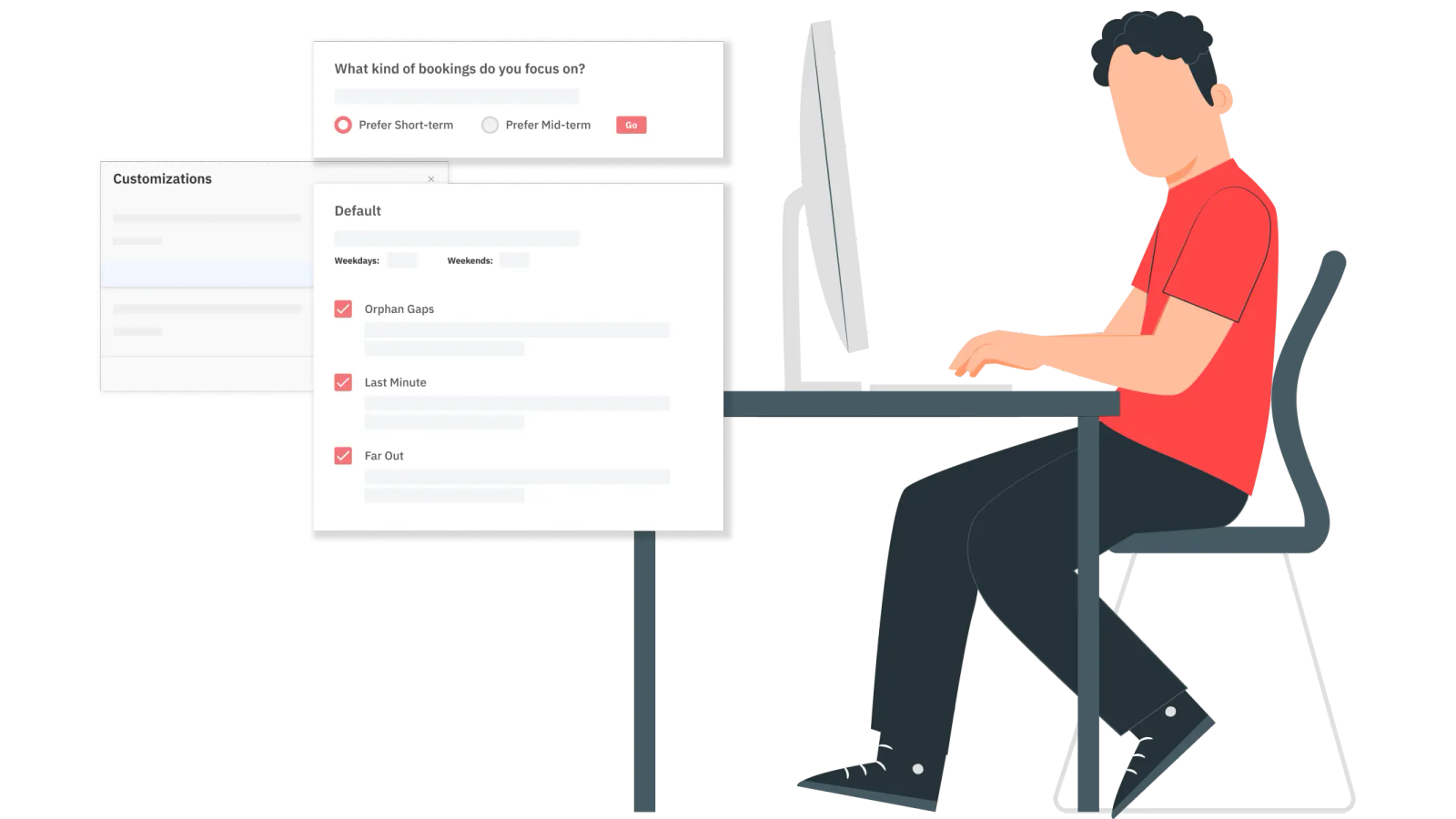
Implementing effective minimum stay restrictions is one of the most powerful yet often underutilized levers within a broader dynamic pricing strategy for vacation rentals. Mastering these restrictions in PriceLabs can dramatically improve operational efficiency and maximize revenue potential.
In this article, we’ll help you strategically implement minimum stay restrictions to optimize your short-term rental business, whether you want to configure every rule yourself or let PriceLabs recommend and automate them for you.
At their core, Minimum Stay Restrictions define the shortest length of time a guest can book your property. If you set your minimum stay to 3 nights, your property won’t show up in booking platform searches for guests looking for a 1- or 2-night stay.
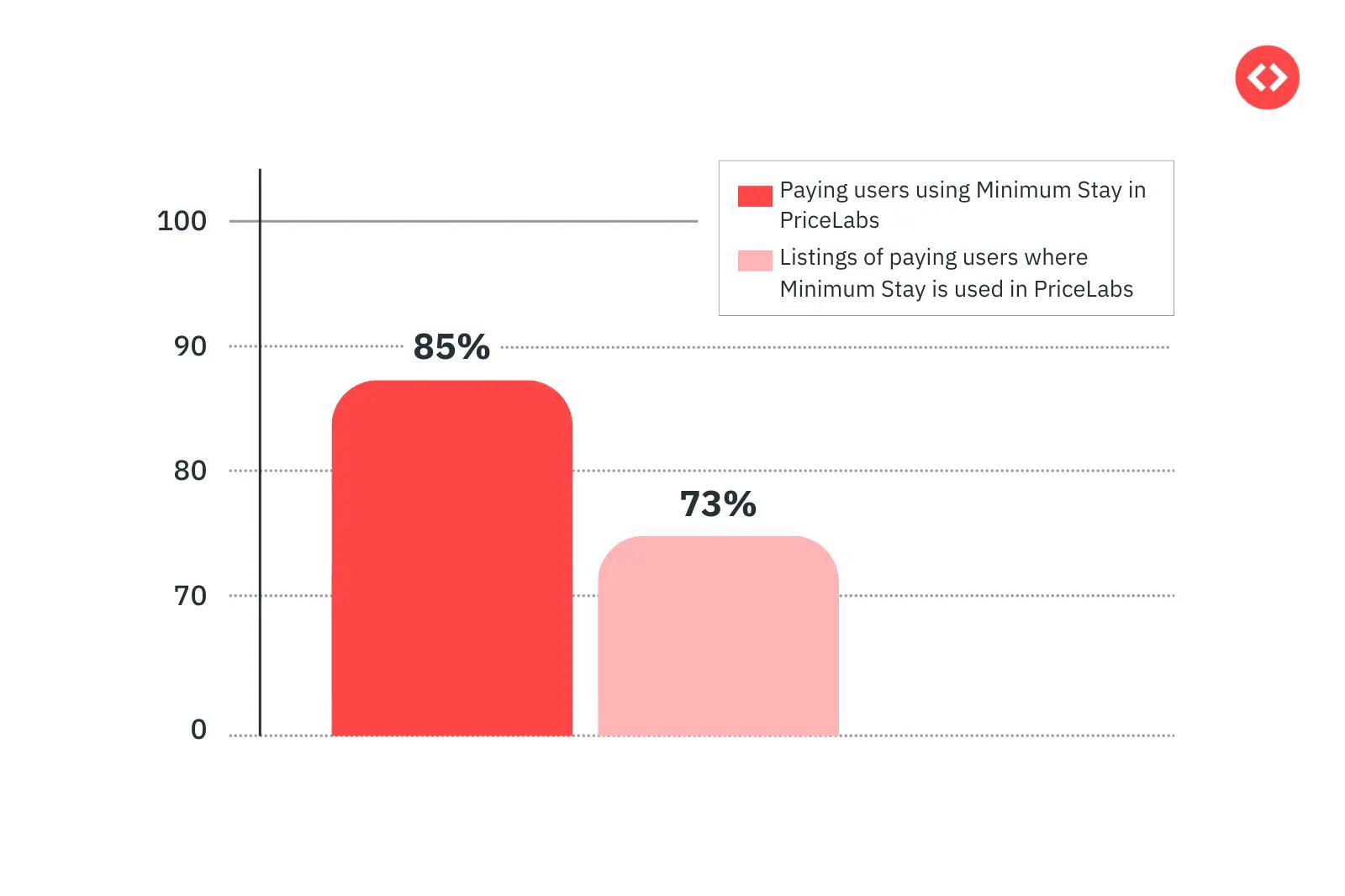
85% of our users are using Minimum Stay Restrictions to optimize their listings. 73% of the listings that these users uploaded to our platform have Minimum Stay Restrictions configured. So yes, minimum stay restrictions are important for your listing’s performance – not just to appear in search results but to also make the most of your market.
This isn’t just a setting — it’s a strategy.
Minimum stay rules directly impact:
Read more: Airbnb SEO: Optimize Airbnb Listing for #1 Rank
Short stays (1-2 nights) sound great in theory — more guests, more flexibility, more chances to earn. But in reality, they come with hidden costs:
On the flip side, longer minimum stay requirements allow you to:
One of the biggest mistakes many short-term rental hosts make is applying a single minimum night rule all year round. But guest booking behavior isn’t static — and your strategy shouldn’t be either.
Minimum stay restrictions can be configured at three levels: listing, group, or account. Setting a rule at the account or group level applies it to every listing underneath, while a listing-level setting overrides that default for one property specifically.
To get started, go to the "Edit" button on the Customizations panel in your Pricing Dashboard, then head to the "Stay Restrictions" tab. Toggling on "Minimum Stay Update" opens the full set of options covered in this guide, including whether to configure everything manually or hand it over to PriceLabs' automated recommendations, covered below.
You don't have to work out every rule by hand. PriceLabs has two connected tools that do this analysis for you.
Minimum stay rules are a balancing act between two competing values: the guaranteed revenue of accepting a booking right now, and the opportunity cost of what that booking might block out. A short booking today can sit right next to nights that would otherwise have gone into a longer, more valuable reservation.
PriceLabs' Minimum Stay Recommendation Engine estimates that trade-off using local demand patterns and booking probabilities for your specific market, rather than a flat rule of thumb, to find the point where taking a shorter booking would actually cost you more than it earns. You can accept these recommendations as-is or adjust them to fit your own strategy.
Dynamic Min Stay takes those recommendations and applies them automatically, adjusting your minimum stays based on booking patterns, seasonal demand, and your property's past and future performance, without you needing to manually update your calendar.
Here's how to set it up:
You'll see recommended minimum stays for each of the next 12 months, grouped into four categories:
You stay in control throughout: the lowest minimum stay you set is a floor the tool will never recommend going below, and if you're already using Custom Seasonal Profiles, Dynamic Min Stay only applies to dates outside the seasons you've already defined, rather than overriding them. You can also still set date-specific overrides for particular dates, like requiring 7 nights over Christmas week even if the general December recommendation is shorter.
Dynamic Min Stay also continuously compares your occupancy to similar properties in your local market over the next 90 days: if your occupancy is 10-20% below the market, it reduces your recommended minimum stay by 1 night; if it's more than 20% below, by 2 nights. This adaptive adjustment applies specifically to your default and last-minute settings, so they stay responsive to real, current conditions rather than only reflecting historical seasonal patterns.
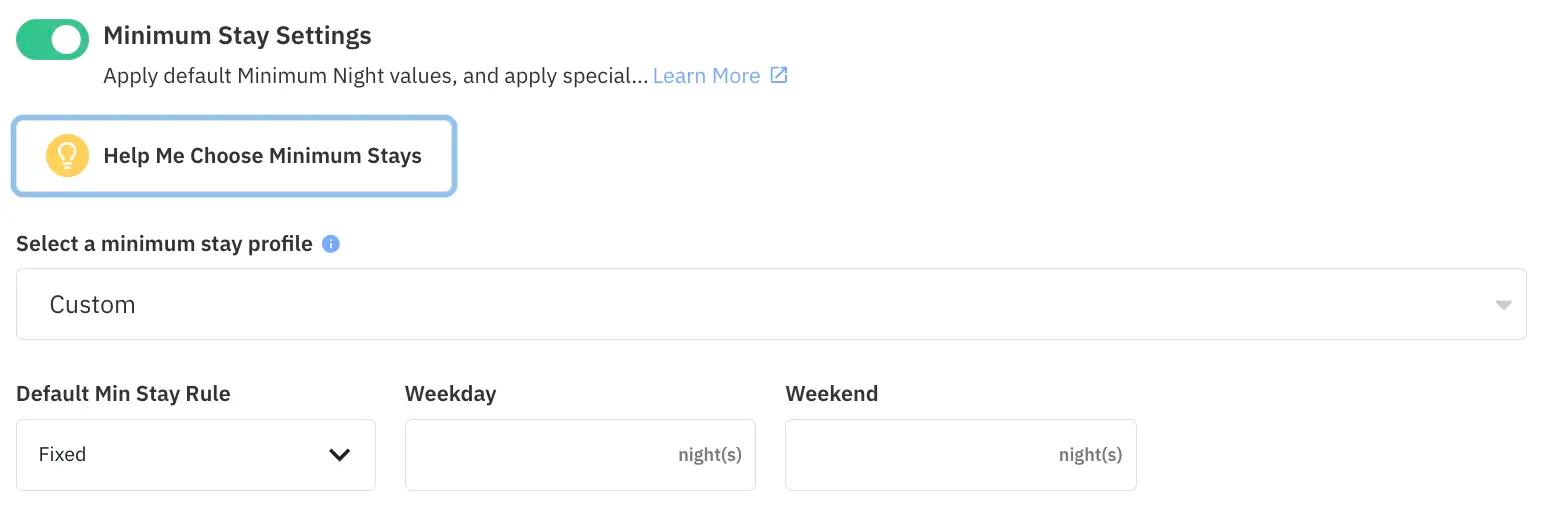
Think of this as your safety net — the baseline rule for your calendar. It defines the shortest booking you’ll accept unless another rule kicks in. Start with moderate restrictions and fine-tune for specific dates or seasons rather than locking your calendar down with one rigid rule.
Read more: How to Use Neighborhood Data for Neighborhood Market Analysis?
Along with this, you can also add the lowest minimum stay allowed in your property. This will override every other minimum stay restriction you’ve added to your listing in PriceLabs.

One of the biggest frustrations in rental hosting? Gap Nights — those annoying 1 or 2-day holes between bookings that are hard to fill.
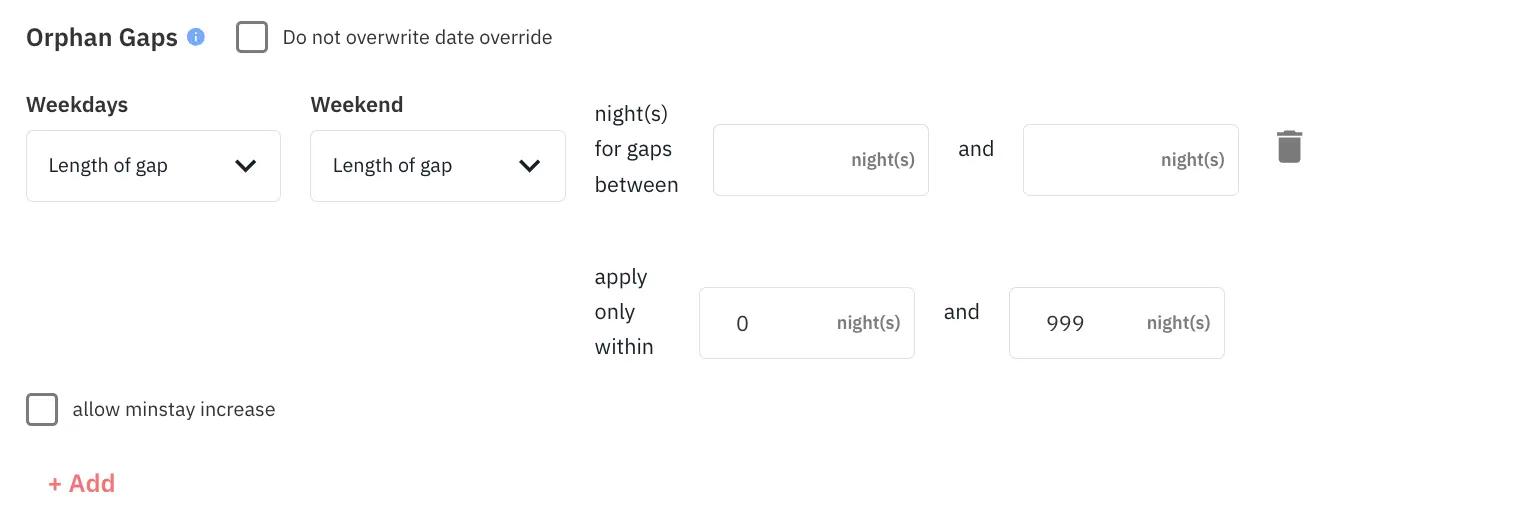
You can use PriceLabs Orphan Gaps customization to avoid this problem by automatically adjusting your minimum stay so new bookings won’t create these leftover scraps.
| �� Pro Tip: Keep an eye on your calendar for manual adjustments, too. During major events, it might be worth relaxing gap prevention to grab premium rates. |
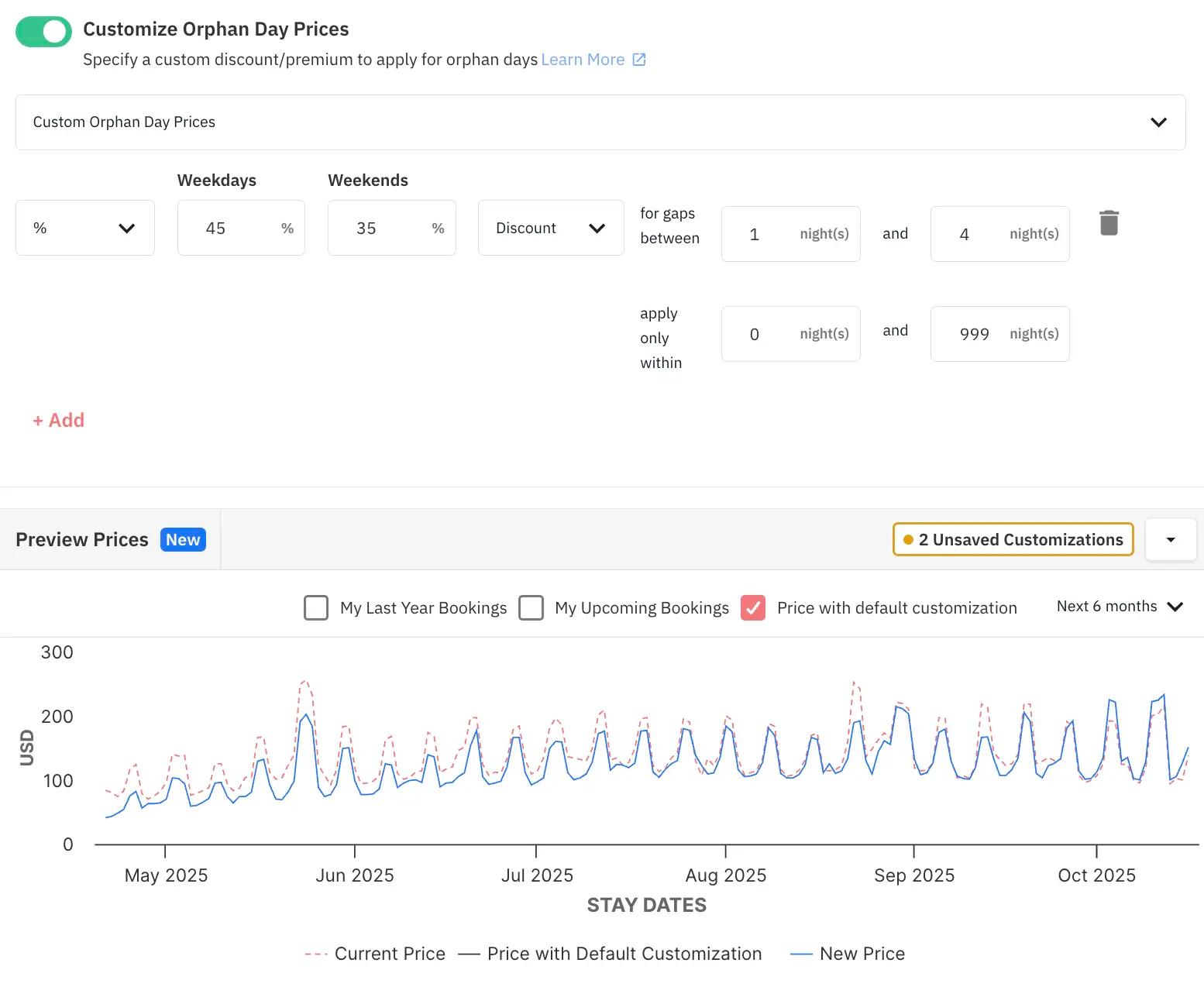
Once you’ve identified the kind of minimum stay restrictions you want to add for your property, you should then also look at how you want to price your property for that particular orphan gap. You can either add a fixed customization or a percentage (we prefer percentages rather than fixed). Within PriceLabs, you can also check how your prices would be affected by the changes you make in the graph right below.
Far-off dates are prime real estate for longer, more profitable bookings. Far-Out Customization will help you hold out for better guests rather than letting your peak weeks get snapped up by short stays months in advance.
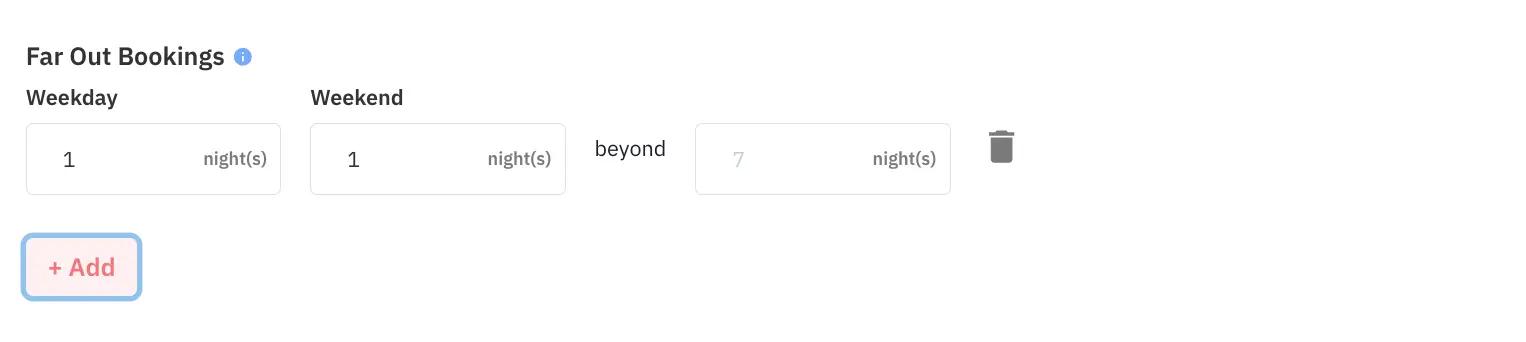
For example:
This method works especially well for vacation rentals in seasonal destinations.
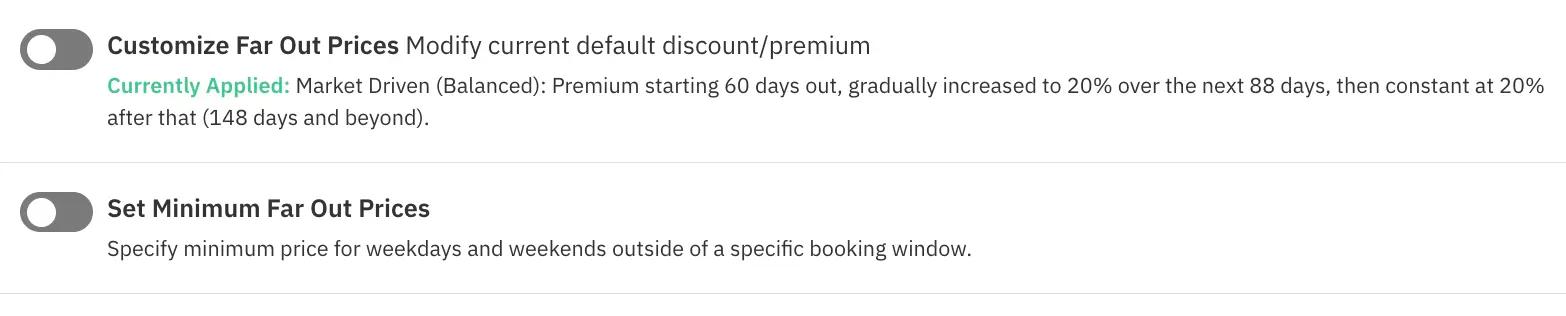
When it comes to Far-Out Prices, you have two options. One is to adjust your minimum price for far-out dates, you can either go higher or lower than your current (we highly recommend going a little higher).
The other option is to gradually increase your prices for the period upto which you want to accept bookings. This is an advanced customization and we already analyse your market and your listing’s performance and apply a market-driven far-out customization for your property. We do not recommend adjustments to this unless you have a tried and tested strategy that works for you (even then, trust our market data to get you the highest returns possible!)
| 💡 Pro Tip: Use your booking lead-time data (how far in advance guests usually book) to decide when to tighten and loosen these rules.Read this article to know more about booking lead time: What is a Booking Window? How to Optimize Booking Lead Time |
When a date is creeping closer and still unbooked, it’s time to loosen your rules. Last-Minute Minimum Stay Adjustments let you automatically reduce your minimum stay as the check-in date approaches.

A common setup looks like this:
This opens the door for last-minute guests, and it’s especially useful if you usually have longer minimums that would otherwise scare off late bookers.
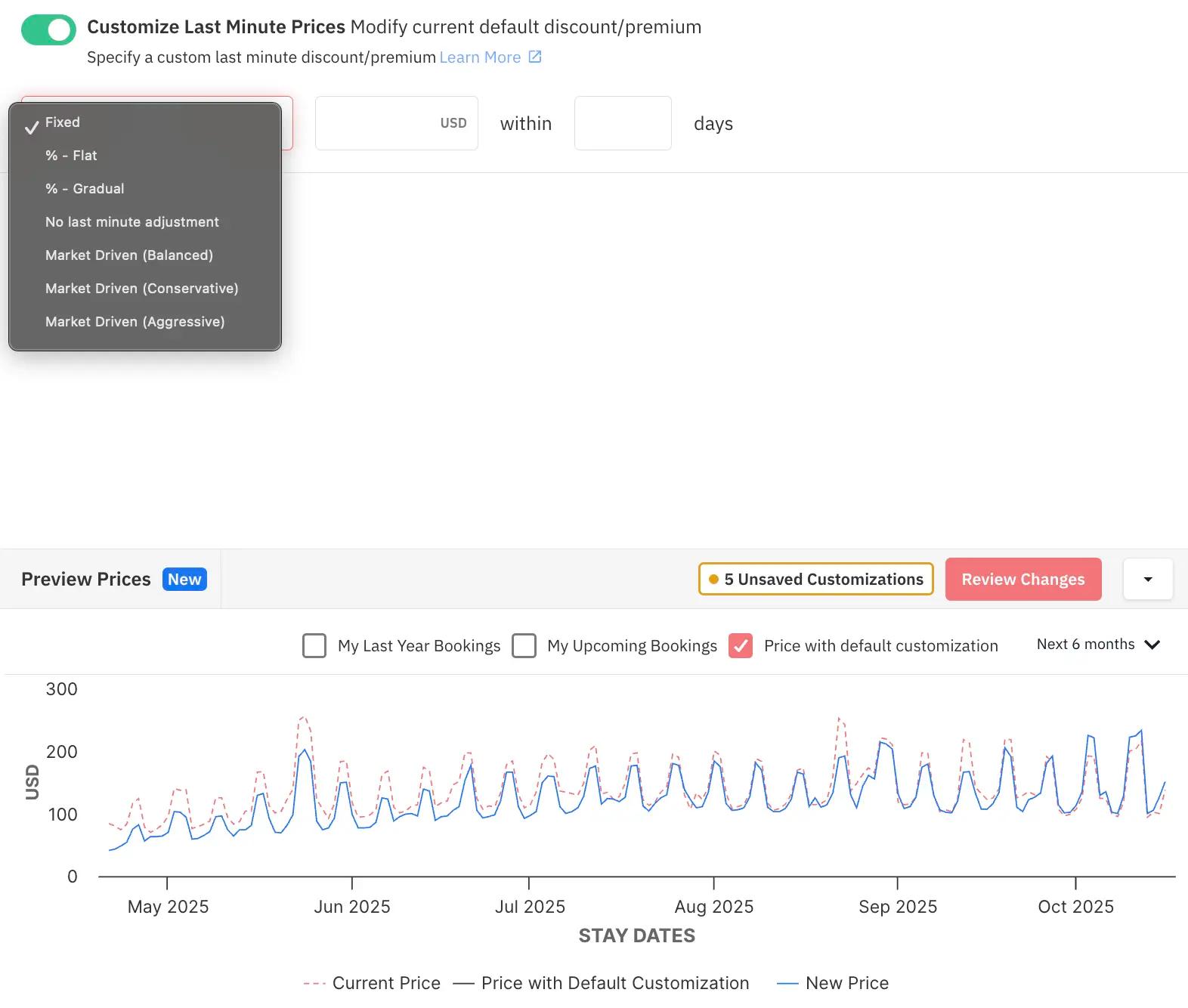
As with other customizations, you can adjust your prices as well for last-minute bookings. Similar to the previous ones, you get 7 different options to customize your prices. Keep in mind that our pricing algorithm is already taking into consideration your property’s performance and optimizing your pricing for each of these customizations.
When you choose the ‘Market Driven’ options, you would be trusting us with your strategy. You need not worry about the exact discount or premium to be given, you only have to decide if you want to conservative or aggressive and we’ll take care of the rest.
| 💡 Pro Tip: Pair last-minute stay reductions with special offers to create irresistible deals and avoid empty nights. |
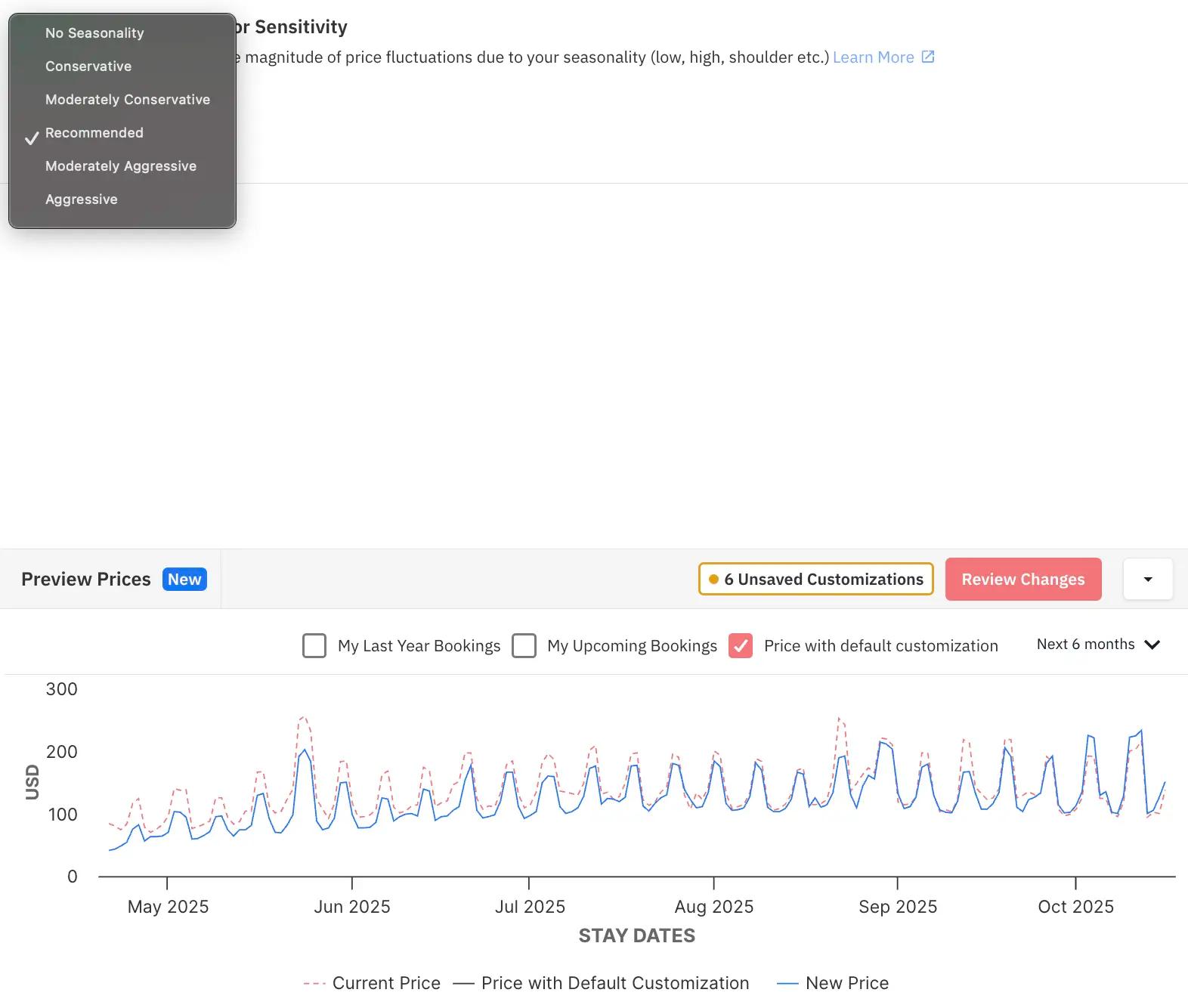
No two months are the same in short-term rentals. Setting Custom Seasonal Profiles ensures you’re not missing out during slow seasons or undervaluing your property during peak periods.
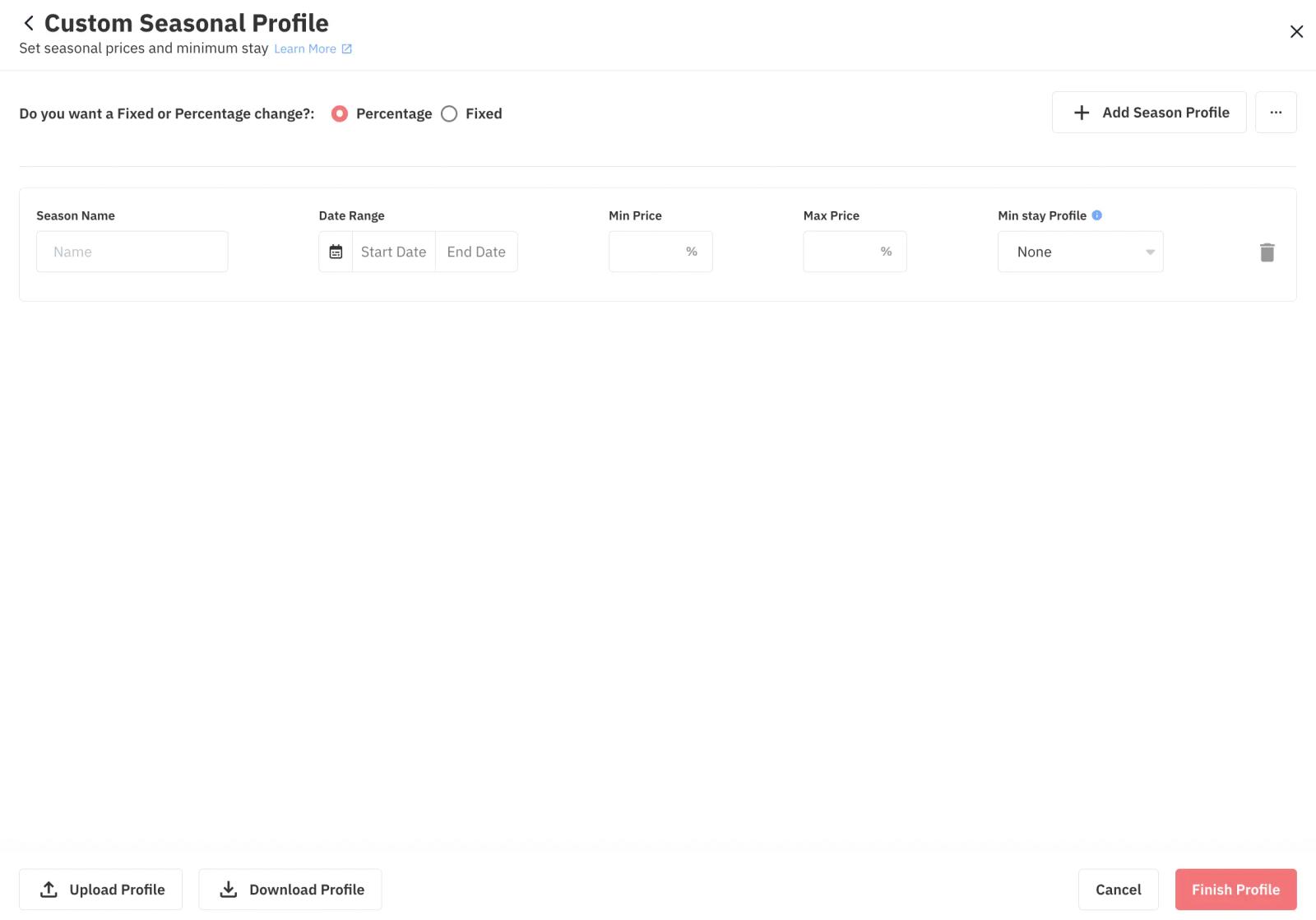
How to Set It:
Ever notice your midweek bookings behave differently than your weekends? Day-of-Week Restrictions let you adjust minimum stays depending on the check-in day.
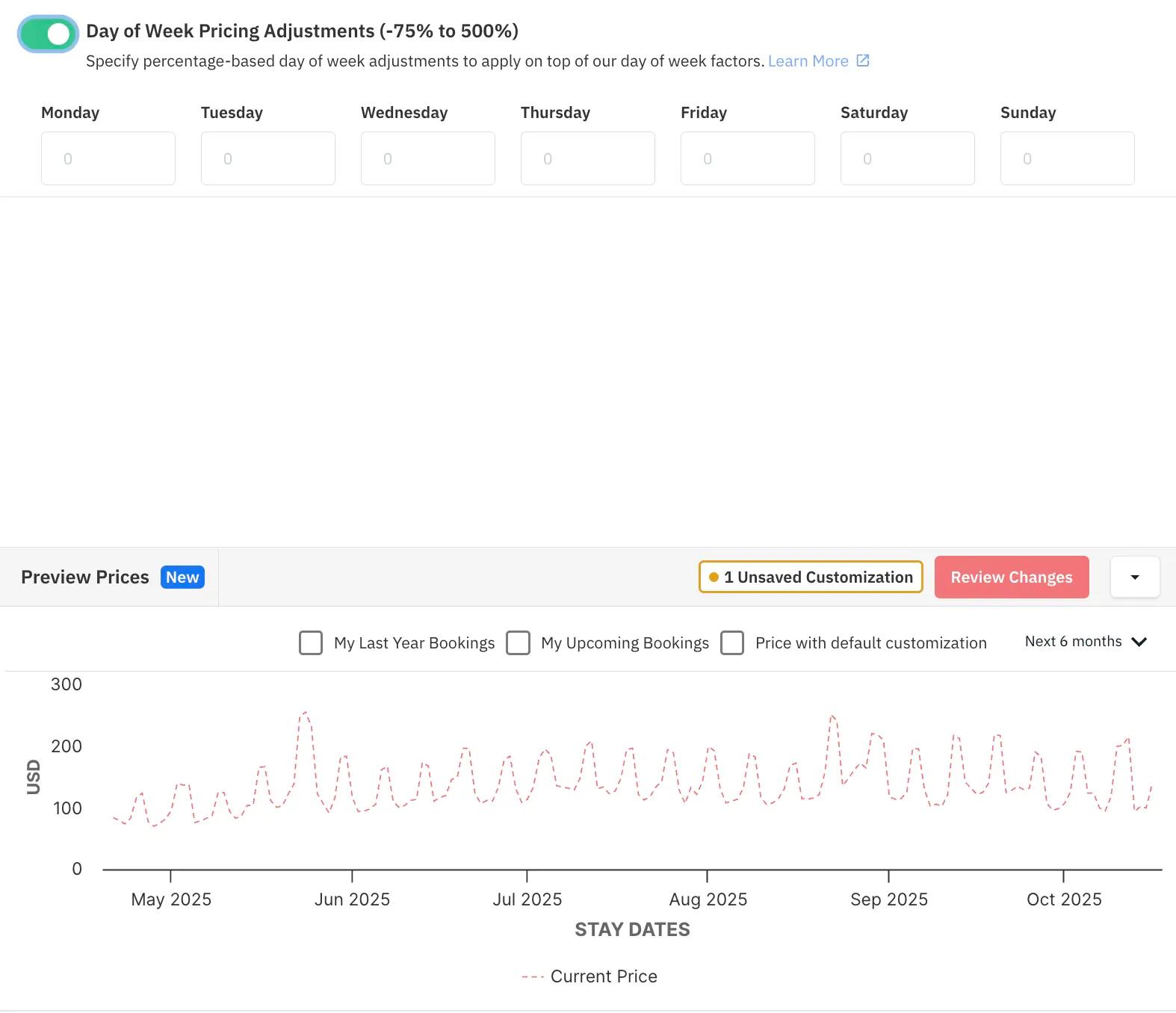
For example:
This is one of the most effective strategies for avoiding awkward 1-night gaps and making sure weekends don’t get “chopped up” by short stays.
| 💡 Pro Tip: Hosts in urban areas often loosen weekday rules for business travelers, while vacation homes hold firm across the whole week. |
Big events call for smart planning. Whether it’s a holiday, a festival, or a major conference in town — these dates usually attract longer, higher-paying bookings.
With PriceLabs’ Date Specific Overrides, you can easily adjust your minimum stay settings to match the occasion.
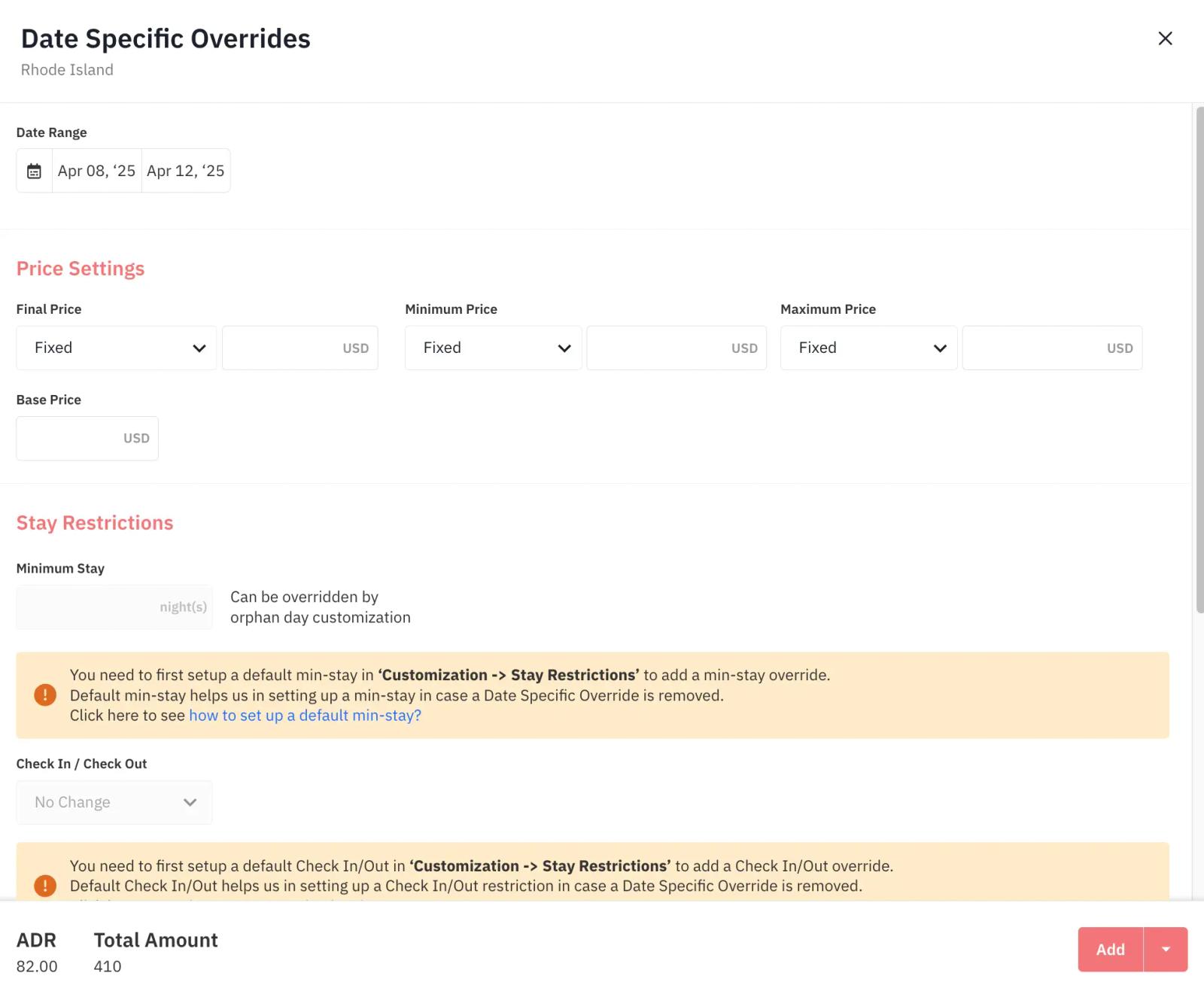
Here’s how many hosts handle it:
This way, you make sure you’re not leaving money on the table during high-demand periods.
For a full playbook on stepping your minimum stay down as a specific event approaches, rather than a single fixed rule, see our guide to the Cascading Minimum Stay strategy for events.
Setting minimum stays in a vacuum is risky. Use Competitor Calendar in PriceLabs’ Neighborhood Data to benchmark your restrictions against similar listings in your area.
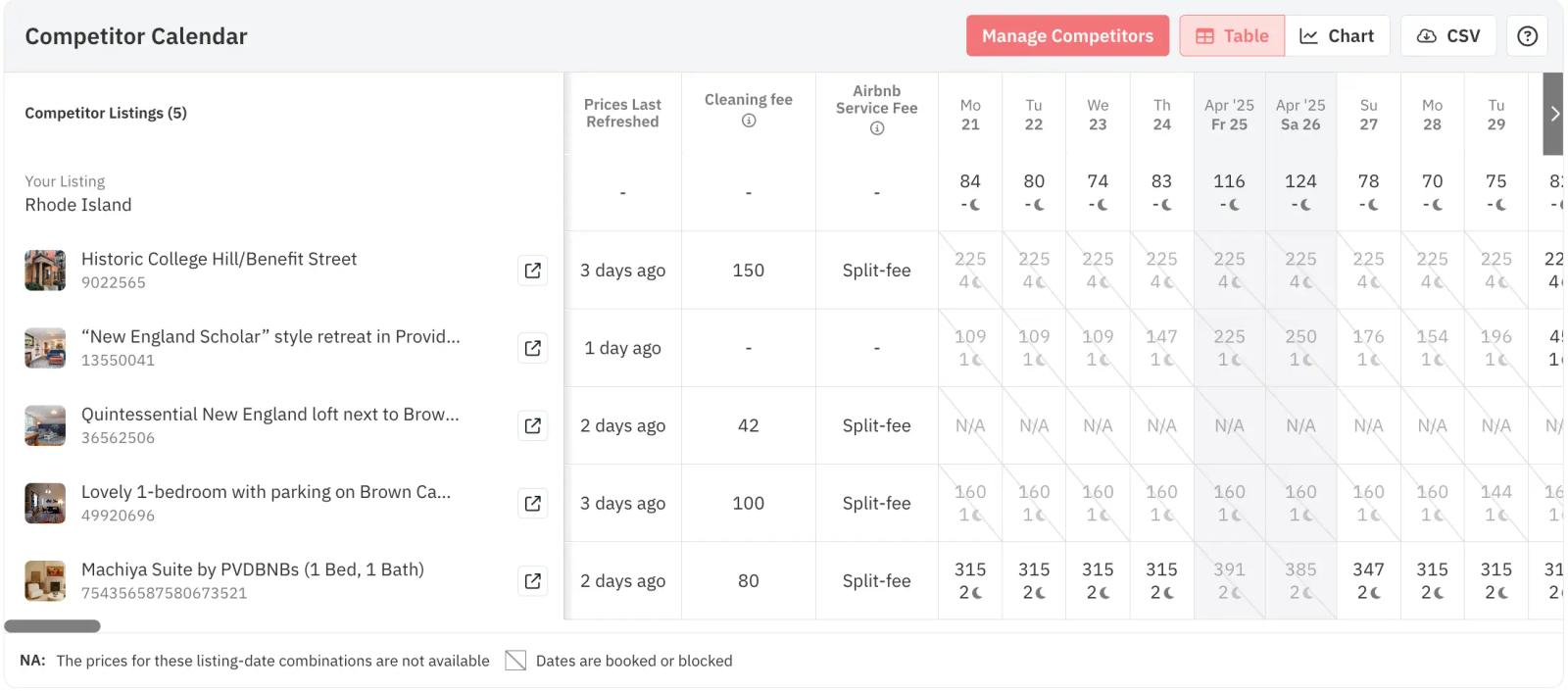
A common pattern:
Testing different combinations and watching your occupancy rate will tell you when you’ve found the sweet spot.
The most successful hosts don’t “set and forget.” They treat minimum stay rules as an active, ongoing part of their revenue strategy.
Data shows hosts who review and tweak their minimum stay rules every few months outperform the rest by about 17% annually.
| 💡 Pro Tip: Schedule a quarterly “calendar audit” to review what’s working and adjust your rules for upcoming seasons and events. |
Minimum stay restrictions aren’t just about limiting who can book your property — they’re about shaping your ideal booking patterns and optimizing your income.
When used well, PriceLabs’ tools can help you:
And the best part? Once you’ve built a thoughtful strategy, most of this runs on autopilot, freeing you up to focus on guest experience and growing your business.
Combine minimum stay rules with dynamic pricing, gap management, and smart event strategies. You’ll have a professional-grade revenue management system — even if you’re only managing a handful of properties.
An orphan day is a single unbooked night sitting between two reservations — too short to satisfy your standard minimum stay, but still costing you occupancy if it sits empty. Rather than leaving these gaps unbookable, PriceLabs can automatically detect orphan days and temporarily loosen the minimum stay requirement just for that gap, without changing your minimum stay rule for the rest of your calendar.
This is a low-effort, high-impact fix: you keep your standard minimum stay strategy intact everywhere else, while capturing revenue you'd otherwise lose to awkward calendar gaps.
For a major event or peak date, a single fixed minimum stay often isn't the best approach. Instead, set cascading minimum stay rules that step down as the date approaches: a longer minimum far out from the event, gradually shortening as you get closer, so you capture longer, more profitable bookings from early planners while still allowing shorter last-minute bookings if the dates haven't filled.
Most hosts start stepping down their minimum around 60 days out from the event and reach their shortest requirement inside the final week or two. These rules can be set at the account, group, or listing level, so a manager running dozens of properties across different markets can apply one cascading structure broadly instead of configuring it listing by listing.
Whether you configure every rule by hand or let Dynamic Min Stay handle it based on the Recommendation Engine’s analysis, the goal is the same: a calendar that reflects how your specific market actually books, not a single rule applied year-round.
A high minimum stay isn't the only lever for capturing longer bookings. If a stretch of your calendar consistently struggles to fill even with flexible minimums, it may be a better candidate for extended-stay pricing than for more short-stay discounting — and for hosts trying to fill an entire slow month at once, there are dedicated strategies for landing longer vacation rental stays worth layering on top of your minimum-stay rules.
Want to learn what PriceLabs can do for you? See for yourself with a free trial. Get started now!