Table of Contents
Updated : Feb 7, 2026
Choosing the best mobile revenue management system app for hotels can feel like choosing between a cockpit and a pit crew. One gives you every instrument and readout (enterprise-grade analytics), the other hands you power tools to move fast (workflow-led automation).
In this showdown, we compare two common mobile RMS approaches—analytics-first and workflow-first—to help you decide what fits your property’s size, tech stack, and speed-to-action needs. An analytics-first model shines when you want desktop-level analytics and module parity in your pocket. A workflow-first model excels at quick bulk actions, master-dependent price syncing, and multichannel rate propagation.
How PriceLabs can help right from the start: If your strategy needs both speed and control, PriceLabs offers data-first automation, transparent settings, and mobile-friendly controls that complement either path.
Overview of Mobile Revenue Management Systems for Hotels
A mobile revenue management system (RMS) is an app-based platform that enables hotels to monitor, forecast, and adjust room pricing and inventory on the go, leveraging real-time data to improve revenue outcomes.
For hotel operators, mobile access turns “wait until I’m back at my desk” into immediate action. Think: viewing occupancy heatmaps, checking demand shifts, and pushing price updates during peak periods.
Mobile RMS apps give decision-makers timely visibility into pickup, competitive sets, and pricing analytics—crucial when events or cancellations change demand within hours, not days.
As mobile-first workflows mature, seamless data integrations (PMS, channel manager, booking engine) become imperative. Unified connectivity avoids data drift, reduces manual updates, and keeps mobile recommendations aligned with your live inventory and restrictions.
Example scenario: A city-wide concert is announced at 10 a.m. By 11 a.m., you’re reviewing pickup trends and increasing rates for high-demand dates—without leaving a site visit.
Quick how-to (fast reaction playbook):
- Check today’s pickup and on-the-books by segment.
- Scan competitor rate movements and market demand signals.
- Apply a targeted price adjustment and minimum-stay tweak for impacted dates.
- Review availability and close out channels if needed.
How PriceLabs helps:
- Use Market Dashboards to spot demand surges and competitor moves.
- Apply rule-based pricing (e.g., occupancy- or event-driven nudges) from your mobile browser and bulk-edit multiple dates.
- Adjust minimum stay or gap-night strategies to capture short windows without undercutting longer bookings.
Key Features and Approaches for Mobile RMS
An analytics-first approach offers “at-a-glance” dashboards, SSO, and alignment with broader RMS ecosystems—well-suited for organizations that want mobile parity with desktop analytics and approvals.
A workflow-focused model is geared toward automation: bulk tariff overrides, master/dependent pricing, and multi-channel propagation that reduces manual effort (see the Newbook revenue management systems overview for typical automation patterns).
Feature comparison at a glance:
| Capability | Typical mobile RMS implementation |
|---|---|
| Real-time dashboards | Common—“at a glance” insights tuned to key modules and KPIs |
| Bulk tariff overrides | Often supported for quick, multi-date updates |
| Master/dependent pricing sync | Frequently configurable; child rates follow master updates |
| API integrations | Vary by vendor; depth with PMS/channel partners differs |
| SSO support | Common in enterprise plans |
| Offline access | Limited; native apps may offer offline queues; PWAs require connectivity |
| Analytics depth | Ranges from high (forecasting, segment insights) to operational views focused on actionability |
| Reporting | From enterprise-aligned reporting to streamlined mobile exports |
Bottom line: Choose based on whether your team’s primary need is analytics depth and structured approvals or faster execution with automation.
Example: If regional managers need to compare segment performance across a portfolio and approve changes centrally, an analytics-first design fits. If property-level teams must push 20+ quick updates across rate plans before check-in, a workflow-focused setup can save hours.
Practical tip: Pilot top contenders for two weeks using the same playbook. Run identical bulk updates, approvals, and daily checks to see which flow is faster and more accurate for your team.
How PriceLabs helps:
- Use Pricing Profiles and bulk-edit tools to propagate changes across dates and listings quickly.
- Set derived rate logic via your PMS/channel so secondary rate plans follow your primary (e.g., non-refundable at -10%).
- Review the mobile-friendly calendar to spot price gaps and align add-ons or promotions.
Performance and Stability Considerations
App stability directly impacts revenue operations. The app crash rate—the proportion of sessions that end in a failure—is a leading indicator of user satisfaction and retention; high crash rates correlate with lower adoption and trust, especially in time-sensitive workflows (see mobile app KPI metrics).
Public app store reviews for mobile RMS apps often mention stability and sign-in friction, which can challenge reliability during peak demand windows. While individual experiences vary and updates may address issues, monitoring these signals during a pilot is prudent.
Key KPIs to track during evaluation:
- Crash rate and app ANR (application not responding) frequency
- Monthly retention and percentage of active users
- Net Promoter Score (NPS)
- Average app-store rating and recent review trends
- Task success and time-to-completion for common actions
Use a consistent measurement framework across contenders and benchmark against recognized mobile app performance KPIs to maintain an apples-to-apples view.
How-to: 2-week stability check
- Define five common tasks (e.g., adjust rates, approve change, edit restriction, view forecast, export report).
- Time each task for 5 users, log errors, and note crashes/ANRs.
- Compare median task time and failure rate per app; repeat after an update.
How PriceLabs helps:
- Access a responsive, mobile-friendly web experience—no separate app to maintain or update.
- Review changes before syncing, reducing error risk during peak windows.
- Use Portfolio Analytics to verify that price updates reflected as intended post-sync.
Integration and Compatibility with Property Management Systems
A Property Management System (PMS) manages bookings, inventory, billing, and guest profiles—the operational heartbeat that a mobile RMS must plug into.
Most mobile RMS options typically offer PMS and channel manager integrations to enable unified rate management, automated restrictions, and consolidated reporting (see the Newbook revenue management systems overview).
Integration depth matters:
- Confirm support for your PMS version, channel manager, and booking engine.
- Validate how master/dependent rates, restrictions, and inventory sync in both directions.
- For multi-property or legacy stacks, test performance at portfolio scale and confirm data latency SLAs.
Practical checklist:
- Map data flows: BAR, derived rates, LOS pricing, restrictions, and blackout dates.
- Confirm sync frequency and latency; note how partial failures are reported.
- Test edits at both ends (RMS and PMS) to ensure reconciliation without duplicates.
How PriceLabs helps:
- Connect PriceLabs to many leading PMS and channel managers to centralize pricing automation.
- Configure derived rate offsets at the PMS/channel level and let PriceLabs drive the primary rate.
- Monitor sync status and spot anomalies by cross-referencing with Portfolio Analytics.
Mobile User Experience and Workflow Efficiency
Mobile UX determines adoption. Useful patterns include:
- “@ A Glance” dashboards for today’s pickup, forecast, and variances
- Push notifications for demand spikes, sold-out alerts, or approval requests
- Calendar-based views for pricing spans and event overlays
- Quick-bulk actions for same-day holds, length-of-stay controls, and rate changes
Analytics-first experiences emphasize visibility and cross-module dashboards. Workflow-focused experiences prioritize rapid automations and one-tap bulk updates.
Also consider the delivery model: native mobile apps can better leverage device features (e.g., push notifications) and may support limited offline queues, while progressive web apps (PWAs) favor instant updates and easy distribution but rely on connectivity (see the native vs web apps comparison).
Example daily flow (10-minute routine):
- Check pickup vs. forecast for the next 7 days.
- Scan event days for rate misalignment.
- Apply 1–2 targeted changes (rate and min-stay) and recheck availability.
How PriceLabs helps:
- Use the pricing calendar on mobile to review recommendations and apply bulk actions.
- Save Pricing Profiles for recurring strategies (e.g., weekends, events, shoulder days) so updates take seconds.
- Layer market insights from Market Dashboards to justify moves during stand-ups.
Pricing Models and Procurement Insights
Mobile RMS pricing typically follows:
- Subscription (monthly or annual, per property or per room)
- Revenue share (commonly 1–3% of managed revenue)
Enterprise vendors rarely publish pricing; procurement usually begins with discovery calls or a pilot.
When scoping budgets, account for onboarding, integrations, training, and change management. Ensure contracts specify SLAs (uptime, data latency), support channels and response times, update cadence, and exit/portability terms.
Practical tips:
- Build a total cost model that includes internal time for training and approvals.
- Ask for a pilot tied to success metrics (e.g., time-to-complete tasks, RevPAR vs. control period).
- Negotiate roll-out discounts based on portfolio size and implementation timeline.
How PriceLabs helps:
- Start with transparent, self-serve onboarding and a free trial to validate fit before committing.
- Scale from single-property to multi-property without complex re-implementation.
- Use automation to reduce manual hours and create a clear ROI story during procurement.
Evaluation Criteria for Choosing a Mobile RMS App
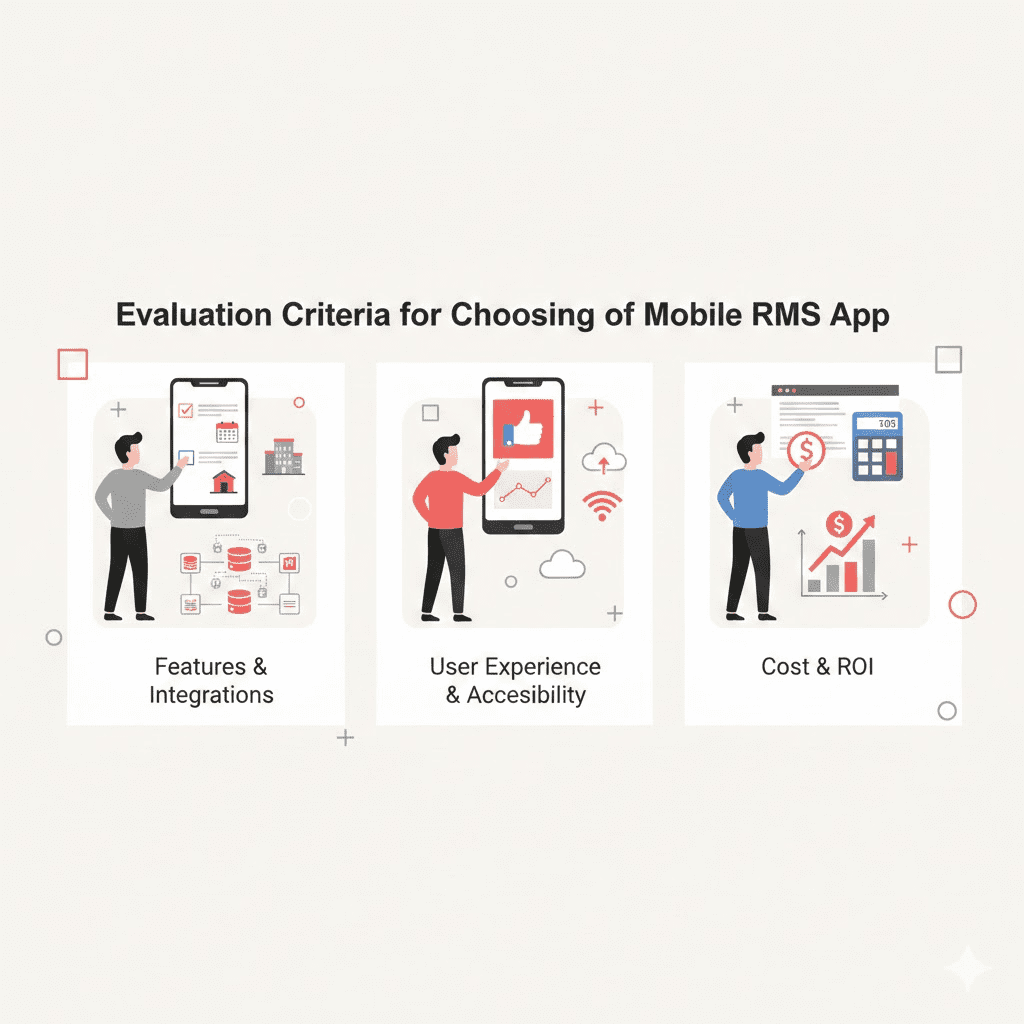
Use a straightforward decision framework:
- Stability: crash rate, ANR, and uptime SLAs
- Data fidelity: real-time sync, latency, and reconciliation with PMS/channel data
- Security and access: SSO, roles/permissions, audit history
- Integrations: verified PMS/channel/BI connectors and depth of data mapping
- Offline behavior: queued actions and conflict resolution
- Engagement: retention, active-user %, and task completion rates
- Vendor support: onboarding quality, training, and response SLAs
Complement this with a structured rubric like the Mobile Application Rating Scale to assess engagement, functionality, aesthetics, and information quality. Pilot 2–3 finalists in parallel and track crash rate, retention, NPS, and time-to-complete critical tasks before full rollout.
How-to: create a quick scoring sheet
- Weight each criterion (e.g., Stability 25%, Data Fidelity 20%, UX 20%, Integrations 20%, Support 15%).
- Score each option 1–5 per criterion based on pilot data.
- Select the winner on weighted total, not gut feel.
How PriceLabs helps:
- Use Market Dashboards and Portfolio Analytics to measure uplift and validate pricing accuracy.
- Export results to share with stakeholders and back decisions with data.
Recommendations and Use Case Guidance
- Analytics-first mobile RMS: Best for enterprise properties that require mobile access to desktop-grade analytics, cross-module visibility, and SSO—provided stability and sign-in performance meet your standards in a controlled pilot.
- Workflow-focused mobile RMS: Ideal for operators prioritizing rapid bulk updates, master-dependent pricing, and multichannel rate propagation. Verify whether it’s native (for push and limited offline resilience) or web-based (for frictionless deployment) and test how it handles high-frequency updates.
- Portfolio-scale operations: If you manage diverse assets and need AI-driven dynamic pricing along with robust integrations and mobile-friendly controls, consider a data-first platform like PriceLabs that combines automation with transparent controls and expert support.
Practical tip: Regardless of your pick, document 5–7 core playbooks (e.g., event surge, last-minute drop, shoulder-day optimization) and standardize them across properties.
Conclusion and Way Forward
Choosing the right mobile RMS approach comes down to your daily reality: do you need cockpit-level analytics everywhere, or pit-crew speed to execute at scale? Pilot multiple options with the same playbook, measure stability and task time, and let data decide. If you want fast, transparent automation that pairs with strong market insights and mobile-friendly controls, include PriceLabs in your pilot so you can move quickly today and scale smart tomorrow.
Frequently Asked Questions
What essential features should a hotel look for in a mobile RMS app?
Look for real-time dashboards, seamless PMS integration, automated pricing updates, bulk actions, and clear reporting so your team can act quickly and audit decisions.
Example: A 2-night gap appears between long bookings—bulk-edit rates and minimum-stay rules to capture a profitable short stay without cannibalizing longer ones.
How PriceLabs helps: Use rule-based nudges, gap-night strategies, and bulk edits in the pricing calendar to fill short windows while protecting overall ADR.
How does mobile RMS app stability impact revenue management operations?
Unreliable apps disrupt approvals and price changes, risking missed demand and revenue loss during peak periods.
Practical tip: Track time-to-complete core tasks during busy hours; if latency or crashes occur, escalate with data.
How PriceLabs helps: Make changes via a stable, mobile-friendly web app, review before syncing, and validate results in Portfolio Analytics.
What integrations are critical for effective mobile RMS functionality?
Ensure connections with your PMS, channel manager, and booking engine for unified pricing, restrictions, and inventory updates across channels.
Example: Tie primary BAR to derived plans (non-refundable, breakfast included) so mobile changes cascade everywhere.
How PriceLabs helps: Drive your primary rate from PriceLabs and set derived offsets in the PMS/channel so updates propagate cleanly.
How can hoteliers evaluate the ROI of a mobile RMS app?
Track RevPAR uplift, time saved on manual updates, pricing accuracy against benchmarks, and overall revenue impact during and after the pilot.
How-to: Compare a control period vs. pilot period, then normalize for seasonality and events. Include labor hours saved.
How PriceLabs helps: Use Market Dashboards for benchmarks and Portfolio Analytics for before/after comparisons—then export results for leadership.