
Get started with PriceLabs now!
Want to learn what PriceLabs can do for you? See for yourself with a free trial. Get started now!

Most small Airbnb hosts start out the same way: adjusting prices by gut feel, checking bookings manually across tabs, and wondering why some weeks fill instantly while others sit empty. The good news is that the data to answer those questions already exists inside every hosting account—it just needs to be read correctly.
Hosts who consistently improve hosting performance are not necessarily the ones with the prettiest properties. They are the ones who treat analytics as a weekly habit rather than an occasional curiosity. According to the PriceLabs global host report, data-driven hosts consistently outperform those using static pricing strategies on both occupancy and revenue metrics.
This guide walks you through six practical steps—from connecting your first integration to measuring your automation ROI—so you can make faster, more confident decisions without spending hours in spreadsheets.
The foundation of any analytics-driven hosting workflow is a single source of truth for your listing data. When your Airbnb account is not connected to a property management system (PMS) or a dynamic pricing tool, every change—a new booking, a calendar block, a rate update—has to be tracked manually across multiple platforms. That creates delay, errors, and missed opportunities.
A property management system (PMS) is cloud-based software that allows hosts to manage listings, reservations, and guest communications from one dashboard while integrating seamlessly with Airbnb and other tools for automated data flow. Once your listings are connected, any new booking, price change, or calendar update is reflected everywhere instantly.
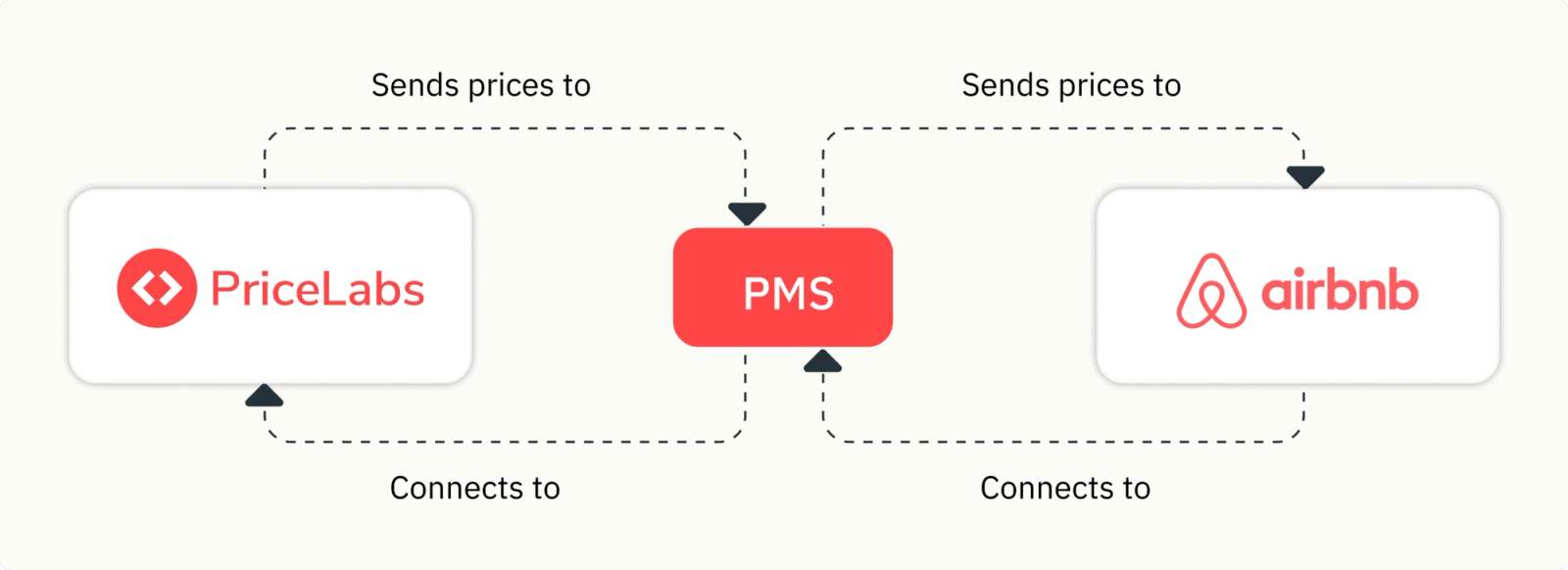
Real-time integration also makes it possible to spot urgent issues the moment they arise—a sudden calendar conflict, an unbooked stretch during a high-demand weekend, or a drop in your listing’s visibility. Without this visibility, small problems become expensive ones by the time you notice them.
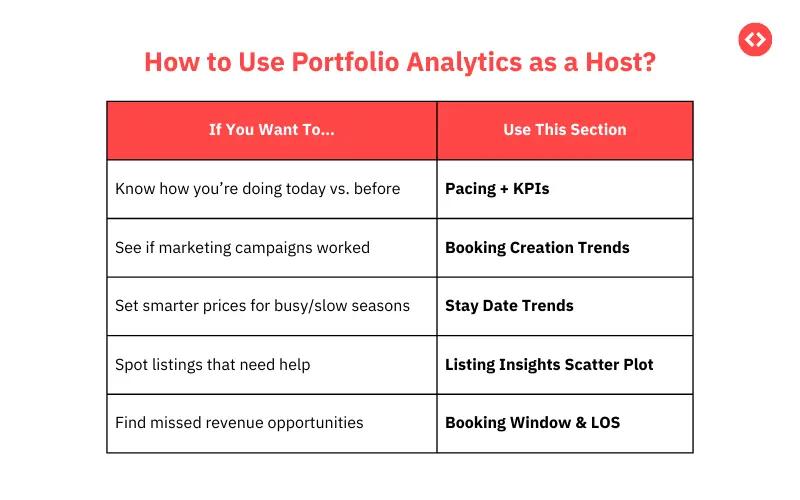
Tracking every number your dashboard produces is overwhelming and unproductive. Small hosts need a shortlist of metrics that signal when to act and when to hold steady. Reviewing these weekly—not daily—prevents micromanagement while keeping you strategically aware of how your listing is performing.
The table below covers the five metrics that matter most, what each one means, and how it should influence your hosting decisions. For a deeper breakdown of how to calculate RevPAR and use it as your primary performance benchmark, see the linked guide.
| Metric | Definition | How It Influences Decisions |
|---|---|---|
| Occupancy Rate | Percentage of nights booked vs available | Signals whether your pricing is competitive or you need to drive more demand |
| ADR | Average revenue per booked night | Shows whether you are capturing fair value for each booking |
| RevPAR | Revenue per every available night (ADR x Occupancy) | The single most useful combined performance measure |
| Booking Window | How far in advance guests typically book | Guides when to adjust prices or run promotions |
| ALOS | Average length of stay per booking | Affects cleaning schedules and determines yield efficiency |
The most important insight here: RevPAR is the only metric that captures both your pricing power and your occupancy efficiency in a single number. A host with 95% occupancy at a low rate is not necessarily outperforming one with 75% occupancy at a higher rate. Always look at the combined picture.
City-level averages are a starting point, not a strategy. A blanket “Miami average ADR” tells you nothing useful if your listing is a beachfront studio competing against other beachfront studios two blocks from a popular restaurant strip.
Hyperlocal benchmarking is the process of tracking short-term rental performance data—occupancy, rates, booking pace—within a narrowly defined geographic area, such as a few city blocks or a single neighborhood. Tools like the PriceLabs market dashboard and the Neighborhood Data feature give hosts block-by-block demand insights and seasonal pattern detection that city-wide averages miss entirely.
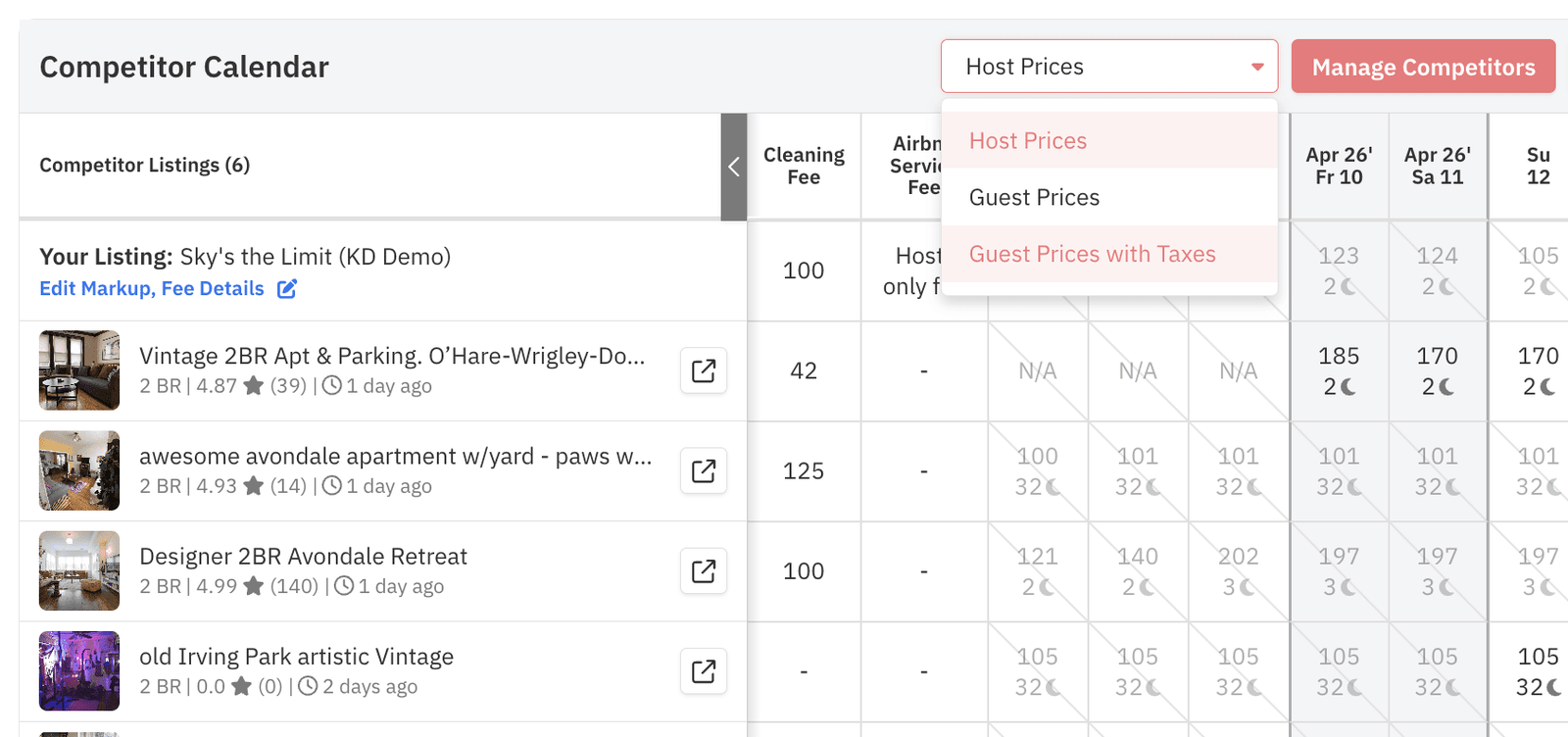
To understand your Airbnb competition at this level, you need to build a comp set: a curated group of 5–10 listings that closely match your property in size, location, amenity tier, and guest rating. Your comp set is the benchmark that actually matters because those are the listings guests will compare yours against before booking.
Dynamic pricing works best when it operates within a framework you have deliberately designed. Without guardrails, automation can push your nightly rate too low during slow periods (giving away revenue) or too high during moderate demand (killing occupancy). Pricing guardrails are the automated minimums, maximums, seasonal rate adjustments, and lead-time rules that keep dynamic pricing inside boundaries that match your risk tolerance and financial goals.
A few real-world examples: a host might set an off-peak minimum of $85 to ensure the listing never goes below the cost of a cleaning turnover, schedule a rate spike around a local music festival weekend, and configure a 30% discount on orphan gaps—the isolated one- or two-night gaps between confirmed bookings that often go unbooked if left at full price.
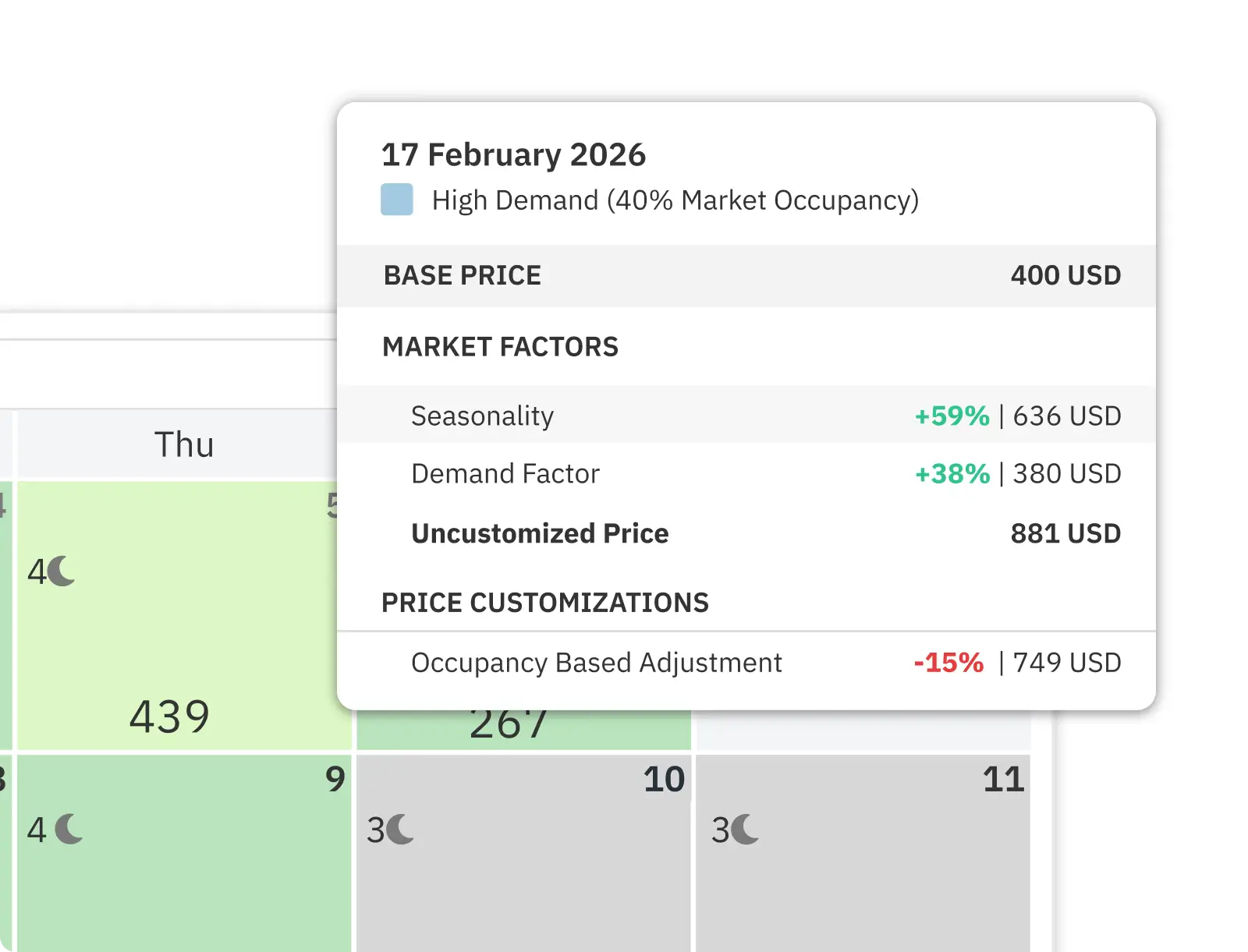
PriceLabs handles all of these automatically once your rules are configured, including ALOS-based adjustments that shorten minimum stay requirements on gap nights and lengthen them during high-demand weekends. This is part of a broader set of revenue management strategies that top-performing hosts use to systematically capture more revenue per available night.
| Guardrail Task | Why It Matters |
|---|---|
| Define your comp set pricing | Research 5–10 comparable listings in your area for baseline rate reference |
| Set minimum / maximum nightly rates | Hard floor protects profit; ceiling keeps you competitive during peak demand |
| Establish seasonal and event profiles | Create rate rules for holidays, local events, and shoulder seasons |
| Configure gap / orphan night discounts | Automatically drop the price on isolated unsold nights between bookings |
| Automate ALOS and lead-time logic | Apply shorter stays for last-minute gaps; raise minimum stays during peak periods |
The biggest time sink in small-scale hosting is not the hard work—it is the repetitive work. Answering the same check-in questions, manually adjusting prices after each booking, texting the cleaner when a guest checks out: these tasks are automatable, and automating them can reclaim 80% of your routine hosting time without reducing guest satisfaction.
Automation does not mean set it and forget it. The most effective small hosts spend about 30 minutes per week reviewing their dashboards for anomalies that the automated rules might not catch on their own. Tracking the right property KPIs on a structured schedule is what separates proactive hosts from reactive ones.
Beyond weekly monitoring, commit to a quarterly in-depth review. Each quarter, assess whether your base price still reflects current market conditions, whether your comp set has changed, and whether any seasonal pricing rules need updating for the next 90 days.
The most effective way to improve is through single-variable testing: change one rule or setting, wait two weeks, then compare your KPIs before and after. This keeps your improvements traceable and prevents you from changing too many variables at once.
Automation is only worth its cost if you can quantify the return. The simplest way to calculate your hosting automation ROI: (Hours saved per month x your hourly rate) – monthly tool cost = Net ROI. Example: 15 hrs/month saved x $40/hr = $600 value. Tool cost: $25/month. Net ROI = $575/month.
With a properly configured setup, most small hosts can automate roughly 80% of their routine operational tasks. The remaining 20% is where human judgment remains essential.
For hosts who are still new to data-driven hosting, a good starting point is the complete guide on how to become Airbnb host. Once your listing is running, the Airbnb analyzer tool gives you a quick snapshot of how your listing performance compares against the market. You can also compare Airbnb income estimates against your current performance, and use the listing optimization guide to see how listing quality and analytics work together.
The most important Airbnb metrics for small hosts are occupancy rate, average daily rate (ADR), RevPAR, booking lead time, and average length of stay. Tracking these five gives you enough signal to spot trends and optimize pricing or marketing efficiently without drowning in data.
Automation handles routine pricing, messaging, and scheduling using data and pre-configured guardrails to avoid underpricing. Most hosts who implement dynamic pricing alongside messaging automation see improved occupancy and higher revenue within the first 30–60 days.
Reviewing your analytics and pricing strategy weekly is sufficient for most small hosts. This catches key performance changes quickly without requiring daily oversight. A deeper quarterly review is recommended for seasonal adjustments and base price recalibration.
Competitor benchmarking helps you identify high-performing nearby listings, set competitive prices, and spot opportunities to improve your amenities or listing quality based on real-time local demand.
Use automation for pricing, routine messages, and task scheduling, but reserve time for personal touches—tailored local recommendations, prompt responses to special requests, and hands-on resolution of any issues that require human judgment.
Analytics matter most once your business fundamentals are in place — see our full guide to starting an Airbnb business.
Want to learn what PriceLabs can do for you? See for yourself with a free trial. Get started now!