
Table of Contents
Updated : Mar 24, 2026
If your Airbnb bookings have slowed down lately, you’re not imagining it. The short-term rental market has never been more competitive, with millions of listings vying for the same guests. Hosts who once relied on organic demand are now watching their occupancy rates slide — not because their property got worse, but because the playing field shifted.
The good news? Airbnb’s algorithm is not a mystery. It’s a system designed to do one thing: match the right guest with the right listing to produce a 5-star experience. That means if you can signal to Airbnb that your property consistently delivers great stays, you’ll climb the rankings — and the bookings will follow.
This guide covers everything you need to know about Airbnb listing optimization: how the algorithm works, how to win on visuals and copywriting, how to price strategically, and how to build the trust signals that keep your listing at the top of search results.
Understanding the Airbnb Algorithm (The Foundation)
Before you touch a single photo or rewrite your title, you need to understand what Airbnb’s algorithm actually cares about. Most hosts assume SEO on Airbnb means sprinkling keywords throughout their listing. While descriptive language matters, the algorithm is far more focused on one thing: conversion.
In simple terms, if guests click on your listing but don’t book, Airbnb takes that as a signal that your listing isn’t delivering on its promise. Over time, your Airbnb ranking drops. On the other hand, listings with high click-to-booking ratios get rewarded with more impressions — creating a virtuous cycle of visibility and bookings.
Here’s how the funnel breaks down:
- Top-of-funnel metrics: Impressions and clicks. These tell you how often guests see your listing in search results and whether your thumbnail is compelling enough to get clicked.
- Bottom-of-funnel metrics: Bookings, review velocity, response rates, and cancellation history. These are what Airbnb really cares about.
The most successful hosts treat their listing like a product page. Every element — from the hero photo to the last amenity checkbox — should be optimized to convert a curious scroller into a confirmed booking.
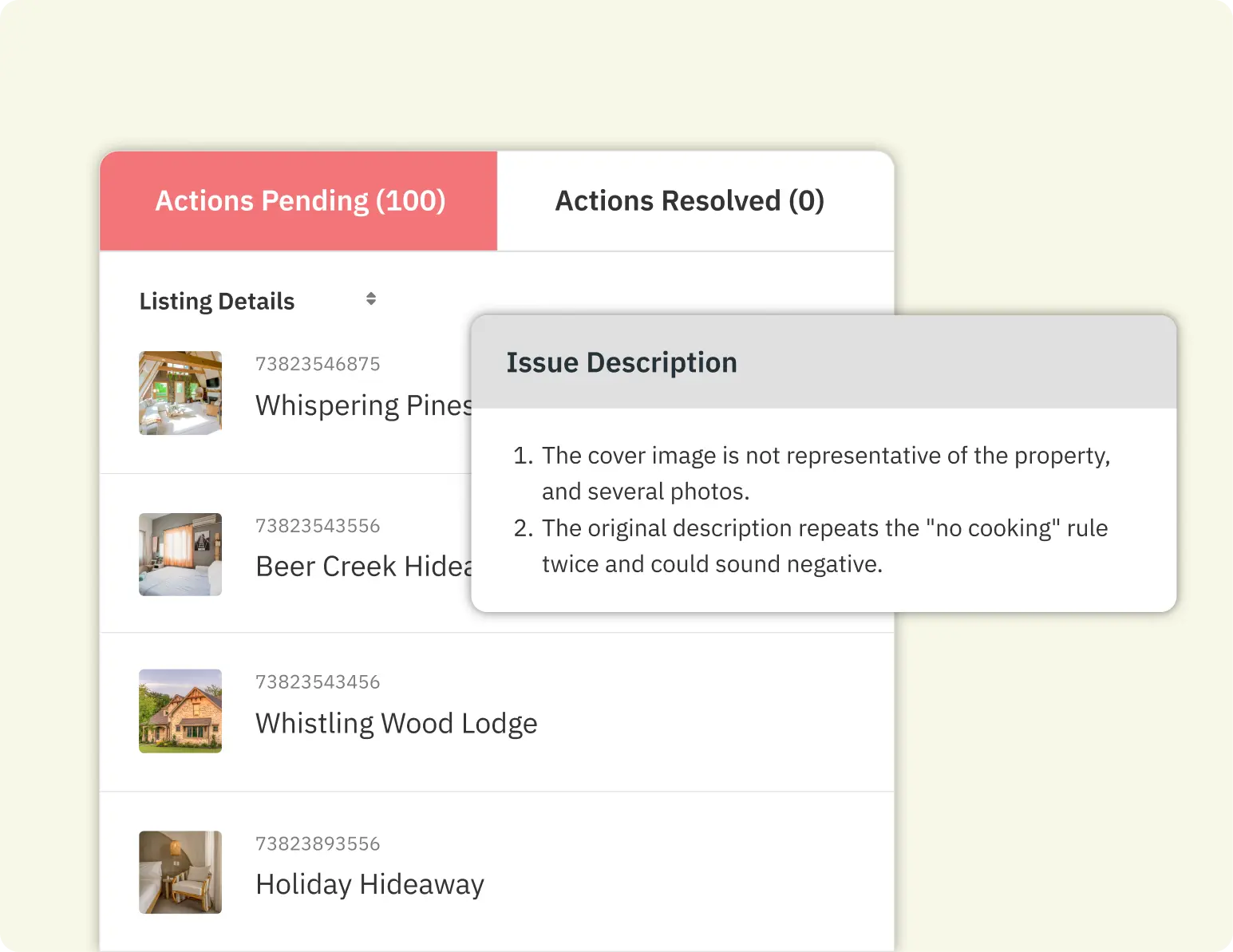
Not sure how your listing is currently performing across these metrics? The PriceLabs Listing Optimizer analyses your listing against key ranking factors and surfaces the exact areas holding you back — from content gaps to pricing signals — so you can fix what matters most, fast.
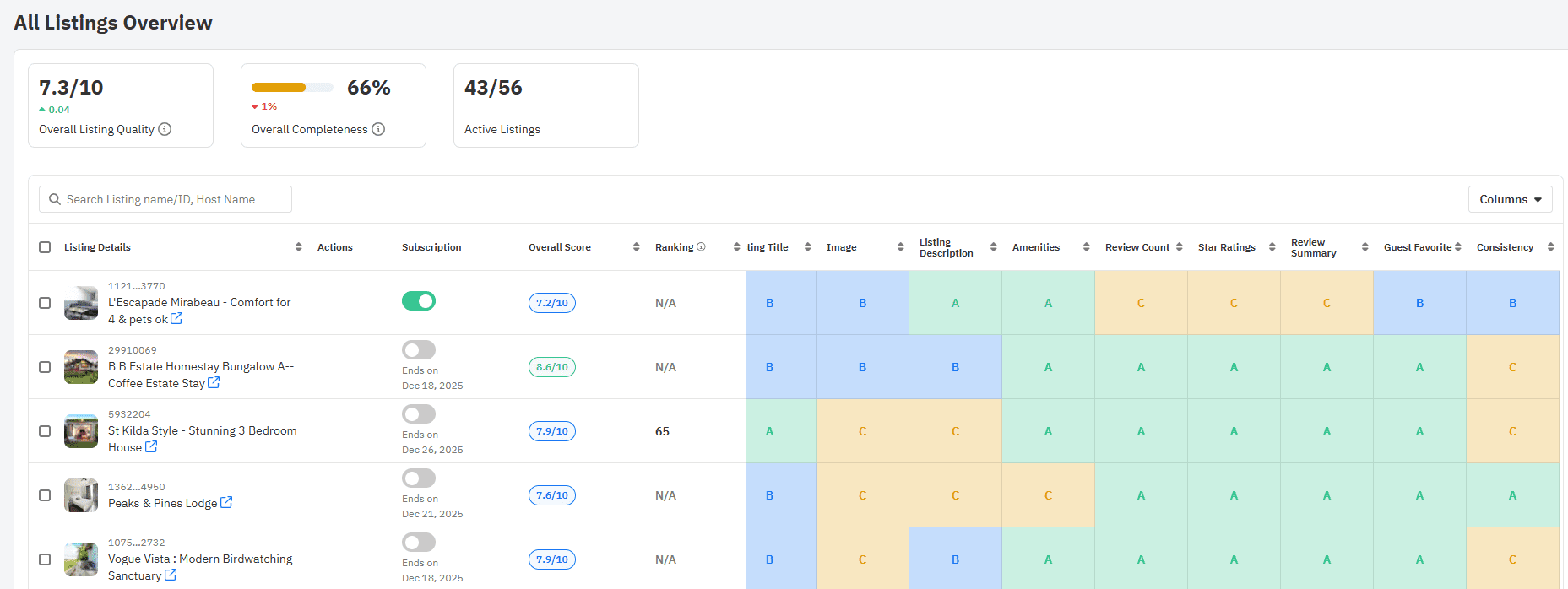
Visual Optimization: Clicking Is the First Step
Before a guest reads a single word of your description, they’ve already judged your listing. In Airbnb’s visual-first interface, photos are your most powerful conversion tool. Get them right, and you dramatically increase your click-through rate. Get them wrong, and no amount of clever copywriting will save you.
The Hero Image (Thumbnail)
Your first photo — the thumbnail guests see in search results — is arguably the single most important asset in your entire listing. It needs to do a lot of work in a very small space: convey the property’s best feature, communicate the vibe, and make a guest stop scrolling.
The best hero images tend to be wide-angle shots of your most impressive room (often the living room or a standout outdoor space), taken in natural light, with a clean and staged environment. Avoid night shots, photos with clutter, or images that look dark and cramped.
Test your thumbnail by searching for your own listing the way a guest would. If your photo doesn’t make you pause, it’s time to reshoot.
Once a guest clicks through, your full photo gallery needs to tell a story that makes them want to book immediately. Aim for 15–20 high-resolution photos that cover every key space: living areas, bedrooms, bathrooms, kitchen, outdoor spaces, and the neighbourhood.
Don’t underestimate captions. Every photo should have a short, descriptive caption that reinforces your listing’s best features and helps with accessibility. Captions like “Bright master bedroom with king-size bed and blackout curtains” do more than describe — they pre-answer common guest questions.
Strategic Copywriting: Titles, Descriptions & Amenities
With your photos doing the heavy lifting on first impressions, your written copy is what closes the deal. Every word in your title, description, and amenity list should work together to answer the guest’s unspoken question: “Is this exactly what I’m looking for?”
Crafting a Clickable Title
Your title has approximately 50 characters to make a strong first impression. Generic titles like “Nice apartment in the city” waste that opportunity entirely. Instead, use a proven formula:
[Adjective] + [Property Type] + w/ [Top Amenity] + near [Landmark]
Examples:
- Sunny Studio w/ Private Pool near Bondi Beach
- Cosy Mountain Cabin w/ Hot Tub & Ski-In Access
- Modern 2BR Loft w/ Rooftop Terrace Near Times Square
Writing for Scannability
Guests rarely read your full listing description — they scan it. Wall-to-wall text is an instant turn-off. Structure your description so the most important information is visible at a glance:
- Lead with your USP: What makes your property special? State it in the first two sentences.
- Use short paragraphs: Break content into 2–3 sentence chunks.
- Highlight key features as bullet points: Fast WiFi, dedicated workspace, full kitchen, washer/dryer — these are the things guests search for.
- Anticipate questions: Include parking details, check-in process, nearby transport links, and house rules in a clear, friendly tone.
The Amenity Audit
Airbnb allows guests to filter listings by amenities — which means any box you haven’t ticked is a filter you’re invisible behind. This is one of the most overlooked optimizations hosts can make.
Go through your amenity checklist methodically. Do you have a hair dryer? A dedicated workspace? Blackout curtains? A coffee machine? If it’s in your property, it should be listed. Even minor amenities like an iron, a fire extinguisher, or a first aid kit can push you into search results that your competitors miss.
For a comprehensive look at which amenities have the biggest impact on search visibility, visit how to optimize your Airbnb listing content quality.
Pricing & Availability: The Conversion Engine
Your photos are stunning. Your copy is compelling. But if your pricing is off — even slightly — you’ll lose bookings to a competitor who charges $10 less for a comparable property. Pricing and availability settings are not just financial decisions; they directly affect your ranking in Airbnb’s algorithm.
Dynamic Pricing
Static pricing — setting one rate and leaving it — is a surefire way to underperform. Airbnb’s algorithm favours active, engaged hosts, and regular price updates signal that you’re on top of your listing. But more importantly, static prices mean you’ll inevitably be overpriced on slow nights and underpriced on high-demand nights.
Dynamic pricing tools like PriceLabs automatically adjust your nightly rate based on local demand, seasonality, nearby events, competitor pricing, and your own historical performance. The result: you capture more revenue on peak nights and stay competitive enough to fill the gaps in between.
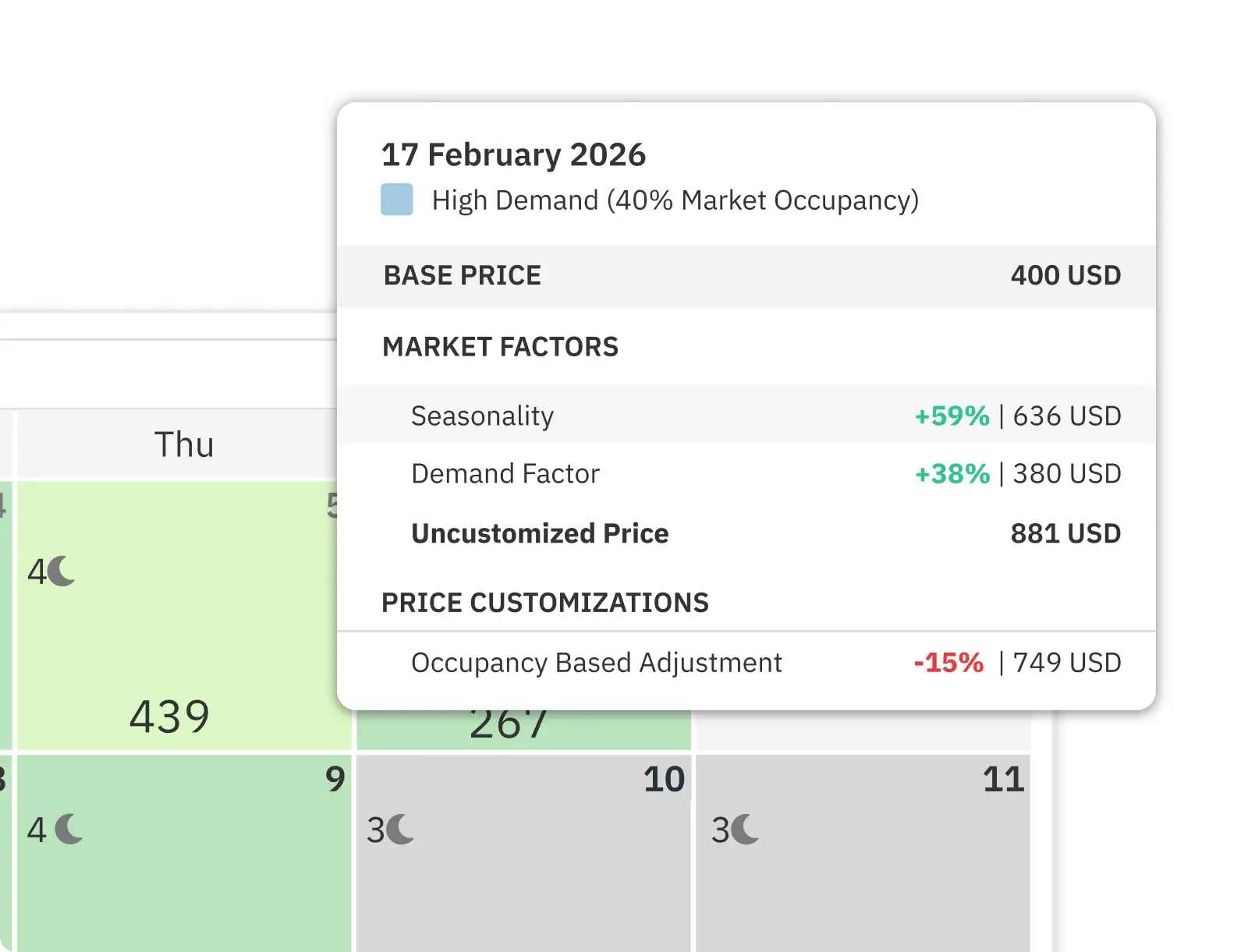
The PriceLabs Listing Optimizer works hand-in-hand with dynamic pricing: while Dynamic Pricing optimises your rates daily based on demand, the Listing Optimizer audits the content and quality signals of your listing that influence whether guests click and convert in the first place. Together, they cover both sides of the ranking equation. Learn more about dynamic pricing strategies in how to get more bookings on Airbnb.
Minimum Stays & Instant Book
Many hosts set strict minimum stay requirements — 3 nights, 5 nights, or even longer — thinking it protects them from the hassle of frequent turnovers. But overly restrictive settings are one of the fastest ways to tank your ranking.
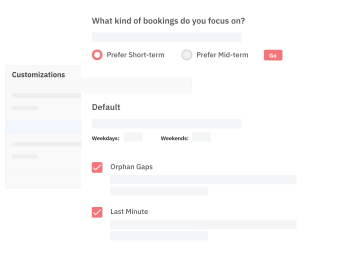
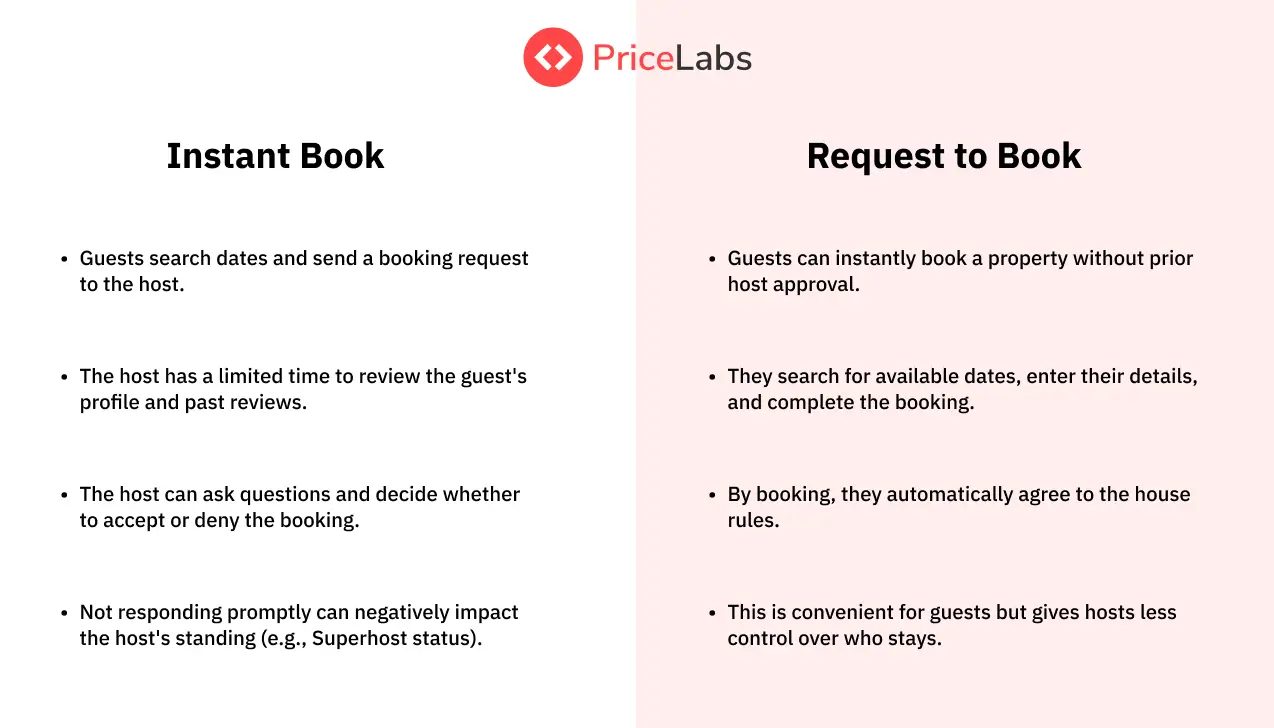
Airbnb heavily rewards listings that are easy to book. Turning on Instant Book (which allows guests to book without prior host approval) is one of the single biggest ranking boosts available to hosts. Guests increasingly filter by Instant Book when they want quick confirmations — and Airbnb pushes those listings higher in results.
Similarly, consider relaxing your minimum stay rules, especially for last-minute gaps in your calendar. A flexible 1–2 night minimum during low-demand periods can fill the holes that longer minimums leave open.
For guidance on length-of-stay strategies and how they interact with your overall pricing, read how to promote your Airbnb listing.
5. Trust Signals: Reviews, Response Times & Superhost Status
You can have the most beautiful listing in the world, but if your trust signals are weak, guests will scroll past you. Reviews, response rates, and Superhost status are social proof — they tell a stranger that real people have stayed at your property and had a great time.
Response Rate & Time
Airbnb tracks both your response rate (what percentage of inquiries you reply to) and your response time (how quickly you reply). The algorithm rewards hosts who respond within an hour and penalises those who leave messages unanswered for days.
The gold standard is responding within minutes. This is where automated messaging tools become essential. Setting up templates for common guest inquiries — check-in instructions, parking details, WiFi information — means you can maintain a top-tier response rate without being glued to your phone around the clock.
See how automated messaging can protect your ranking in how to optimise your Airbnb listings.
The Review Loop
Five-star ratings matter, but review velocity matters just as much. A listing that gets three reviews this month will outrank a listing that got thirty reviews two years ago. Airbnb wants to see that guests are regularly choosing and enjoying your property — recency is a ranking signal.
To maximise reviews, build a systematic post-checkout follow-up into your hosting routine. A warm, genuine message thanking guests for their stay and (tastefully) nudging them to leave a review can significantly increase your review conversion rate. Critically, always leave a review for your guests first — it triggers a notification encouraging them to reciprocate.
If you’re starting from scratch without reviews, don’t panic — read how to get your new Airbnb listing off the ground with no reviews.
The Cost of Cancellations
There are few things that damage your Airbnb ranking more severely than host-initiated cancellations. When you cancel on a guest, Airbnb applies automatic penalties: calendar blocks, public indicators on your profile, and a meaningful drop in your search ranking.
If you’re juggling multiple platforms, syncing your calendars is non-negotiable. A double-booking that forces you to cancel a confirmed reservation can set your ranking back by weeks. Use channel manager software and ensure your calendar is always up to date.
For extra protection when managing multiple guests, read how to handle extra guests in your Airbnb property.
A note on Superhost status: achieving and maintaining Superhost isn’t just a badge of honour — it’s a ranking signal. Superhosts receive a dedicated filter on Airbnb that guests can apply to their searches, giving you an additional layer of visibility. To qualify, you’ll need a response rate above 90%, fewer than one cancellation per 100 reservations, and at least 10 stays with a 4.8 or higher average rating.
Conclusion: Airbnb SEO Is an Ongoing Commitment
Airbnb listing optimization isn’t a one-time project — it’s an ongoing discipline. The algorithm evolves, guest expectations shift, and the competitive landscape in your market changes every season. The hosts who stay at the top of search results are the ones who treat their listing as a living asset that requires regular attention.
Here’s the good news: the fundamentals rarely change. A compelling hero image, a clear and keyword-rich title, an up-to-date amenity list, responsive communication, competitive dynamic pricing, and a steady stream of glowing reviews — get those right, and the algorithm will reward you.
Start with what has the biggest impact and work your way through:
- Audit your hero image and replace it if it isn’t your absolute best photo.
- Rewrite your title using the formula provided.
- Go through every amenity checkbox and tick what applies.
- Enable Instant Book if you haven’t already.
- Set up dynamic pricing to stay competitive automatically.
- Build a post-checkout review request into your guest communication flow.
The fastest way to know where to start? Run your listing through the PriceLabs Listing Optimizer. It gives you an instant, data-driven audit of your listing — flagging missing amenities, weak content signals, pricing gaps, and more — so you know exactly what to fix and in what order. It’s the single fastest way to identify what’s holding your ranking back.
Pair that with a free trial of PriceLabs Dynamic Pricing and you’ll have both sides of the ranking equation covered: a listing optimised to convert, and pricing that keeps you competitive every single night.