
Table of Contents
Updated : Feb 12, 2026
Welcome to the world of hosting in one of the most vibrant short-term rental markets on the planet. If you are new to the scene, you have picked a historic time to start. Miami is gearing up for the FIFA World Cup 2026, an event set to transform the local hospitality landscape.
For novice hosts, the goal is simple: maximize your earnings while providing a stellar experience for football fans from around the globe. This guide will walk you through navigating massive demand spikes and why smart automation is your best friend in this high-stakes environment.
The World Cup Effect on Miami Bookings
The sheer scale of the 2026 World Cup is already reshaping demand in Miami. Following the official group stage draw on December 5, 2025, the market reacted immediately and dramatically.
- Occupancy Surge: There was a 128% spike in occupancy immediately after the draw as fans rushed to secure their stays.
- Price Increases: The Average Daily Rate (ADR) for match dates has already increased by 30% compared to the same period last year.
- International Draw: As a premier luxury destination, Miami attracts early, international bookings from travelers who are often less price-sensitive.
- Targeted Travel Patterns: Unlike typical leisure seasons, World Cup demand is arriving in shorter, match-driven stay patterns, more akin to hotel-style demand.
Why Manual Pricing is a Risk for New Hosts
When you are just starting out, it is tempting to pick a high number and hope for the best. However, manual pricing often leads to missed opportunities.
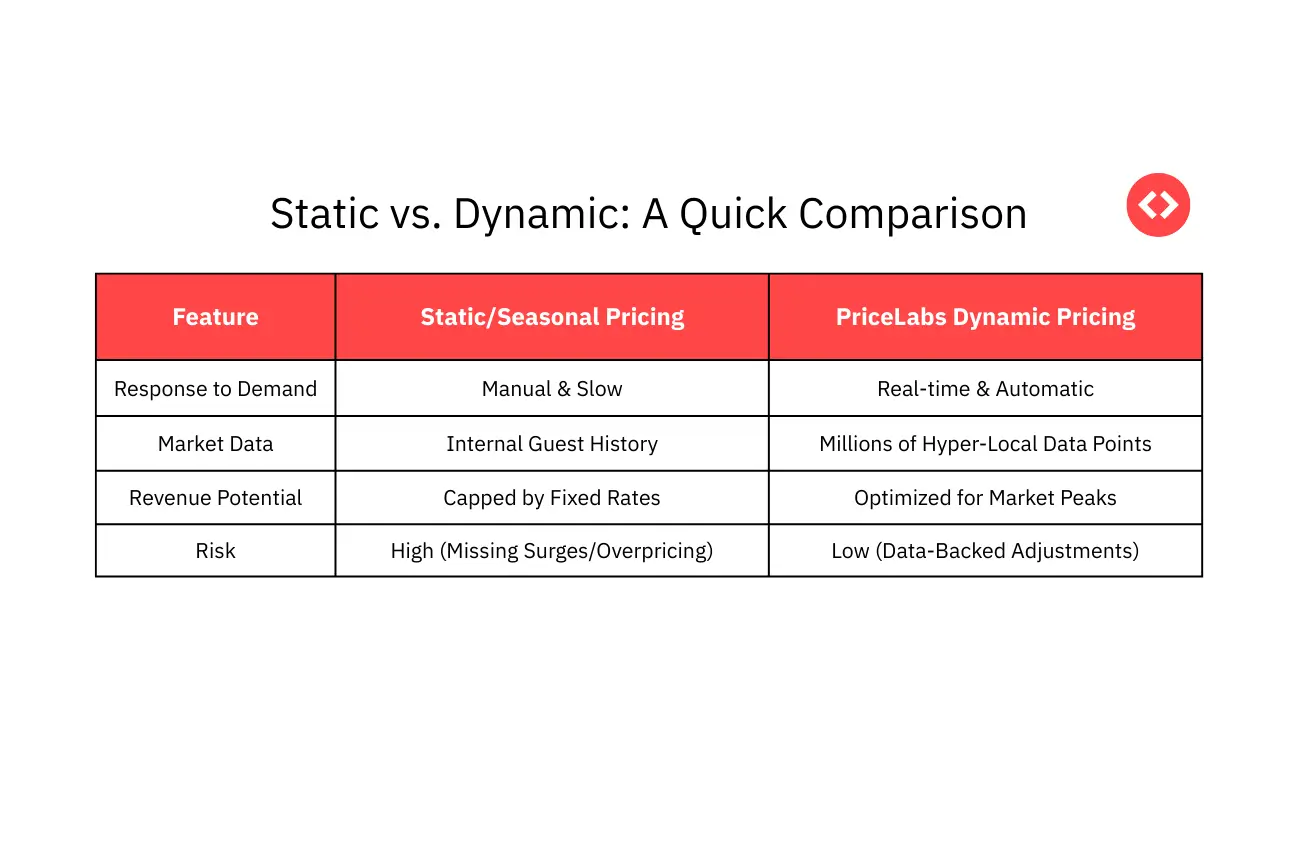
- Leaving Money on the Table: Fixed rates do not account for sudden surges in demand or local seasonal trends.
- The Vacancy Trap: High fixed rates may lead to low occupancy when demand fluctuates or competition shifts.
- Operational Strain: Tracking every competitor manually is repetitive, time-consuming, and prone to inconsistencies.
Moving Beyond Set and Forget with Automation
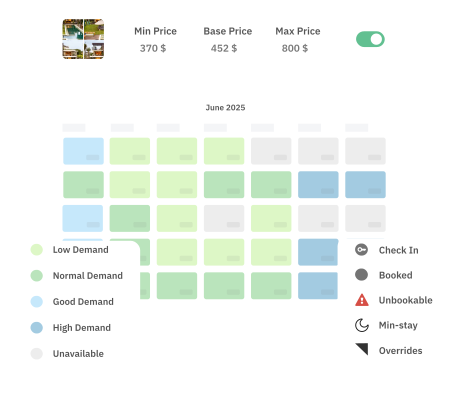
Think of automated pricing not as a replacement for your judgment, but as a smart assistant. Systems like PriceLabs analyze millions of listings daily to track demand, events, and internal occupancy.
What You Control
Even with automation, you remain the boss of your business. You decide the following:
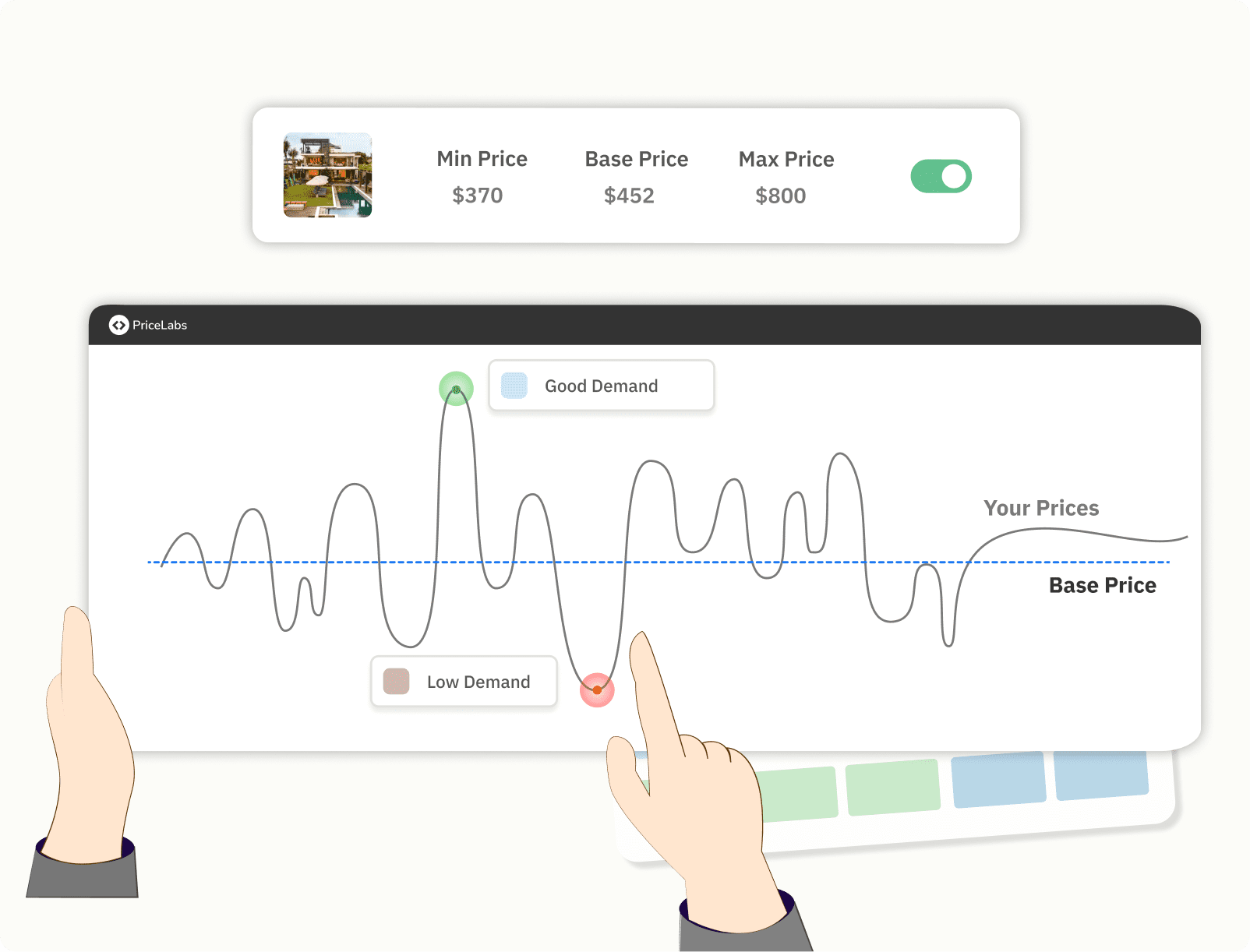
Base Price: Your average daily rate target for the year.
Minimum and Maximum Prices: The thresholds you are comfortable with to protect your bottom line.
Minimum Stay: Rules that prevent one-night gaps during peak event weeks.
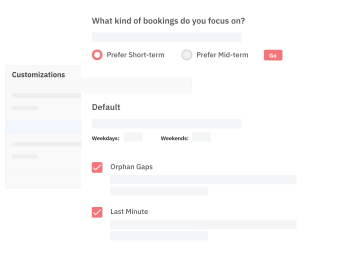
Customizations: Overriding prices for specific nights or applying custom settings for unique dates.
What PriceLabs Handles
The software takes care of the complex math in the background:
- Seasonality, Holidays, and Events: Adjusting for Valentine’s Day, the Miami Boat Show, and the Miami Open.
- Lead Time: Automatically lowering prices for last-minute gaps or raising them for far-out dates.
- Neighborhood Demand: Responding instantly when your neighbors start getting booked up for the Formula 1 Grand Prix or World Cup matches.
Strategic Match Dates for Miami Hosts
To maximize your calendar, you must be aware of when the action is happening at Hard Rock Stadium in Miami Gardens. Miami will host the following high-impact matches:
| Date | Event Stage | Matchup |
| June 15, 2026 | Group Stage | Saudi Arabia vs. Uruguay |
| June 21, 2026 | Group Stage | Uruguay vs. Cape Verde |
| June 24, 2026 | Group Stage | Brazil vs. Scotland |
| June 27, 2026 | Group Stage | Portugal vs. Colombia |
| July 3, 2026 | Round of 32 | To Be Determined |
| July 11, 2026 | Quarter Final | To Be Determined |
| July 18, 2026 | Bronze Final | Third Place Play-off |
Opening your calendar early is critical, as international fans often book well in advance for these specific dates.
Frequently Asked Questions
Why did my price change for a specific night?
Automated tools provide a breakdown of the why behind every recommendation. For example, a base price of 150 USD might be boosted by a 32% seasonality factor and a 34% demand factor for the Miami Boat Show, resulting in a customized price of 220 USD after further adjustments, such as occupancy-based factors.
Does automation mean I lose control of my calendar?
Not at all. You can override recommendations for any specific night, apply custom settings for unique dates, and set thresholds to ensure your price never goes below your profitable minimum.
How does this help me as a new host?
By automating the tedious data analysis, you get more free time to focus on the human side of hosting. You can spend your energy creating great guest experiences, such as providing local match schedules or Miami-themed welcome baskets, while knowing your pricing is optimized.
Do I need to worry about local regulations?
Yes, it is vital to obtain a short-term rental license and register your property with the city before you begin hosting. Additionally, verify if your HOA or building has specific rules regarding short-term guests.