Table of Contents
Updated : Mar 23, 2026
Independent hosts on Booking.com now have access to data and tools once reserved for big hotel brands. If you’re wondering which Booking.com pricing tools provide occupancy forecasting and rate optimisation, the short answer is: combine Booking.com’s own demand insights with an AI-driven revenue management system like PriceLabs, connected through your PMS and channel manager for automated pricing and accurate, real-time forecasts.
Booking.com’s demand data in the extranet helps you see market intent, while an AI engine transforms that intent into precise forecasts and dynamic rates pushed back to your listings. This guide distils the 2026 playbook, how to set up your data stack, select the right software, apply business rules, and iterate for consistent RevPAR growth.
Dynamically Price Your Property and Get FREE Custom Reports Tailored To Your Property!
Use PriceLabs Dynamic Pricing to competitively and dynamically price your property according to demand shifts and analyze past performance to set a strong pricing strategy for your property.
Create your Account NowUnderstanding Occupancy Forecasting and Its Importance
Occupancy forecasting is the process of predicting the number of rooms or units that will be booked over a given period, using historical data, booking pace, market trends, and insights into special events. When done well, forecasting becomes the backbone of demand forecasting and revenue management: it helps you set profitable rates, plan staffing, and align operations to expected occupancy.
These benefits compound when forecasts feed automated, channel-aware pricing and housekeeping schedules. Advances in multi-source data integration, AI modelling, and explainable analytics have made accurate, actionable predictions accessible to independent hosts, not just large chains. Layer in Booking.com trends (e.g., event-led surges, lead-time shifts), and a well-tuned forecast unlocks smarter rate moves and higher profitability.
Setting Up Your Data Infrastructure for Accurate Forecasts
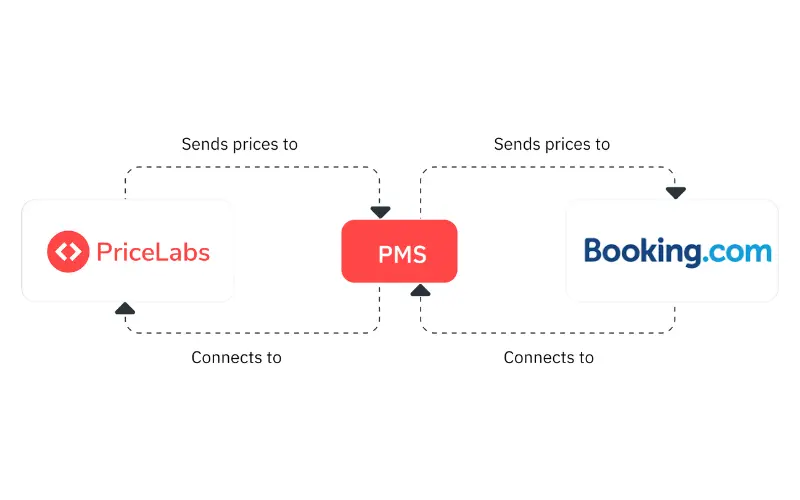
Accurate forecasts start with clean, connected, real-time data. Your revenue stack should include a Property Management System (PMS), a channel manager, Booking.com demand and trends, and live reservation feeds—unified so the same truth powers forecasting, pricing, and operations. A channel manager provides two-way sync so bookings flow between the PMS and OTAs like Booking.com, preventing overselling and manual rate errors.
Prioritize this baseline:
- Two-way PMS–channel manager integration
- Automated rate and availability pushes to Booking.com
- Access to Booking.com demand data in the extranet for local search and intent signals
- Event and compset data to capture market shifts ahead of pace
Key data points to connect:
| Data point | Why it matters | Typical source(s) |
|---|---|---|
| Past booking history | Establishes seasonality and price–demand elasticity | PMS |
| Live booking pace | Detects surges, lulls, and pickup windows | PMS, channel manager |
| Competitor rates | Anchors market position and rate fences | Booking.com search, pricing software |
| Local event calendars | Anticipates spikes not visible in history | City/event feeds, pricing software |
| Guest reviews/sentiment | Surfaces quality-driven price levers | Booking.com reviews, reputation tools |
Principle to remember: clean, live data beats complex models with noisy inputs—garbage in = garbage out.
Choosing the Right Occupancy Forecasting and Pricing Tools
Rules-based vs. AI-driven tools
- Rules-based systems automate simple pricing with if/then logic (e.g., raise rates 10% when occupancy > 80%). They’re predictable but slow to adapt when conditions change.
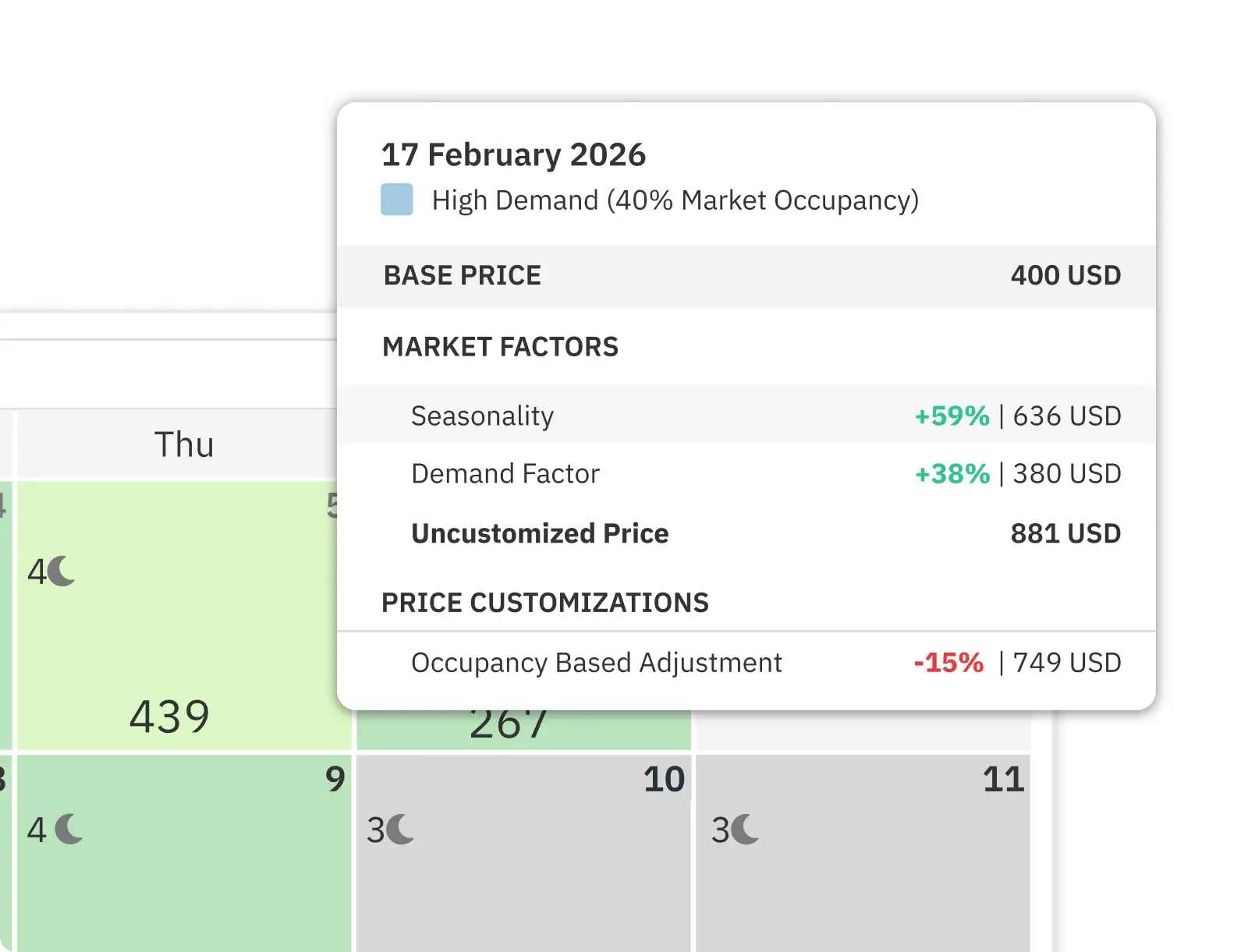
- AI-driven systems, like PriceLabs, learn from history and live signals to predict occupancy, detect anomalies, and optimize rates dynamically. When fully implemented, they can improve forecast accuracy and yield cost gains.
Essential criteria to evaluate
- Automated rate updates to Booking.com (frequency, reliability, audit logs)
- Real-time data ingestion from Booking.com and your PMS/channel manager
- PMS integration depth (availability, restrictions, occupancy-based pricing)
- Anomaly detection and explainability (why did the price move?)
- Support for promotions, minimum stays, and channel-specific pricing
Definitions
- Dynamic pricing: automated rate changes based on occupancy, demand, and competitive context.
- Forecasting engine: software that uses historical and live data to predict occupancy and recommend pricing and operational actions.
Feature snapshot for independent hosts
| Capability | Booking.com Extranet Analytics | PriceLabs (AI revenue management) | Rules-based channel manager module |
|---|---|---|---|
| Occupancy forecasting | Market demand trends | Property-level AI forecast with market signals | Static pacing rules |
| Automated rate pushes to Booking.com | Manual/promotions | Yes (scheduled or event-triggered) | Yes (rule-triggered) |
| Data ingestion breadth | Booking.com-only | Multi-source: Booking.com, compset, events | Limited (own occupancy, OTA pace) |
| Anomaly detection & explainability | Limited | Yes (alerts, rationale) | Limited |
| PMS integration depth | N/A | Broad PMS/channel coverage | Varies |
| Governance (GDPR, audit logs) | Yes | Yes | Varies |
PriceLabs pairs AI-driven occupancy forecasting with automated dynamic pricing purpose-built for Booking.com, including occupancy-based pricing support and portfolio controls.
Dynamically Price Your Property and Get FREE Custom Reports Tailored To Your Property!
Use PriceLabs Dynamic Pricing to competitively and dynamically price your property according to demand shifts and analyze past performance to set a strong pricing strategy for your property.
Create your Account NowBuilding a Competitive Set for Market Insights
A competitive set, or compset, consists of 3–5 similar properties—matched by size, location, and amenities—whose rates and occupancy you track to benchmark performance.

How competitor tracking powers dynamic pricing:
- Identify market ceilings/floors to set rate fences
- Detect event-driven price shifts earlier than pace alone
- Maintain rate parity or intentional premiums/discounts
Step-by-step to assemble your Booking.com compset
- Define your profile: property type, bedroom count, neighbourhood radius, amenities, and quality level.
- On Booking.com, shortlist 6–10 candidates that mirror your profile; note average review score and policies.
- Narrow to 3–5 with similar demand patterns (lead time, seasonality) and overlapping target guests.
- Track representative dates: near-term weekends, shoulder periods, local event nights, and holidays.
- Use pricing software to automate daily rate scraping and alerting; validate anomalies against event calendars.
- Establish benchmarks: target index ranges for rate position (e.g., 95–105% of compset median on shoulder dates) and monitor drift.
Defining Business Rules to Translate Forecasts into Actions
Business rules are the conditions that convert forecasts into pricing and operational decisions—covering rates, minimum stays, cancellation terms, and channel strategy—so pricing is responsive, not reactive.
Actionable rules to implement
- Occupancy targets with surge protection: if forecasted occupancy > 85% in 14–21 days, raise rates 8–15%; if > 95%, cap inventory or require longer stays.
- Minimum stay policies: enforce 2–3 nights on peak events; relax to 1 night midweek in low season to boost pickup.
- Channel-specific pricing: offset commission differences by adjusting margins per channel and prioritising direct upsells when feasible, a trend highlighted in hospitality industry trends 2026.
- Occupancy-based pricing: set additional-guest price tiers to increase ADR without blocking conversions; Booking.com explains how adding occupancy-based prices can help increase bookings.
Map forecasts to actions
| Forecast signal | Pricing action | Operational action |
|---|---|---|
| Pace 20% above norm (30-day window) | Increase rates 10–15%; tighten min-stay | Pre-order consumables; adjust staffing |
| Pace 20% below norm | Offer LOS discounts; enable promotions | Trigger email/paid campaigns; flexible check-in |
| Major event detected | Apply event rate tier; 3-night minimum | Coordinate housekeeping blocks; late checkout policy |
| Spike in cancellations | Refill with mobile or last-minute rates | Realign turnover schedules; expedite listings refresh |
Back-testing, Calibrating, and Automating Forecasts
Back-testing is the process of running historical simulations to compare predicted occupancy against actuals, so you can measure error and tune your model. Start with last season’s 90-day windows and compute MAPE (mean absolute percentage error) by segment (weekends vs. weekdays, unit type).
Calibration guidance
- Adjust seasonality curves where consistent bias appears (e.g., under-forecasting shoulder months).
- Add event weights for recurring festivals; reduce weight for outlier anomalies.
- Rebalance price sensitivity if ADR increases and depresses pickup more than expected.
Automation flows to put in place
- Automated rate pushes to Booking.com via your PMS/channel manager at least daily, with on-demand triggers for pickups and events.
- Housekeeping schedules generated from expected check-outs and mid-stay cleans.
- Marketing triggers for low-demand periods (e.g., 10% off for 3+ nights when pace drops below threshold).
A simple cycle to follow
- Back-test monthly; capture error diagnostics.
- Calibrate seasonality, event impacts, and price elasticity.
- Review rules and override limits.
- Re-enable automation; monitor alerts for anomalies.
Monitoring Performance and Continuous Improvement
Weekly rhythm keeps models sharp and revenue on track:
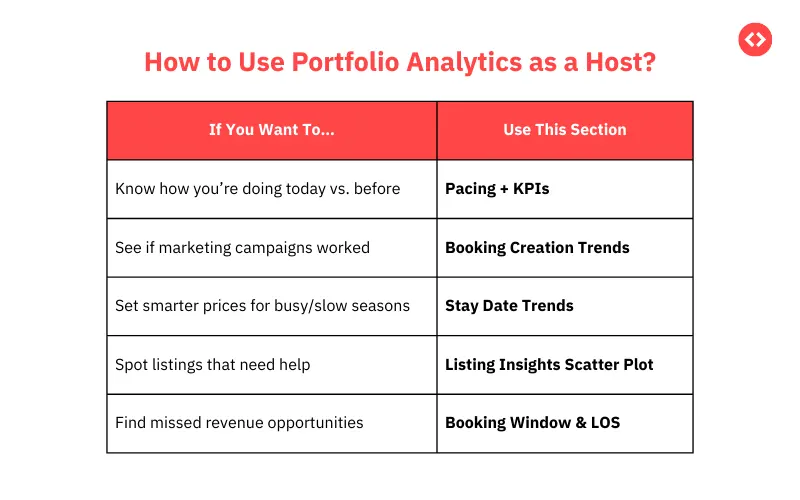
- Core KPIs: occupancy, ADR, RevPAR, booking pace, lead time, pickup by window, forecast error (MAPE), cancellation rate, and channel mix.
- Continuous AI retraining: modern models self-improve as new data arrives, refining predictions and actions without manual reprogramming, as noted in predictive analytics in hospitality.
- Governance: review audit logs of price changes and exceptions after major events or policy shifts.
Sample KPI definitions
- Occupancy: sold nights ÷ available nights
- ADR: room revenue ÷ sold nights
- RevPAR: ADR × occupancy (or room revenue ÷ available nights)
- Forecast error (MAPE): average of |forecast−actual| ÷ actual
- Booking pace: cumulative bookings vs. same time last year/period
Set a recurring 30-minute review: inspect outliers, accept suggested calibrations, and adjust business rules for the next cycle.
Dynamically Price Your Property and Get FREE Custom Reports Tailored To Your Property!
Use PriceLabs Dynamic Pricing to competitively and dynamically price your property according to demand shifts and analyze past performance to set a strong pricing strategy for your property.
Create your Account NowPractical Tips and Common Pitfalls to Avoid
Practical tips
- Validate data quality and timeliness before layering advanced AI; stale feeds break good models.
- Use channel-aware pricing to account for differing OTA economics and protect margins.
- Incorporate Booking.com’s 2026 travel predictions (e.g., niche experiences, blended work-leisure) into packages and minimum-stay strategies to match emerging demand.
Avoidable pitfalls
- Relying solely on past data and ignoring emerging demand signals like sudden event announcements or airfare shifts.
- Failing to recalibrate seasonality and event weights at least monthly.
- Overlooking PMS–channel manager–pricing tool integration details (e.g., restrictions sync, occupancy-based pricing).
Long-term best practices
- Standardize a weekly KPI and calibration cadence.
- Keep compsets fresh each quarter; retire non-comparable properties.
- Use guardrails (floors/ceilings) to balance automation with brand positioning.
Frequently Asked Questions
1. What data sources improve Booking.com’s occupancy forecasting accuracy?
Combining past bookings, real-time booking pace, competitor rates, local event calendars, and guest sentiment yields the most reliable occupancy forecasts.
2. How can independent hosts link occupancy forecasts to pricing strategies?
Use forecasts to trigger dynamic pricing—raise rates and length-of-stay minimums in predicted high-demand windows; deploy promotions and packages when demand is forecasted to be soft.
3. What are the benefits of AI-driven forecasting models over rules-based ones?
AI models adapt to shifting market signals and unexpected spikes, delivering roughly 20% higher forecast accuracy and faster price responses than static rules.
4. How often should forecasts and pricing rules be reviewed and updated?
Review weekly and after major events or demand shifts; recalibrate seasonality and event weights monthly for sustained accuracy.
5. How can occupancy forecasting help optimize staffing and housekeeping?
Forecasts inform check-in/check-out volumes and stay patterns, enabling leaner schedules, targeted mid-stay cleans, and lower labour costs without compromising service.