
Table of Contents
Updated : Mar 12, 2026
Delivering great guest experiences starts with two things most travelers never see: perfectly synced calendars and smart, dynamic pricing. This playbook shows how top Airbnb hosts combine live availability syncing with AI-driven pricing to prevent double bookings, react to demand in minutes, and grow revenue with less manual work. You’ll learn the data to track, the tools to choose, and the workflows to automate—plus a step-by-step setup plan and slow-season tactics. In short: great hosts use synchronized calendars to keep inventory accurate everywhere, and dynamic pricing to adjust rates to demand—all backed by measurable metrics and clear ROI.
Understanding Calendar Syncing for Airbnb Hosts
Calendar syncing is the process of connecting multiple calendars (e.g., Google, Outlook, iCloud, PMS, channel managers) so availability updates propagate in real time across all devices and systems.
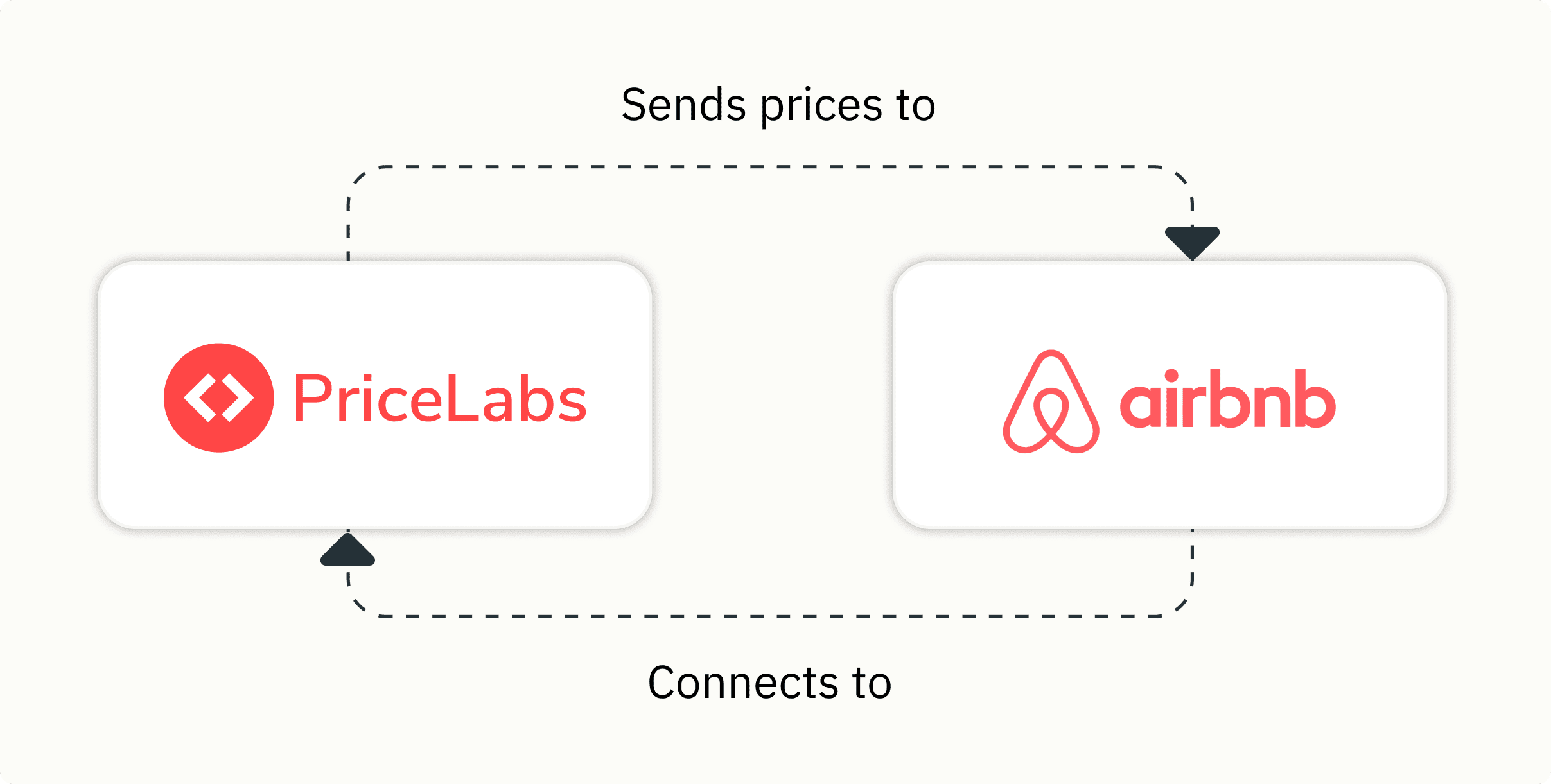
For Airbnb hosts, synchronized availability delivers:
- Single-portal management and fewer manual edits
- Automated updates to all booking channels
- Protection against conflicts and accidental overlaps
- Seamless integration with PMS and channel managers
Core platforms like Google Calendar, Microsoft Outlook, and Apple Calendar support two-way sync and privacy-aware sharing (busy/free), both essential for operational reliability and discretion in real-world calendar use cases. Airbnb also outlines how to import/export calendars with external systems, Airbnb calendar sync help.
The Importance of Dynamic Pricing in Airbnb Hosting
Dynamic pricing is the automated adjustment of nightly rates based on demand, seasonality, booking windows, competitor behavior, and local events. It reduces the risk of overpricing (and sitting empty) or underpricing (and leaving money on the table). Independent operator guides explain how dynamic, rules-based adjustments better match real-time demand compared with fixed-pricing strategies for Airbnb.
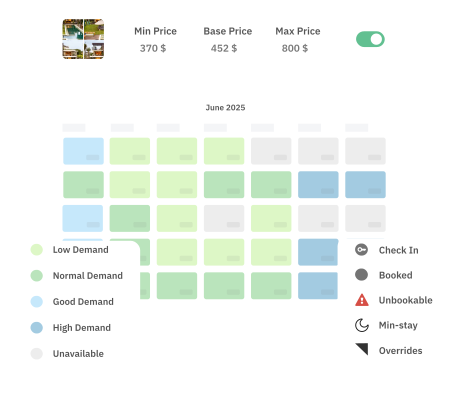
When paired with live calendar data, dynamic pricing can re-price instantly as availability changes or big events hit the market. PriceLabs customers commonly report optimizing revenue per available night after activating data-driven automation and rules for Airbnb pricing strategies. Together, synced calendars and dynamic pricing help hosts capture demand surges, maintain competitiveness during lulls, and keep rates consistent across every channel.
How Successful Hosts Use Data to Optimize Listings
Top hosts treat pricing and availability as a data problem. They monitor:
- Occupancy rates by day-of-week and season
- Booking windows and lead-time trends
- Comparable listings and market-rate shifts
- Event calendars and local demand signals
Dashboards that combine portfolio-level analytics with listing-level views make it easier to identify gaps, forecast demand, and justify price changes. Research on Airbnb analytics emphasizes moving from intuition to evidence-based decisions to improve conversion and returns, and Airbnb data analytics success.
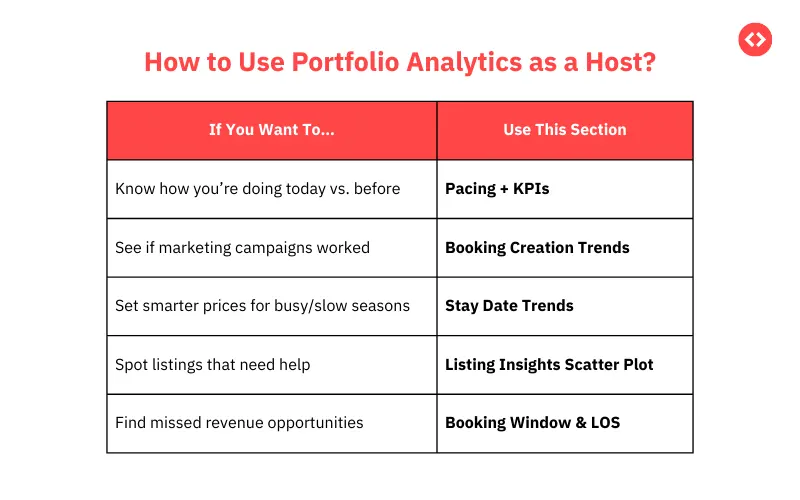
Example workflow:
- Pull last 90 days of occupancy and ADR; identify days or segments below target.
- Check booking windows; if close-in bookings are weak, add last-minute discounts.
- Benchmark comps; if your weekend ADR is 10% above market and occupancy lags, consider targeted reductions.
- Adjust minimum stays for shoulder periods; loosen rules to capture short-gap bookings.
- Track the impact over two weeks; iterate based on occupancy and RevPAR lift.
Real-time analytics make these adjustments scalable across multiple listings.
Streamlining Operations with Calendar Syncing and Dynamic Pricing
When calendars are synced and pricing is automated, daily admin shrinks dramatically and error rates fall. Availability changes trigger pricing updates; pricing rules respond immediately to new holds, cancellations, or events.
Interaction model:
- Calendar/PMS sends availability changes to the pricing engine.
- Pricing engine recalculates nightly rates and minimum stays.
- Channel manager distributes the latest prices/availability across booking sites
Fully integrated operations reduce manual edits and markedly lower double-booking risk, synchronize all calendars in one view.
Maintaining Price Competitiveness During Slow Seasons
Seasonal price elasticity means guests become more price-sensitive when demand drops. Dynamic pricing counters this by adjusting rates and rules to keep you competitive and visible.
Proven tactics:
- Last-minute discounts based on lead time bands
- Weekday-specific reductions to lift midweek occupancy
- Minimum-stay tweaks to fill gaps between longer bookings
- Periodic competitor benchmarking and event-based overrides
For step-by-step seasonality setups, see seasonal pricing for Airbnb and low-season pricing tips from operators low-season pricing tips.
Typical off-season moves:
- Tactic: Reduce midweek ADR by 10–15% | Purpose: Capture price-sensitive demand | Example rule: Apply -12% Sun–Thu in November–February
- Tactic: Loosen minimum stays | Purpose: Fill short gaps | Example rule: 1–2-night stays allowed inside 7 days of arrival
- Tactic: Progressive last-minute discounts | Purpose: Sell remaining inventory | Example rule: -5% at 14 days, -10% at 7, -20% at 3
- Tactic: Add value offers | Purpose: Improve conversion | Example rule: Free parking or late checkout for 3+ nights
Step 1: Audit and Map Your Calendars for Accurate Syncing
- List every calendar in play: personal (Google/Outlook/iCloud), Airbnb/OTA calendars, PMS, channel manager, cleaners/maintenance apps.
- Diagram current syncs and note gaps, manual edits, and isolated systems.
- Identify conflict risks: double-entry, delayed updates, staff-only calendars, or ad hoc holds not reflected in the master calendar.
- Create a repeatable audit checklist you can reuse as the portfolio grows.
Step 2: Choose the Right Calendar Sync Tools and Integrations
Pick tools that match your complexity, ensure bidirectional sync, and protect privacy.
What to look for:
- Compatibility with Google/Outlook/iCloud and your PMS/channel manager
- API/webhook integrations for near real-time updates
- Privacy-on-busy and granular sharing controls
- Reliable two-way sync and conflict resolution
- Clear audit logs and role-based access
Useful options and use cases include purpose-built bridging services that connect multiple providers. For baseline costs, many hosts rely on productivity suites or schedulers—typical entry points include Google Workspace from around $7/user/month and Calendly around $10/user/month.
Comparative snapshot:
- Solution: Google Calendar (Workspace) | Best for: Simple teams, Google-first setups | Sync: ICS + API | Privacy-on-busy: Yes | Webhooks/API: Yes | Notes: Strong collaboration and mobile apps
- Solution: Microsoft 365/Outlook | Best for: Microsoft-centric teams | Sync: ICS + Graph API | Privacy-on-busy: Yes | Webhooks/API: Yes | Notes: Enterprise-grade controls
- Solution: CalendarBridge | Best for: Bridging Google/Outlook/iCloud | Sync: Bidirectional cross-platform | Privacy-on-busy: Yes | Webhooks/API: Through connected calendars | Notes: Simplifies multi-ecosystem sync
Also bookmark Airbnb’s instructions for connecting external calendars to your listing(s) Airbnb calendar sync help.
Step 3: Set Up Bidirectional Sync with Privacy and Automation Controls
Bidirectional sync means changes in one calendar immediately reflect across all calendars—preventing stale availability and conflicts. Use busy/free sharing to hide sensitive details while still blocking time for accurate availability across systems.
Automation tips:
- Add buffer times for turnovers and maintenance blocks.
- Auto-release tentative holds if payment is not received by a deadline.
- Tag event types (e.g., direct booking, OTA, owner stay, maintenance) so pricing engines can apply the right rules.
Step 4: Integrate Dynamic Pricing Engines with Calendar Systems
Connect your PMS/channel manager to a dynamic pricing engine like PriceLabs, then map each listing to ensure the right calendar and availability feed the pricing model:

- Confirm your PMS/CM supports direct integration with your pricing engine.
- Import listings; verify base rates, minimum stays, and taxes/fees.
- Enable rules for lead-time, orphan gap discounts, and event-based overrides.
- Turn on daily syncs and near real-time updates when availability changes.
Once enabled, any booking or cancellation triggers a recalculation of rates and stay rules, and your PMS/CM pushes updated prices to all channels—no manual intervention required.
Step 5: Test Your Sync and Pricing Workflows Thoroughly Before Launch
- Simulate bookings: place holds and cancellations, then verify availability and rates update correctly across Airbnb, PMS, and your personal calendars.
- Validate webhook triggers, retry logic, and error messages (e.g., what happens if an API call fails?).
- Time the end-to-end update path (calendar change → price update → OTA visibility).
- Document test cases and expected outcomes; reuse this checklist when onboarding new properties.
Step 6: Monitor Metrics and Continuously Optimize Pricing and Availability
Track a concise set of KPIs weekly:
- Double bookings and near-misses
- Utilization (occupied nights / available nights)
- Average daily rate (ADR) and revenue per available night (RevPAR)
- Sync lag (seconds/minutes to reflect changes everywhere)
- Share of last-minute bookings and orphan gaps filled
Review trends monthly, adjust buffer times, and fine-tune event/lead-time rules. Visual dashboards and short table summaries help teams spot issues and act fast.
Key Metrics for Tracking Revenue and Operational Efficiency
Definitions:
- RevPAR (revenue per available room/night): total room revenue divided by available nights, showing yield on inventory.
- Utilization rate: percentage of nights booked over a given period.
Recommended metrics and targets:
- Double-booking incidents: trend toward zero
- ADR: grow steadily while holding or improving occupancy
- RevPAR: primary barometer of pricing success
- Time-to-sync: aim for near real-time across systems
- Labor hours saved: quantify time recaptured from manual updates
Set six-month targets and evaluate ROI on your sync/pricing stack; room-booking platforms highlight that disciplined calendar sync yields measurable operational wins within this window.
Sample dashboard fields:
- Metric: Double bookings | Target: 0 per month
- Metric: Sync lag | Target: <2 minutes end-to-end
- Metric: ADR | Target: +5–10% YoY (market-adjusted)
- Metric: RevPAR | Target: +20–30% after automation
- Metric: Manual hours | Target: -50% calendar/pricing admin
Best Practices to Prevent Double Bookings and Maximize Utilization
- Enforce true bidirectional sync for all calendars (including staff/maintenance).
- Centralize around a PMS/channel manager; avoid manual OTA edits.
- Automate pricing updates and orphan-gap discounts.
- Use busy-only sharing for privacy and clear turnover buffers.
- Audit calendars monthly and spot-check OTA availability weekly.
- Maintain an issues log and resolve root causes (not just symptoms).
Prevention checklist:
- Master calendar designated and documented
- All integrations tested with failure scenarios
- Buffer/cleanup windows configured
- Role-based access and change logs enabled
- Weekly spot-check process assigned to an owner
Selecting Tools for Calendar Sync and Pricing Control: What to Look For
Evaluation criteria:
- Calendar compatibility (Google/Outlook/iCloud)
- API/webhook access, reliability, and logs
- Privacy features (busy/free, redaction) and user roles
- Support/SLA and integration maturity
- Cost at current scale and future scale (see common entry price points noted earlier)
Quick comparison:
- Platform: Google Workspace + Calendar | Strengths: Ubiquitous, mobile-friendly, robust API | Scale: Small to large | Cost: From ~$7/user/mo
- Platform: Microsoft 365 + Outlook/Exchange | Strengths: Enterprise controls, Graph API | Scale: Medium to enterprise | Cost: Tiered by plan
- Platform: CalendarBridge | Strengths: Bridges Google/Outlook/iCloud ecosystems | Scale: Any multi-ecosystem team | Cost: Per-user subscription
- Pricing engine: PriceLabs | Strengths: AI-driven pricing, robust rules, PMS/CM integrations | Scale: Single-unit to enterprise | Cost: Per-listing
When comparing pricing engines, consult neutral roundups that outline feature depth, onboarding effort, and pricing.
Scaling Your Calendar and Pricing Strategy for Multiple Listings
As the portfolio grows, emphasize:
- Workflow automation and exception-based monitoring
- Centralized reporting across listings, markets, and channels
- Role-based access, activity logs, and approvals for changes
- Playbooks that take a new listing from audit to production in hours, not days
Market analysis becomes more important at scale—regularly assess demand, seasonality, and competitor shifts at the neighborhood level to keep rates aligned with reality Airbnb data analysis.
Conclusion: Achieving Scalable Revenue Growth with Integrated Sync and Pricing
Great hosts pair unbreakable calendar sync with dynamic pricing to work smarter: fewer errors, faster updates, and higher revenue. For teams intent on growth, an end-to-end stack anchored by a PMS, live calendar sync, and a pricing engine like PriceLabs delivers the control, transparency, and ROI required to scale confidently.
Frequently Asked Questions
What is bidirectional calendar syncing and why is it important for hosts?
Bidirectional calendar syncing ensures changes on any connected calendar immediately update all others, preventing double bookings and keeping availability accurate.
How can dynamic pricing help improve occupancy and revenue throughout the year?
Dynamic pricing automatically adjusts rates to demand and lead-time trends, lifting occupancy in slow periods and maximizing revenue when demand spikes.
What privacy considerations should hosts keep in mind when syncing calendars?
Use busy/free sharing and redact event details so sensitive information is hidden while availability remains accurate across systems.
How often should hosts review and adjust their pricing rules?
Review rules at least monthly and whenever market conditions shift, then adjust based on performance data and upcoming events.
What key performance indicators are most useful for measuring pricing strategy success?
Track ADR, RevPAR, occupancy, double-booking incidents, and time-to-sync to quantify revenue impact and reliability.